

Popis
WPSwings Role Permission Editor is a comprehensive WordPress user role and capability management plugin that consolidates functionality from multiple legacy role editors into a single, modern, React-powered interface.
Core Features
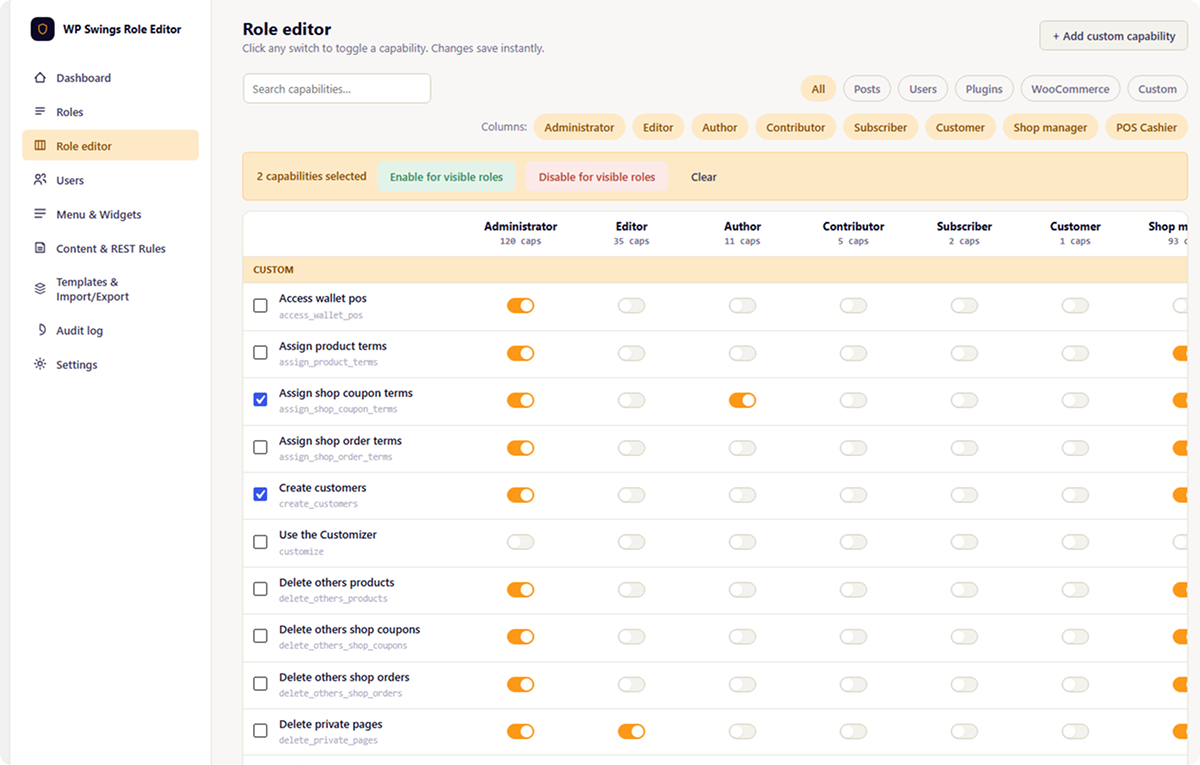
- Visual Capability Matrix – Edit role capabilities with an intuitive grid interface
- Per-User Capability Overrides – Grant or deny specific capabilities to individual users
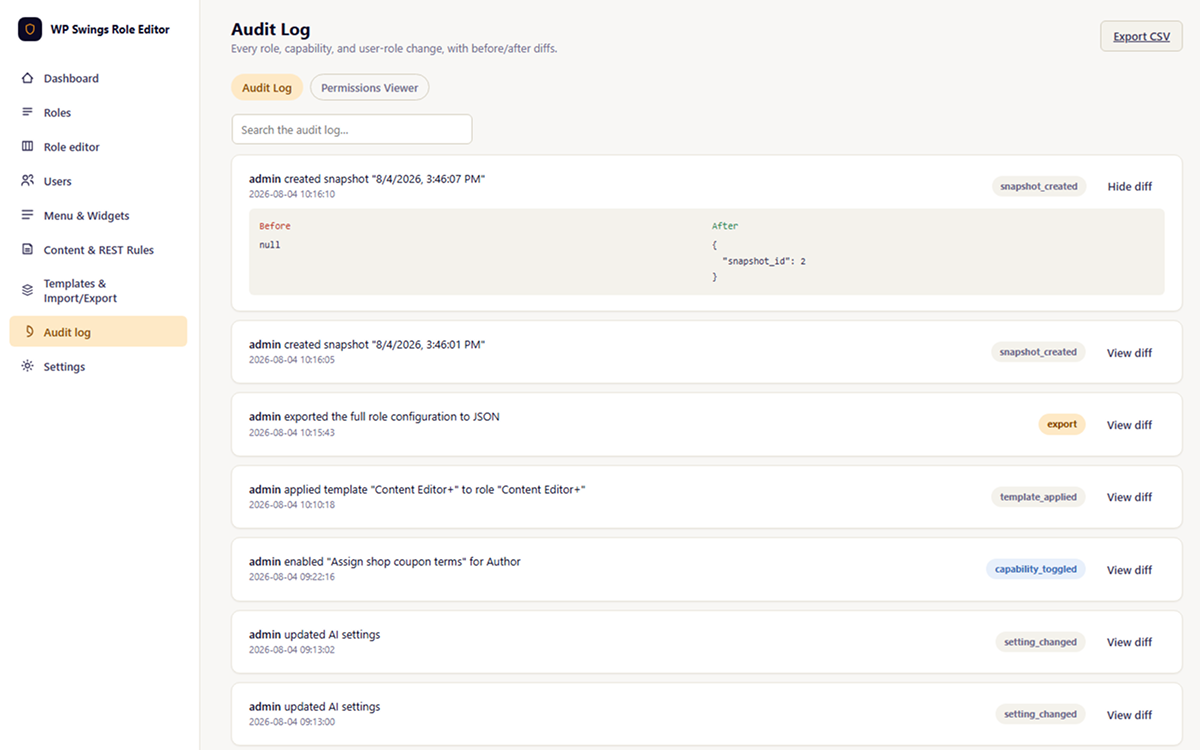
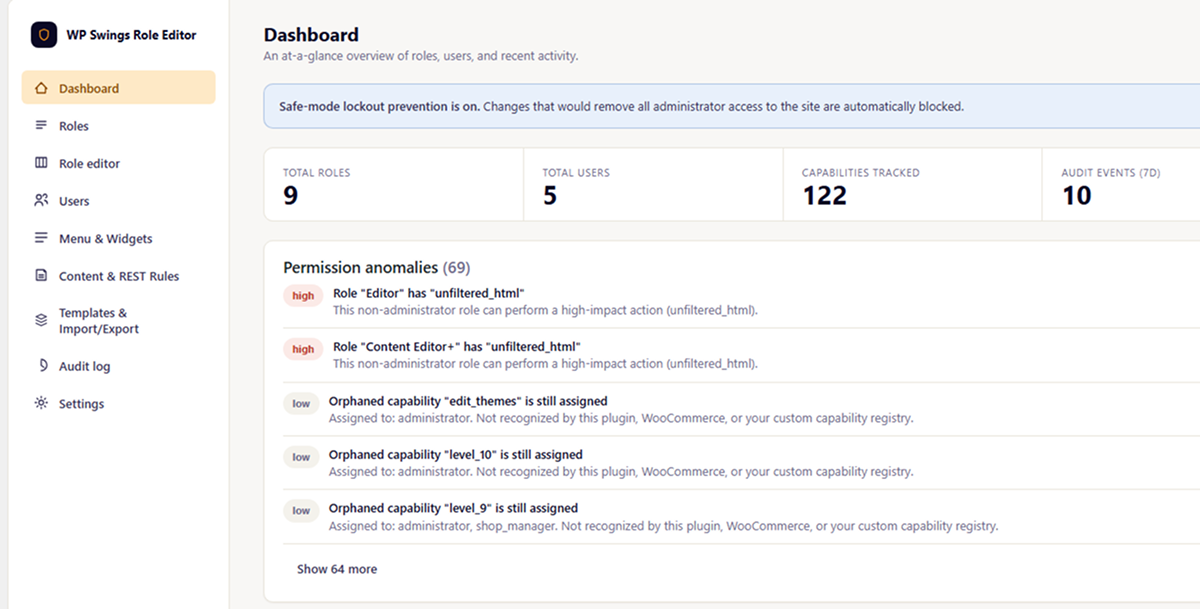
- Audit Log – Track all role and capability changes with detailed history
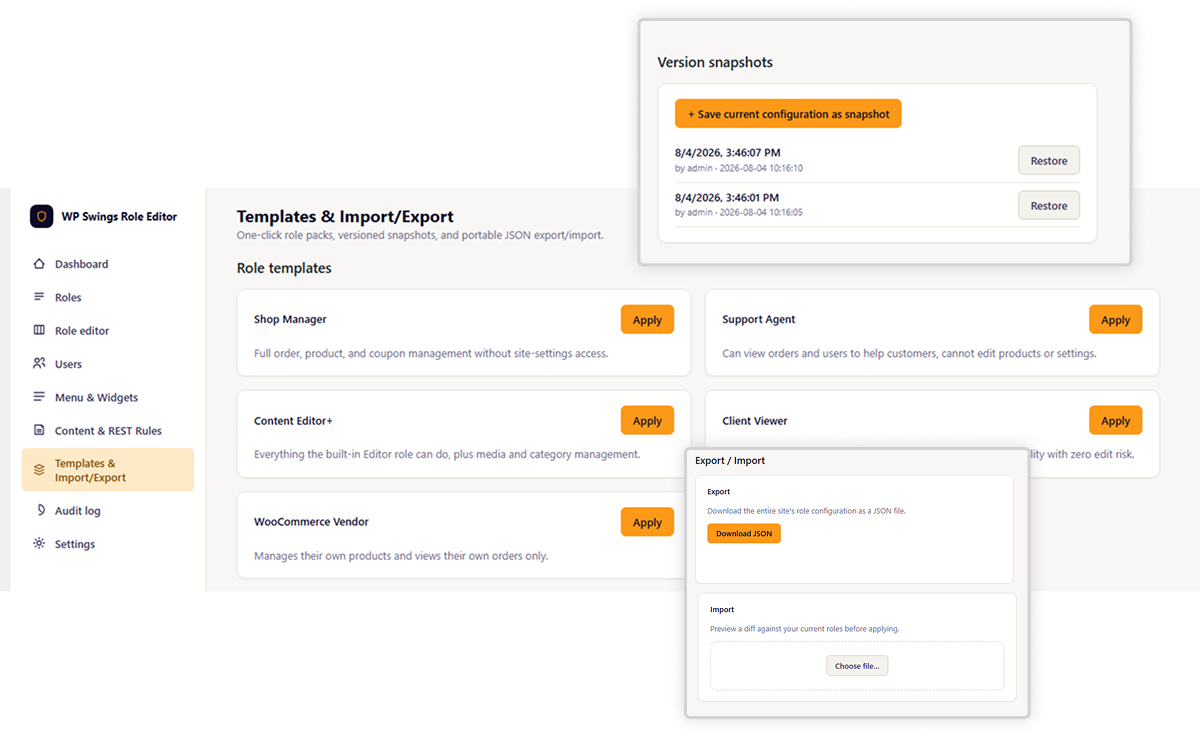
- JSON Import/Export – Backup and restore role configurations
- Template System – Predefined role templates for common use cases
- Snapshot & Restore – Create point-in-time backups of your role configuration
Access Control Features
- REST API Route Permissions – Control access to WordPress REST API endpoints
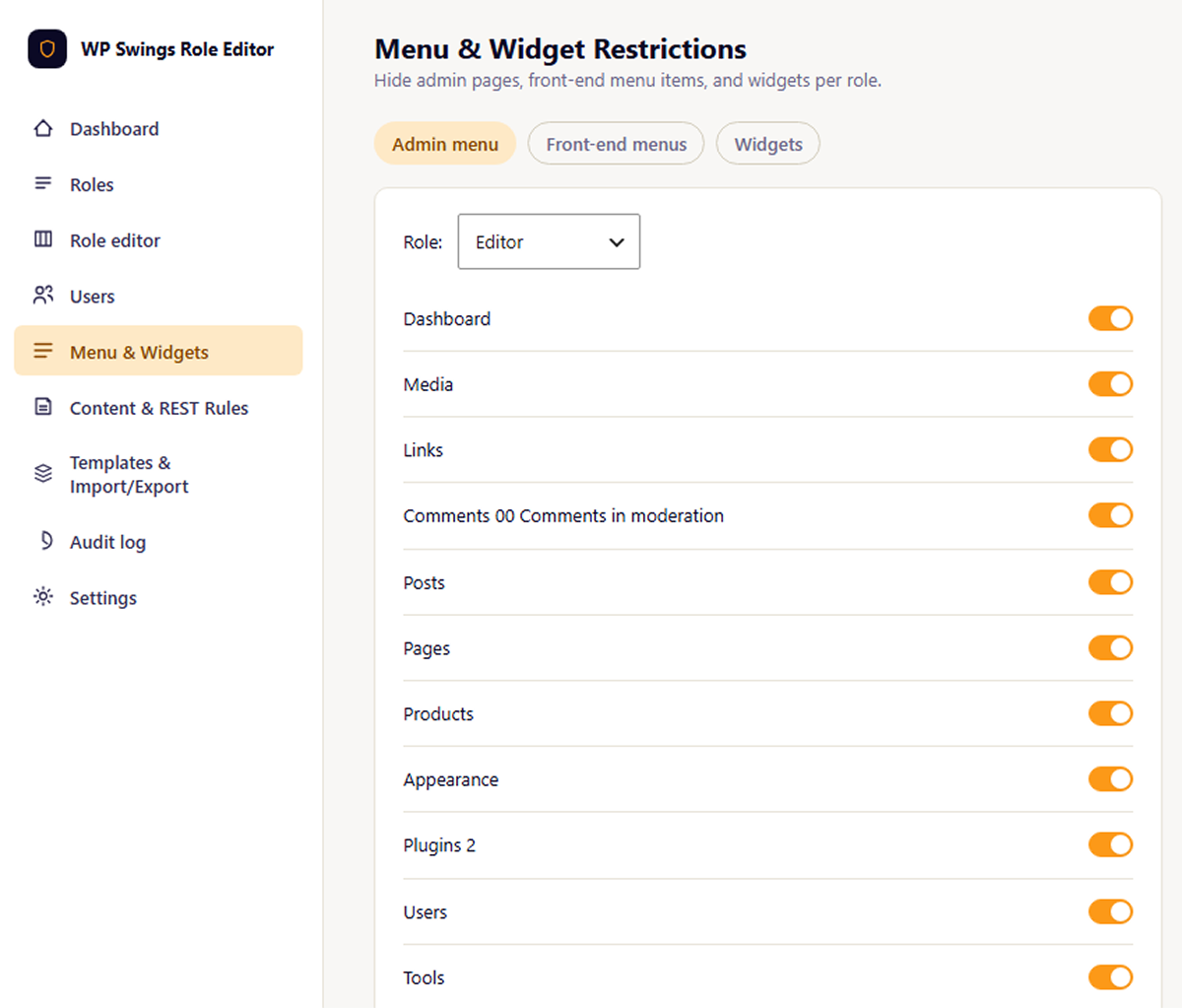
- Admin Menu Restrictions – Show/hide admin menu items by role
- Widget Restrictions – Control widget visibility by role
- Metabox Restrictions – Show/hide metaboxes based on user role
- Content Restrictions – Restrict post/page content by role with shortcodes and blocks
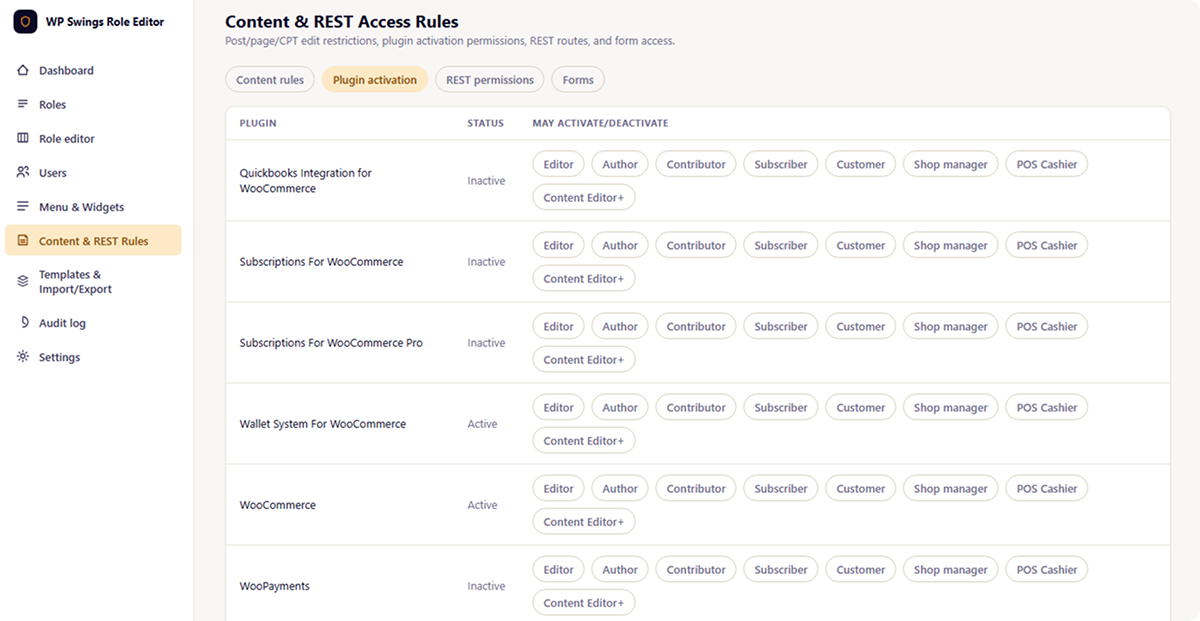
- Plugin Permissions – Control which roles can manage specific plugins
- Form Restrictions – Role-based form access control
Multisite Network Support
- Network-wide role management – Manage roles across all sites in a network
- Site-specific overrides – Allow individual sites to customize network roles
- Bulk synchronization – Sync role configurations across all network sites
AI-Powered Features (Optional)
This plugin includes optional AI features that leverage WordPress core’s AI Client API (available since WordPress 7.0):
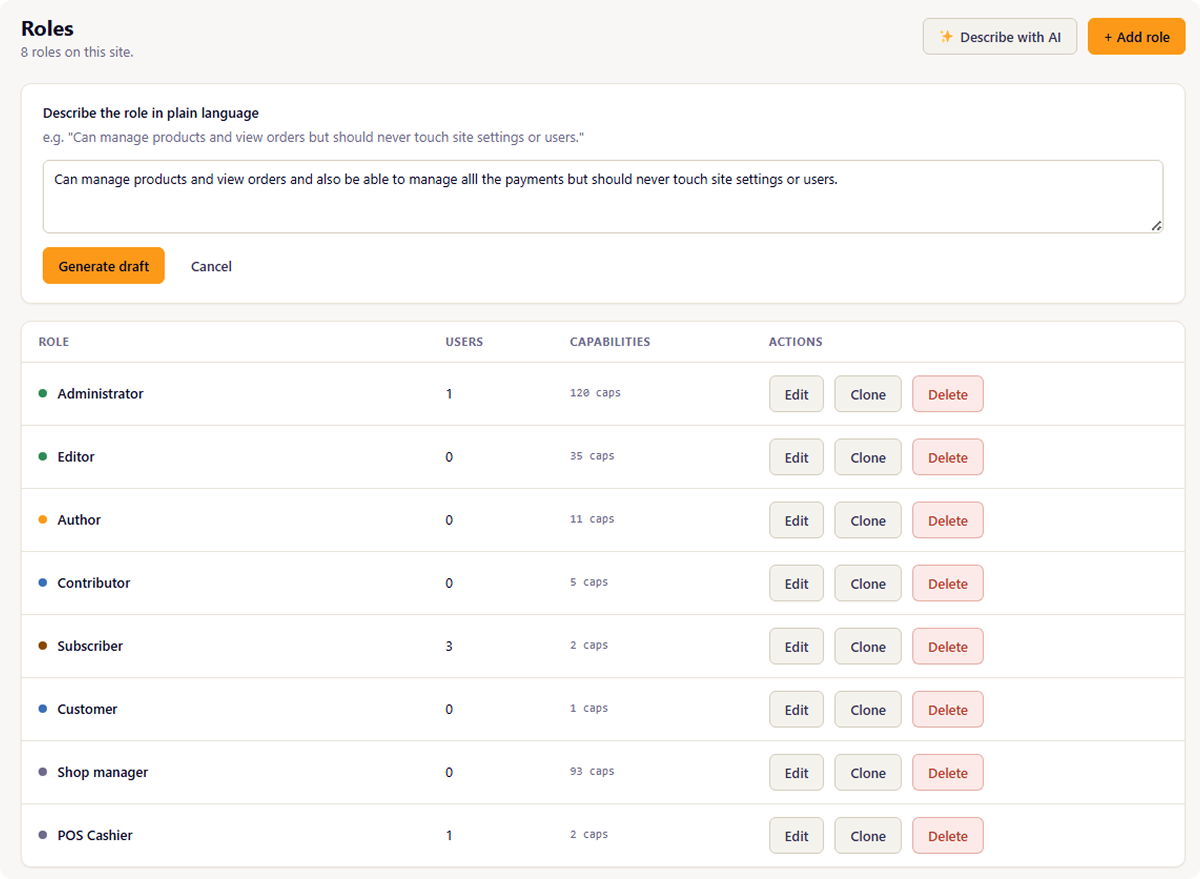
- Natural Language Role Builder – Create roles from plain-language descriptions
- Audit Log Summaries – AI-generated digests of role/capability changes
- Capability Explanations – Understand orphaned capabilities from deactivated plugins
- Permission Anomaly Detection – AI-enhanced security analysis of role configurations
Note: AI features require WordPress 7.0+ and a configured AI provider in WordPress Settings AI. The plugin does not directly call external AI services.
External Services & Privacy
WordPress AI Client API
This plugin optionally uses WordPress core’s AI Client API (WordPress 7.0+) to provide AI-powered features:
- What data is sent: When AI features are enabled, the plugin sends role/capability metadata, audit log entries, and permission configurations to the AI provider configured in WordPress Settings AI
- When data is sent: Only when you actively use AI features (natural language role builder, audit digest generation, capability explanations, anomaly detection)
- External communication: The plugin does NOT directly communicate with external AI services. All external AI communication is managed by WordPress core based on your site-level AI provider configuration
- Data retention: Data handling and retention policies depend on the AI provider you configure (Anthropic, OpenAI, etc.). Refer to your chosen provider’s privacy policy
- Opting out: AI features are disabled by default and can be toggled on/off in Settings AI
No Other External Services
This plugin does not make any other external HTTP requests or connect to third-party services beyond the WordPress AI Client API integration described above.
Building From Source
This plugin includes compiled JavaScript assets in admin/build/. The human-readable source code is available in admin/src/.
Build Requirements
- Node.js 16+ and npm
- The plugin uses Vite for building React components
Build Steps
- Navigate to the
admin/directory - Install dependencies:
npm install - Build for production:
npm run build - Development mode with hot reload:
npm run dev
The build process compiles React/JSX source files from admin/src/ into bundled JavaScript and CSS in admin/build/.
Snímky obrazovky
Bloky
Tento plugin poskytuje 1 blok.
- Wpswrope Restrict Content
Instalace
- Upload the plugin files to
/wp-content/plugins/wpswings-role-permissions-editor/or install via the WordPress plugin installer - Activate the plugin through the ‚Plugins‘ menu in WordPress
- Navigate to WPSwings Roles in the admin menu to start managing roles
For AI Features (Optional)
- Ensure you’re running WordPress 7.0 or later
- Configure an AI provider in Settings AI in your WordPress admin
- Enable AI features in WPSwings Roles Settings AI
Nejčastější dotazy
-
Do I need WordPress 7.0 for this plugin to work?
-
No. The plugin works with WordPress 6.0+. However, AI features require WordPress 7.0+ and a configured AI provider.
-
Does this plugin call Anthropic or OpenAI directly?
-
No. The plugin uses WordPress core’s AI Client API, which handles all external AI communication. You configure your preferred AI provider once at the WordPress level (Settings AI), not per-plugin.
-
What AI providers are supported?
-
Any AI provider supported by WordPress core’s AI Client API, which typically includes Anthropic Claude, OpenAI GPT, and others. Configuration is managed in WordPress Settings AI.
-
Can I use this plugin without AI features?
-
Yes! All core role management, audit logging, access control, and multisite features work independently of AI. AI features are entirely optional.
-
Is my data sent to third-party AI services?
-
Only if you enable AI features AND have configured an AI provider in WordPress Settings AI. When enabled, role/capability data is sent to your configured AI provider to generate natural language descriptions, summaries, and analysis. The plugin itself does not directly communicate with external services.
-
What happens to orphaned capabilities from deactivated plugins?
-
The plugin detects orphaned capabilities (those not recognized by active plugins) and allows you to:
* View which roles have them assigned
* Use AI to explain what they likely controlled (optional)
* Remove them from all roles with one click -
Can I restrict access to specific REST API endpoints?
-
Yes. The REST API route permissions feature allows you to define custom permission rules for any WordPress REST API route by role.
-
Does this work in a multisite network?
-
Yes. The plugin includes full multisite support with network-wide role management, site-specific overrides, and bulk synchronization.
Recenze
Pro tento plugin nejsou žádné recenze.
Autoři
WPSwings Role Permission Editor je otevřený software. Následující lidé přispěli k vývoji tohoto pluginu.
Spolupracovníci
Přeložte “WPSwings Role Permission Editor” do svého jazyka.
Zajímá vás vývoj?
Prohledejte kód, podívejte se do SVN repozitáře, nebo se přihlaste k odběru protokolu vývoje pomocí RSS.
Přehled změn
1.0.0 – Released on 07 Aug 2026
- Initial release
- Visual capability matrix editor
- Per-user capability overrides
- Comprehensive audit log
- JSON import/export
- Template system with predefined roles
- Snapshot & restore functionality
- REST API route permissions
- Admin menu, widget, metabox restrictions
- Content restriction shortcodes and blocks
- Multisite network support
- Optional AI features using WordPress AI Client API
- React-powered admin interface