

Popis
Plugin URL: https://douple.net/whochanged/
Docs: https://douple.net/whochanged/docs.html
Demo: https://douple.net/whochanged/demo.html
GitHub: https://github.com/thiendo/whochanged
Support: support@douple.net
Get WhoChanged PRO: https://checkout.freemius.com/plugin/35452/plan/58744/
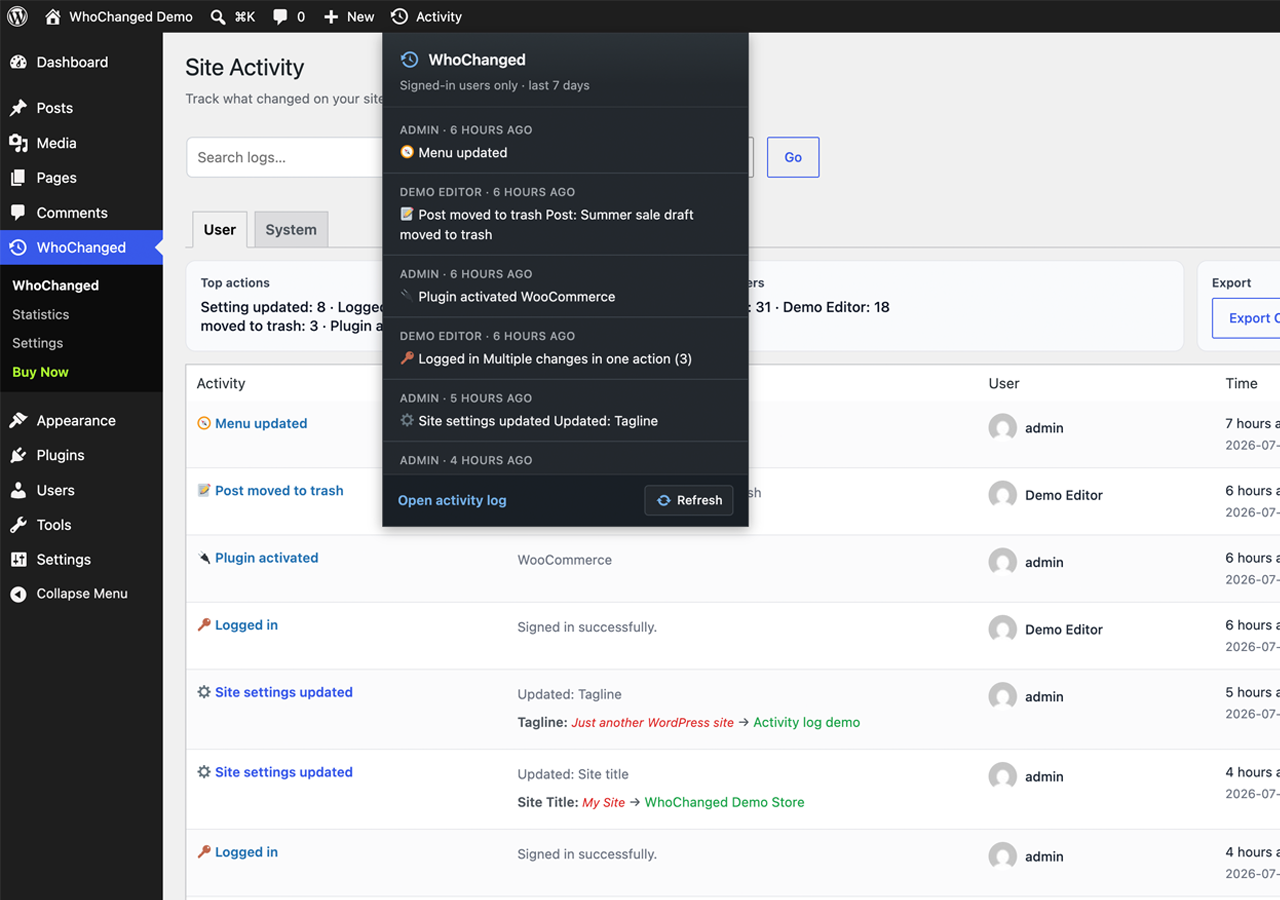
WhoChanged is a lightweight admin activity & audit log for WordPress. It quietly watches the admin area and records every meaningful change: who did it, what changed, and when — with clear before/after diffs.
When something breaks after an update, a setting disappears, or a client swears “I didn’t touch anything,” WhoChanged gives you the answer in seconds instead of hours of guesswork.
Features
- Before/after diffs — see exactly what the old and new values were, not just that something changed
- Settings & options — track option updates made through
wp-admin - Customizer — log Customizer saves with only the settings that actually changed
- Plugins — activation, deactivation, deletion, installs and upgrades
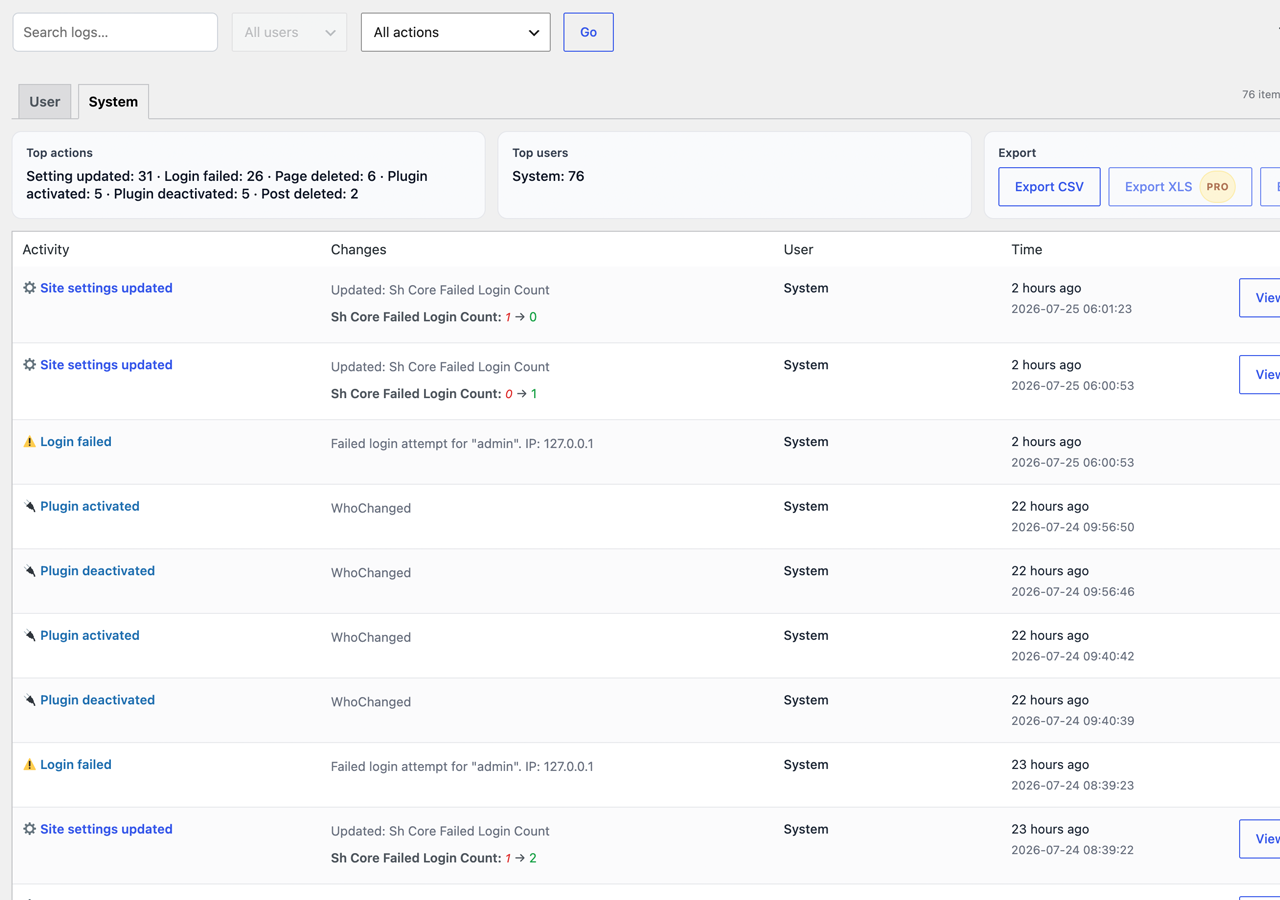
- Users — logins, failed login attempts, logouts and role changes
- Content — posts and comments moved to trash, restored, or permanently deleted
- Navigation menus — menu creation, updates and deletions
- WooCommerce — order deletions (when WooCommerce is active)
- Filterable activity log — search and filter by user, event type and date range
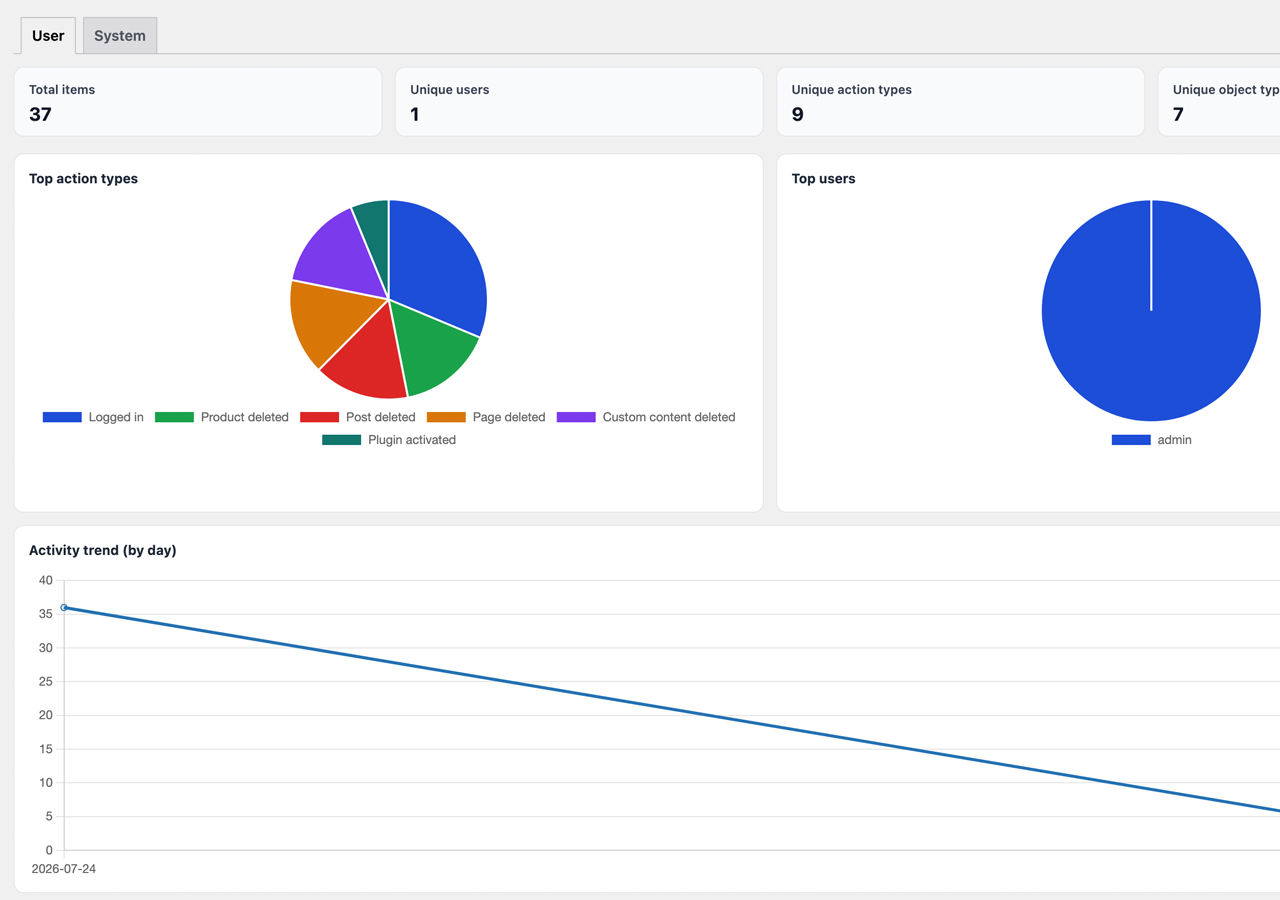
- Statistics dashboard — charts for actions, users, trends and activity by hour of day
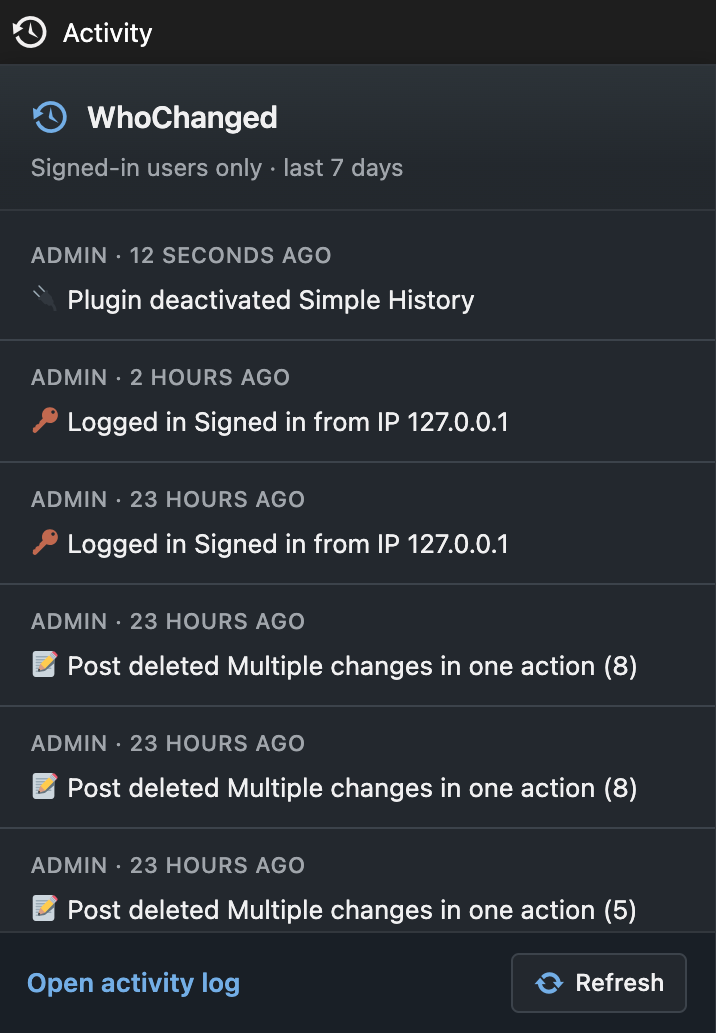
- Admin bar quick menu — recent activity without leaving the page you are on
- CSV export — download your activity log whenever you need it
- 30-day activity history on every Free install — no setup required
- Privacy-friendly by default — log data stays in your own WordPress database
- Fully translatable — ready for WordPress.org language packs
Perfect for
- Agencies and freelancers managing client sites with multiple admins
- Site owners who need a clear audit trail after unexplained changes
- Teams that want accountability without a heavy security suite
- Developers debugging “who changed this option?” moments
PRO features
More info at https://douple.net/whochanged/ — or buy WhoChanged PRO.
The Free plan tells you what changed. PRO helps you act on it, prove it, and get notified the moment it happens:
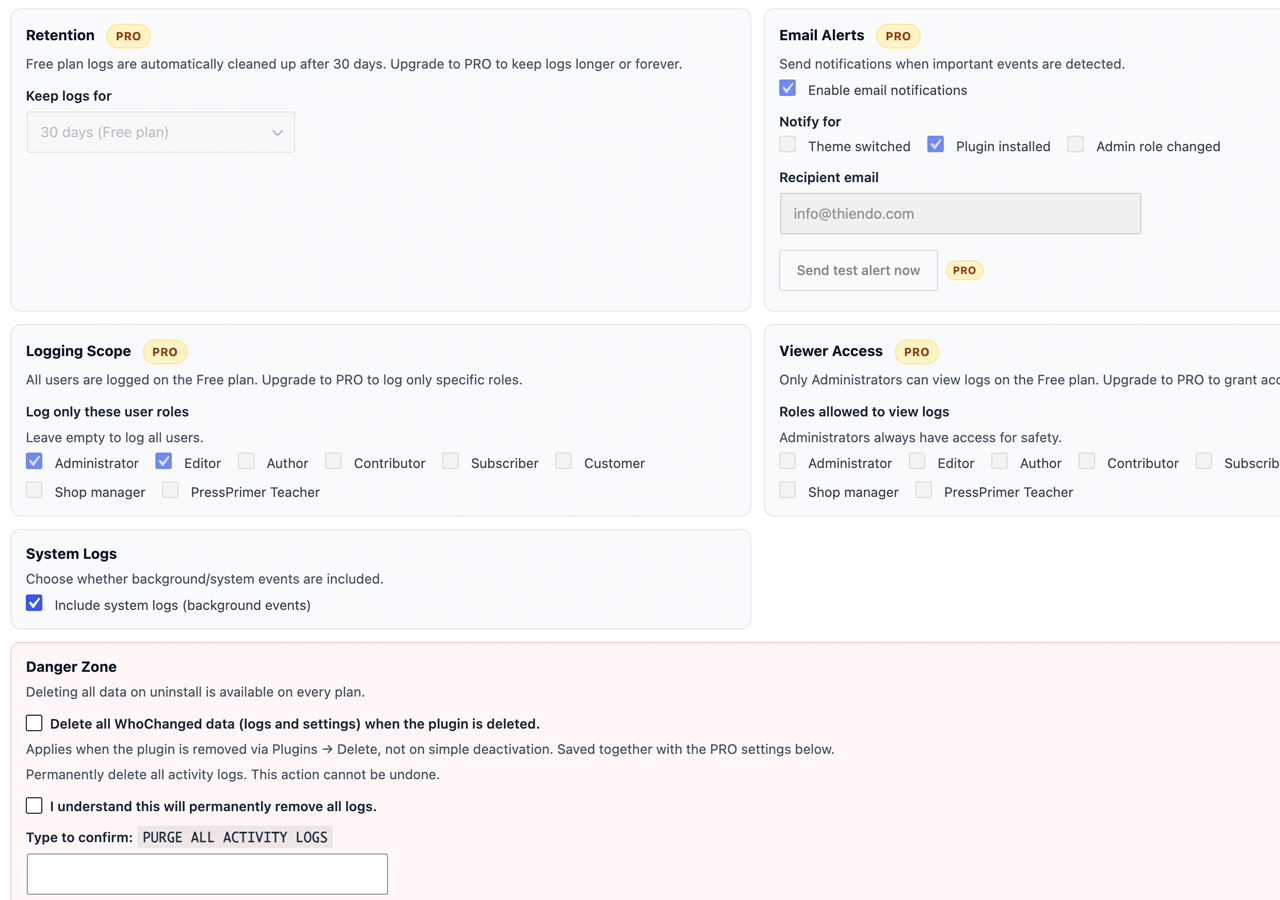
- Configurable / unlimited retention — Free keeps 30 days; PRO unlocks 60/90 days or forever so nothing ages out before an audit
- Excel (XLS) & PDF reports — client- and auditor-ready exports beyond CSV, including a one-click PDF of the Statistics dashboard
- Instant email alerts — get notified when specific event types happen (theme switches, plugin installs, admin role changes, and more)
- Role-based access control — choose which roles can view the log, and which roles are tracked. On Free, only Administrators can view logs and every user is tracked
- One-click purge — wipe the entire activity log when you need a clean slate
Free is genuinely useful on its own — full event coverage, filtering, diffs, statistics and CSV export. PRO is for teams and agencies that need longer history, professional reports, real-time alerts and fine-grained access control.
Requirements
- WordPress 6.0 or higher
- PHP 7.4 or higher
- WooCommerce is optional (only needed for WooCommerce-specific events such as order deletions)
External services
This plugin optionally connects to Freemius (https://freemius.com/) for:
- Optional opt-in usage tracking (skipped unless you explicitly agree on the Freemius connect screen)
- PRO checkout, license activation / deactivation, and PRO plugin updates
When those flows run, Freemius may receive data such as site URL, admin email / name (when provided), license key, plugin version, and basic WordPress / PHP environment info needed for licensing and support.
- Freemius Terms of Service: https://freemius.com/terms/
- Freemius Privacy Policy: https://freemius.com/privacy/
- Freemius data practices: https://freemius.com/privacy/data-practices/
No Freemius connection is required to use the free activity log features.
Development
Human-readable source for plugin-owned JavaScript and CSS is included in this package under assets/js/ and assets/css/ (admin.js, admin-bar.js, stats-charts.js, and matching stylesheets). Third-party libraries under assets/js/vendor/ and assets/css/vendor/ ship as upstream distribution builds (Chart.js, Flatpickr).
Public source repository: https://github.com/thiendo/whochanged
No build tools are required to review or modify the plugin-owned admin scripts and styles.
Snímky obrazovky
Instalace
- Upload the
whochangedfolder to/wp-content/plugins/, or install from Plugins Add New. - Activate the plugin through the Plugins screen in WordPress.
- Go to WhoChanged in the admin sidebar to view the activity log.
- (Optional) Visit WhoChanged Settings to review the 30-day Free retention window, or upgrade to PRO for longer retention, email alerts and role-based access.
- Full documentation: https://douple.net/whochanged/docs.html
Nejčastější dotazy
-
Does WhoChanged slow down my site?
-
No. WhoChanged only runs in the WordPress admin area (
wp-admin) and hooks into existing WordPress actions/filters, so it has no impact on your public-facing site’s performance. -
Where is the activity log stored?
-
In a dedicated table in your own WordPress database. Activity log data is not sent to any external analytics service. Email alerts (PRO) use your site’s own mail delivery.
-
What happens to my data if I deactivate or uninstall the plugin?
-
Deactivating keeps all logged data intact so nothing is lost if you reactivate later. Deleting the plugin from the Plugins screen keeps your data by default too — you can opt in to a full data wipe on uninstall from WhoChanged Settings Danger Zone.
-
Is WhoChanged compatible with multisite?
-
WhoChanged is designed for single-site installs. Multisite support is on the roadmap.
-
Do I need WooCommerce?
-
No. WooCommerce is optional. Without it, WhoChanged still tracks core WordPress admin changes (options, Customizer, plugins, users, menus, content). With WooCommerce active, it also logs order deletions.
-
How do I upgrade to PRO?
-
- Purchase WhoChanged PRO at https://douple.net/whochanged/#pricing (or from WhoChanged Pricing / Upgrade in wp-admin).
- Complete Freemius checkout. Your license key is emailed to the address you used at payment.
- In wp-admin go to WhoChanged Account, click Activate License, and paste the key.
- Confirm WhoChanged Settings shows PRO Active.
If you checkout from inside the same site’s wp-admin, Freemius often activates the license automatically. Full guide: https://douple.net/whochanged/docs.html
-
I bought PRO but the plugin still shows Free
-
Open WhoChanged Account and activate the license key from your Freemius purchase email. If the plan’s site limit is full, deactivate the license on an unused site first, then activate on this one.
-
Does this plugin send data to third parties?
-
Activity log content stays in your WordPress database. The bundled Freemius SDK may contact Freemius servers only after you opt in to usage tracking, or when you purchase / activate a PRO license. See External services below.
-
Where is the source code?
-
https://github.com/thiendo/whochanged
Recenze
Pro tento plugin nejsou žádné recenze.
Autoři
WhoChanged – Admin Activity & Audit Log je otevřený software. Následující lidé přispěli k vývoji tohoto pluginu.
Spolupracovníci
Přeložte “WhoChanged – Admin Activity & Audit Log” do svého jazyka.
Zajímá vás vývoj?
Prohledejte kód, podívejte se do SVN repozitáře, nebo se přihlaste k odběru protokolu vývoje pomocí RSS.
Přehled změn
1.1.4
- Updated: Plugin display name to WhoChanged – Admin Activity & Audit Log.
- Updated: Compatibility tested up to WordPress 7.1.
1.1.3
- Compliance: Restored human-readable plugin-owned JavaScript/CSS sources and documented the public repository in the readme.
- Security: Hardened dynamic log/analytics SQL queries to always use wpdb::prepare() with placeholders.
1.1.2
- Compliance: Moved configurable retention, email alerts, and role-based logging/viewer access implementations into the PRO-only module (excluded from this Free package). Free keeps fixed 30-day retention and administrator-only log viewing.
- Updated: Bundled Chart.js library to 4.5.1.
1.1.1
- Housekeeping: PRO-only export (XLS/PDF) and bulk-purge implementations now live in a separate module that is excluded from this Free package entirely, instead of being shipped-but-locked. No behavior change for Free users.
1.1.0
- New: Freemius-based licensing for PRO plan management, upgrades and renewals.
- New: Clean uninstall routine with an opt-in „delete all data“ setting.
- New: Deactivation routine that clears scheduled cron events.
- Removed: The legacy self-hosted update checker. Updates are now delivered through WordPress.org (free plan) and the Freemius SDK (PRO plan), as required for plugins listed on WordPress.org.
- Improved: Full WordPress Coding Standards (WPCS) compliance across the codebase.
- Improved: Internationalization — all strings are translation-ready with proper escaping and translator comments.
- Improved: Clearer visual distinction between Free and PRO features in the Settings screen — PRO-only fields are now disabled (not just labeled) on the Free plan.
- Changed: Free plan activity logs now auto-expire after 30 days (fixed); PRO unlocks configurable/unlimited retention.
- Changed: Excel (XLS) and PDF export moved to PRO; CSV export remains available on every plan.
- Security: Fixed a CSV export formula-injection issue and updated the bundled dompdf library to patch known vulnerabilities.
- Fixed: Activity timestamps could be displayed several hours off on sites not running in UTC; corrected across the log list, admin bar and all export formats.
- Fixed: Settings saved with an unchanged value (e.g. re-saving the Reading Settings screen) could log a misleading „changed“ entry showing the same before/after value; before/after comparisons are now type-tolerant like WordPress core’s own
update_option()check. - Fixed: Customizer saves logged every submitted setting as changed, even ones the admin didn’t touch; the log now only shows settings whose value actually changed.
- Improved: Plugin activated/deactivated/installed/deleted log entries now use consistent wording with the rest of the activity log.
- Improved: Login/logout log entries no longer repeat the username shown in the User column; the IP address is shown instead.
- Improved: „Page on front“ / „Page for posts“ changes now show the page title instead of a raw page ID.
- Changed: „Export Statistics PDF“ on the Statistics page moved to PRO, matching the XLS/PDF export gating on the main activity log.
- Improved: Freemius Account/Pricing screens now use the site’s WP Admin color scheme for the Upgrade button instead of a fixed blue.
- Improved: Statistics dashboard redesigned — doughnut charts now show exact counts and percentages (not just a bare legend), plus a new „Activity by hour of day“ chart, a period-over-period trend indicator on Total items, and a plain-language insight line (busiest day, top action share, peak hour).
1.0.1
- Maintenance release with minor fixes.
1.0.0
- Initial release.