

Popis
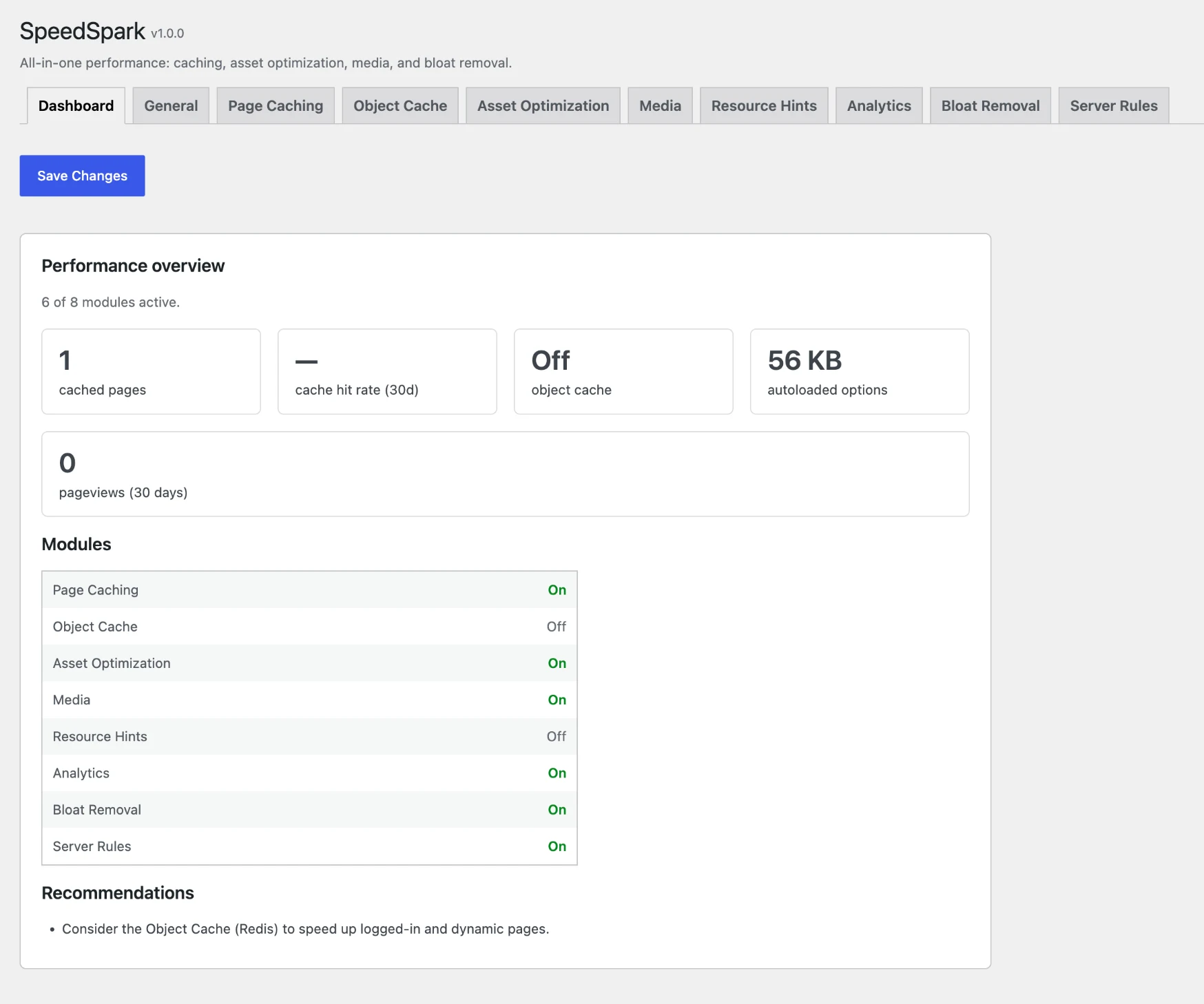
SpeedSpark bundles four performance domains into one lightweight, modular plugin:
- Page caching — full-page HTML cache for anonymous visitors with smart invalidation.
- Asset optimization — minify/combine CSS & JS, defer non-critical JavaScript, preload key assets.
- Media — lazy-load images & iframes, add missing dimensions to reduce layout shift.
- Bloat removal — disable emojis/embeds, throttle Heartbeat, limit revisions, tidy the database.
Every module is independently toggleable and ships off or in its safest mode. Disabled
modules attach zero hooks, so they add zero overhead. Anything that touches wp-config.php
or drop-ins is disclosed, idempotent, and reversible.
External services
SpeedSpark makes no external requests by default. Two optional, opt-in features connect to a third-party service, and only from your server — never from your visitors‘ browsers.
Cloudflare API
- What it is / why: if you enable CDN purging and choose the Cloudflare provider, the plugin asks Cloudflare to invalidate its CDN cache when your page cache is purged.
- What is sent and when: on every cache purge — the Zone ID and API token you entered (for authentication) and, for targeted purges, the list of your own page URLs to invalidate. No visitor data is ever sent.
- Terms of service: https://www.cloudflare.com/terms/
- Privacy policy: https://www.cloudflare.com/privacypolicy/
Google Fonts
- What it is / why: if you enable local Google Fonts hosting, your server downloads the font CSS and font files your theme already uses from fonts.googleapis.com and fonts.gstatic.com, once, and serves them from your own site from then on.
- What is sent and when: only the font URLs your theme already references, at localization time. No visitor data is sent — and after localization your visitors‘ browsers stop contacting Google entirely.
- Terms of service: https://policies.google.com/terms
- Privacy policy: https://policies.google.com/privacy
Every other request the plugin makes (cache warming, sitemap reading, critical CSS generation) goes to your own site’s URLs. Domain names that appear in the delay-JavaScript preset list (e.g. googletagmanager.com, connect.facebook.net) are local string patterns used to match scripts already on your pages — SpeedSpark never connects to them.
Privacy & data handling
The optional Analytics module is self-hosted and cookieless by design:
- What is stored: aggregated daily counters only — pageviews per path, referrer domains, and device class (desktop/mobile/tablet) — in a table on your own site. There are no per-visitor rows.
- What is never stored: no cookies, no IP addresses, no user agents, no fingerprints, and no third-party service is involved.
- Do Not Track: visitors with DNT or Global Privacy Control enabled are not counted (enforced in the browser and again on the server; on by default).
- Uninstalling: system-level changes (drop-ins,
WP_CACHE, the.htaccessblock, scheduled events) are always reversed on uninstall. Settings, cached files, and the analytics table are deleted only if you tick „Delete all data on uninstall“ first.
Snímky obrazovky
Instalace
- Upload the
speedsparkfolder to/wp-content/plugins/. - Activate SpeedSpark from the Plugins screen.
- Open the SpeedSpark menu and enable the modules you want.
Nejčastější dotazy
-
Does this require Composer or a build step?
-
No. SpeedSpark runs with a built-in autoloader and no runtime dependencies.
-
Is it safe to enable everything at once?
-
Modules are conservative by default. Aggressive options (combining JS, etc.) are opt-in and reversible.
Recenze
Pro tento plugin nejsou žádné recenze.
Autoři
SpeedSpark – Cache, Page Speed & Core Web Vitals Optimizer je otevřený software. Následující lidé přispěli k vývoji tohoto pluginu.
Spolupracovníci
Přeložte “SpeedSpark – Cache, Page Speed & Core Web Vitals Optimizer” do svého jazyka.
Zajímá vás vývoj?
Prohledejte kód, podívejte se do SVN repozitáře, nebo se přihlaste k odběru protokolu vývoje pomocí RSS.
Přehled změn
1.0.0
- Initial release. A full performance stack in one modular, dependency-free plugin — every module off or in its safest mode by default, and fully reversible:
- Page caching — full-page HTML cache for anonymous visitors, with smart or full purging, optional mobile and cookie cache variants, gzip pre-compression, optional hit-rate metrics, and background warming (manually, after a purge, or on a daily/weekly schedule with optional sitemap seeding).
- Object cache — persistent WordPress object cache backed by Redis via a bundled pure-PHP client (no phpredis extension), installed as a versioned, reversible drop-in; degrades to a per-request cache if Redis is unreachable. Multisite-aware.
- Asset optimization — minify and combine CSS & JS, defer non-critical JavaScript, local Google Fonts hosting with preload hints, automatic critical CSS, and optional CDN cache purging (built-in Cloudflare provider plus a generic action for any CDN).
- Media — lazy-load images and iframes, add missing width/height to reduce layout shift, LCP image prioritization, and optional WebP generation and delivery.
- Resource hints — preconnect, dns-prefetch, and prefetch, merged into WordPress’s own resource hints.
- Analytics — privacy-friendly, cookieless, self-hosted pageview analytics that keep counting even when pages are served from cache. No cookies, no IP storage, no third party; respects Do Not Track and Global Privacy Control.
- Bloat removal — disable emojis and embeds, throttle the Heartbeat API, limit post revisions, and clean common database cruft (revisions, transients, spam, orphaned metadata) on demand or on a schedule.
- Server rules — a managed .htaccess block for gzip and browser caching on Apache / LiteSpeed, and a copy-pasteable nginx config snippet on servers without .htaccess.
- Safe mode — define
SPEEDSPARK_DISABLEin wp-config.php to bypass all optimizations, page-cache serving, and the persistent object cache while troubleshooting; administrators can preview any URL un-optimized with?speedspark_off=1. - Site Health — status tests for the page-cache drop-in, cache directory, Redis connectivity, and safe mode, plus a full SpeedSpark section under debug information.
- WP-CLI — wp speedspark purge, warm, flush, and stats for deploy scripts and cron; a
speedspark_modulesfilter lets add-ons register their own modules.