

Popis
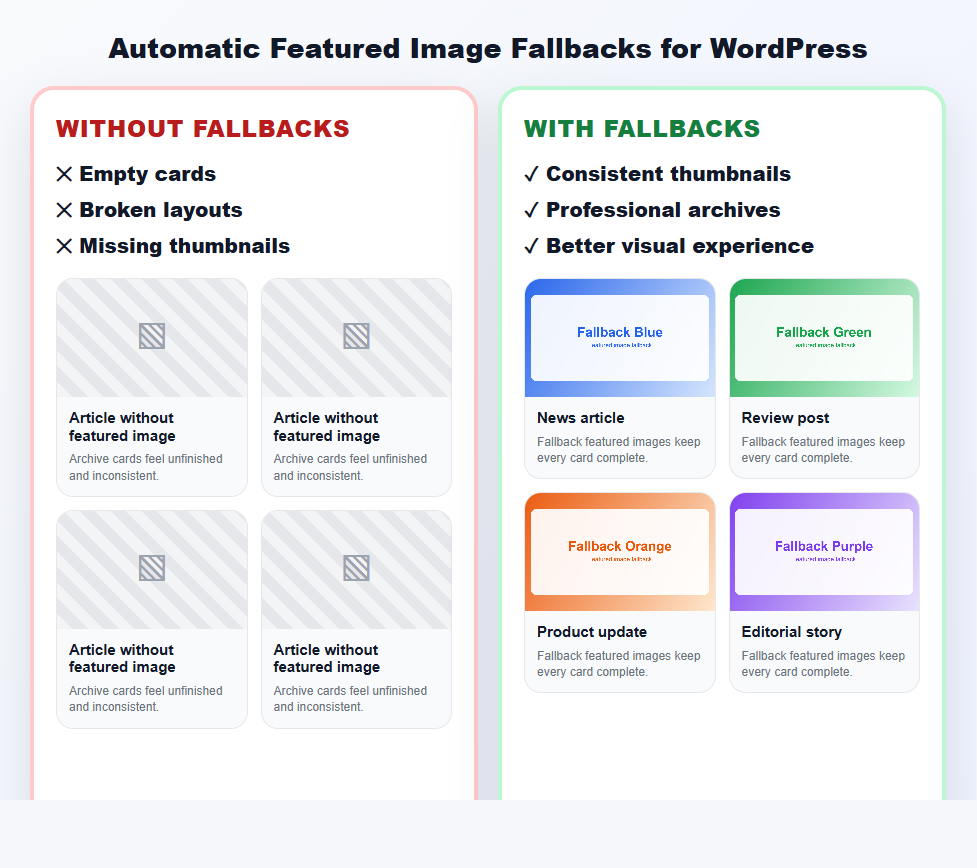
Missing featured images make your blog and archive pages look broken. Senzastile Featured Image Fallbacks fixes that automatically: whenever a post, page, or custom post type is published without a featured image, the plugin instantly serves a beautiful fallback image or placeholder image from your Media Library — so your card grids, archives, and theme layouts always look complete and professional.
No more empty boxes. No more inconsistent blog grids. No more editing old posts one by one.
Best of all, it is 100% non-destructive: the plugin works on the frontend only and never touches your posts or your database. Deactivate it and everything reverts instantly.
Why you’ll love it
- Consistent, professional layouts — every archive, blog grid, and related-posts block looks finished, even for posts without a thumbnail.
- Set it once, forget it — pick your placeholder images, choose your post types, and you’re done.
- Safe by design — no database changes, no modified posts, no lock-in.
- Works with your theme — compatible with classic themes and modern block themes that use standard WordPress featured image functions.
- Full control — choose different placeholders per category, or skip fallbacks on individual posts.
Key features
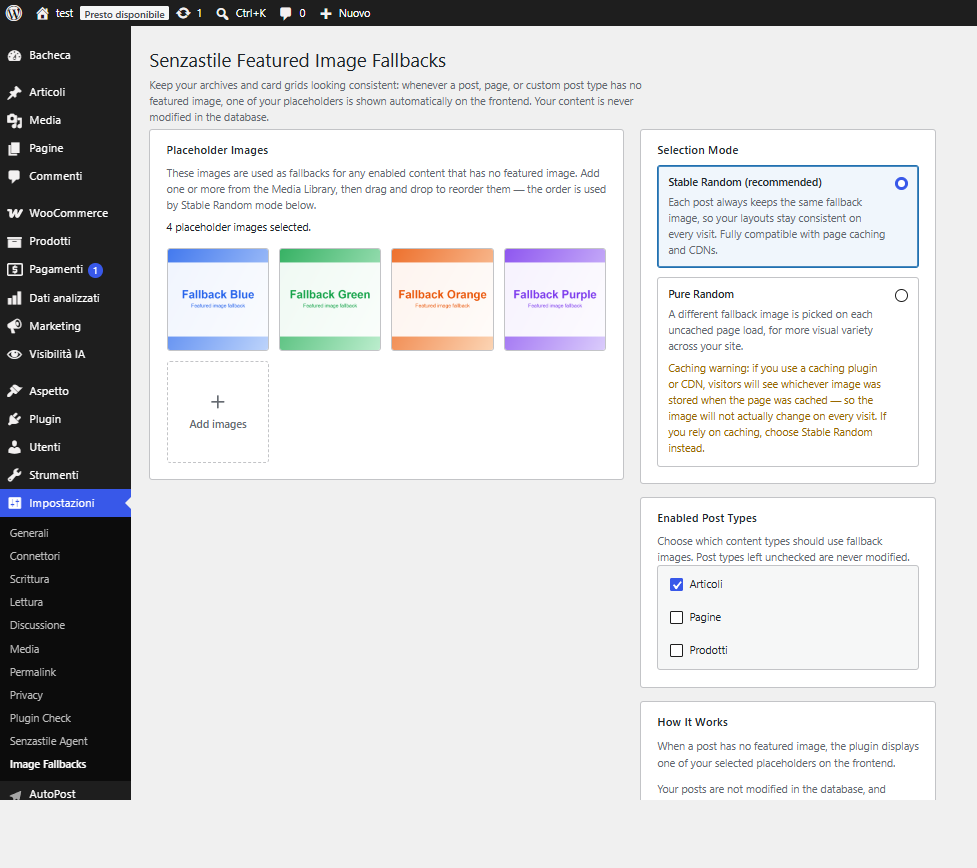
- Build a pool of default featured images straight from the Media Library
- Drag-and-drop ordering for your placeholder images
- Stable Random mode — each post keeps the same fallback image (cache-friendly, recommended)
- Pure Random mode — a different placeholder on each page load for extra variety
- Enable fallbacks for any public post type, including custom post types (CPTs)
- Per-category placeholder pools — assign a dedicated image set to specific categories
- Per-post opt-out — a simple checkbox in the block editor to skip fallbacks for a single post
- Lightweight, fast, and database-safe
- Fully translatable (i18n-ready) with an included POT template
- Developer-friendly filters for advanced customization
Whether you run a magazine, a blog, a WooCommerce store, or a portfolio built on custom post types, Senzastile Featured Image Fallbacks keeps your featured images consistent everywhere.
Snímky obrazovky


Instalace
- Upload the plugin files to the
/wp-content/plugins/senzastile-featured-image-fallbacksdirectory, or install the plugin through the WordPress Plugins screen. - Activate the plugin through the Plugins screen in WordPress.
- Go to Settings Image Fallbacks.
- Add one or more placeholder images from the Media Library.
- Choose a selection mode and the post types that should use fallbacks, then save.
That’s it — your missing featured images are now handled automatically.
Nejčastější dotazy
-
Will this modify my posts?
-
No. The plugin filters featured image data on the frontend only. It never edits your posts, never sets a real featured image, and never changes your database. If you deactivate the plugin, every post returns to its original state immediately.
-
Does it work with custom post types?
-
Yes. The plugin supports standard posts, pages, and any public Custom Post Type (CPT) registered on your site. You choose exactly which post types use fallback images on the settings page.
-
Does it work with block themes (Full Site Editing)?
-
Yes. The plugin hooks into the standard WordPress featured image APIs (such as
get_post_thumbnail_id(),has_post_thumbnail(), andthe_post_thumbnail()), which are used by both classic themes and modern block themes. As long as your theme displays featured images through these standard functions, fallbacks appear automatically. -
Does it work with WooCommerce?
-
Yes. WooCommerce products are a custom post type, so you can enable fallbacks for them on the settings page and a placeholder will be shown for any product without a product image on the frontend. Note that WooCommerce also ships its own built-in product placeholder; if you prefer this plugin’s images for shop and archive grids, enable the
productpost type here. The plugin does not modify product data. -
Can I disable fallbacks for individual posts?
-
Yes. Open any post in the block editor, find the Featured Image Fallbacks panel in the document sidebar, and check Do not use fallback images for this content. Developers can also use the
senzfif_enabledfilter, which takes precedence over the per-post checkbox. -
Can I use different placeholders for different categories?
-
Yes. In Settings Image Fallbacks, scroll to Category Pools and assign a dedicated set of images to any category. A post uses the pool of its first matching category; if no category pool matches, the global pool is used.
-
What’s the difference between Stable Random and Pure Random?
-
Stable Random assigns the same fallback image to the same post every time, keeping your layouts consistent and working perfectly with page caching and CDNs (recommended). Pure Random picks a different image on each uncached page load for more variety. If you use a caching plugin or CDN, choose Stable Random — cached pages will otherwise „freeze“ whichever random image was stored at cache time.
-
What happens if I uninstall the plugin?
-
Uninstalling cleanly removes everything the plugin created: its settings, the per-post opt-out data, and any legacy settings from previous versions. Your posts, pages, products, and real featured images are never touched. Simply deactivating (without deleting) keeps your settings for later.
-
Can I override the selected placeholder programmatically?
-
Yes. Developers can use the
senzfif_placeholder_idfilter to change the attachment ID returned for a given post.
Recenze
Pro tento plugin nejsou žádné recenze.
Autoři
Senzastile Featured Image Fallbacks je otevřený software. Následující lidé přispěli k vývoji tohoto pluginu.
Spolupracovníci
Plugin „Senzastile Featured Image Fallbacks“ byl přeložen do 1 jazyku. Děkujeme všem překladatelům za jejich pomoc.
Přeložte “Senzastile Featured Image Fallbacks” do svého jazyka.
Zajímá vás vývoj?
Prohledejte kód, podívejte se do SVN repozitáře, nebo se přihlaste k odběru protokolu vývoje pomocí RSS.
Přehled změn
1.1.1
- Fixed: Fatal Error on activation caused by a 1.1.0 packaging issue (the
class-post-meta.phpfile was missing from the published package). - Fixed: the block editor opt-out script (
editor.js) is now correctly included in the package. - New: live Plugin Status panel on the settings page (versions, REST API, Gutenberg, engine, post meta, compatibility).
- New: one-time What’s New screen after updating, styled like the WordPress About page (administrators only).
- New: optional, fully dismissible 5-star review reminder shown only to active administrators (native admin notice, no popups).
- Improved: release packaging and the included POT translation template.
1.1.0
- New: Per-category placeholder pools — assign a dedicated image set to specific categories; a post uses the first matching category pool, otherwise the global pool (backward-compatible settings schema).
- New: Per-post opt-out in the block editor document panel (
_senzfif_disabledpost meta, REST-registered with an auth callback). - New: Included POT translation template for full internationalization.
- Improved: Clearer settings page copy, better empty states, and a stronger page-caching warning for Pure Random mode.
- Improved: Legacy settings migration now runs once on
admin_init(guarded by an option flag) instead of on every front-end request; the activation hook is unchanged. - Developer: The
senzfif_enabledfilter still applies and can override the per-post checkbox.
1.0.2
- Renamed plugin prefixes from
fiptosenzfiffor WordPress.org guidelines compliance. - Automatic migration of settings from
fip_settingstosenzfif_settingson upgrade.
1.0.1
- Rebranded plugin name and slug to Senzastile Featured Image Fallbacks.
- Updated text domain to senzastile-featured-image-fallbacks.
1.0.0
- Initial public release.
- Placeholder image pool with drag-and-drop ordering.
- Stable Random and Pure Random selection modes.
- Post type targeting for public content types.
- Developer filters:
fip_enabled,fip_placeholder_id.