

Popis
❤️ Excellent membership plugin! Over 15 years of experience, development, releases… Still going and growing!
Start your membership profits! Build your tribe, gather your followers, enroll your students, bring in your clients!
💵 Enjoy the benefits of getting paid repeatedly for access to your site!
⭐⭐⭐⭐⭐ Brilliant „So glad I found this. It works brilliantly for our needs… love the seamless integration with PayPal. Everything we need. Thank you so much for creating this!“ –zarverk2000
The best way to make money from your WordPress site!
🤩 Sell unlimited memberships, turn free subscribers into members (subscriber to member s. 2 member s2Member), with a single payment or recurring payments subscriptions.
Easy and quick to use. Protect your membership content in a moment, and a moment later be ready to get payments for member access!
Easy to configure and very flexible. Protect the whole site, nothing, or just parts, even member files for paid downloads!
👉 Install s2Member now and make money! 😀
⭐⭐⭐⭐⭐ So much capacity & great support „I’m a novice and was able to quickly figure it out. When I got stuck I go to the support forum and Cristian is there with a quick answer to get me going again.“ –blueruck
⭐⭐⭐⭐⭐ The very best plugin and support service „Great plugin, neat, easy to configure, and with interesting security features. A special mention to Cristian whose support is awesome, fast, clear even to free members like myself“ –aflorarte
Packed with features, but not required to use them all, just those you want. Some of them:
➡️ Member user levels and custom access capabilities
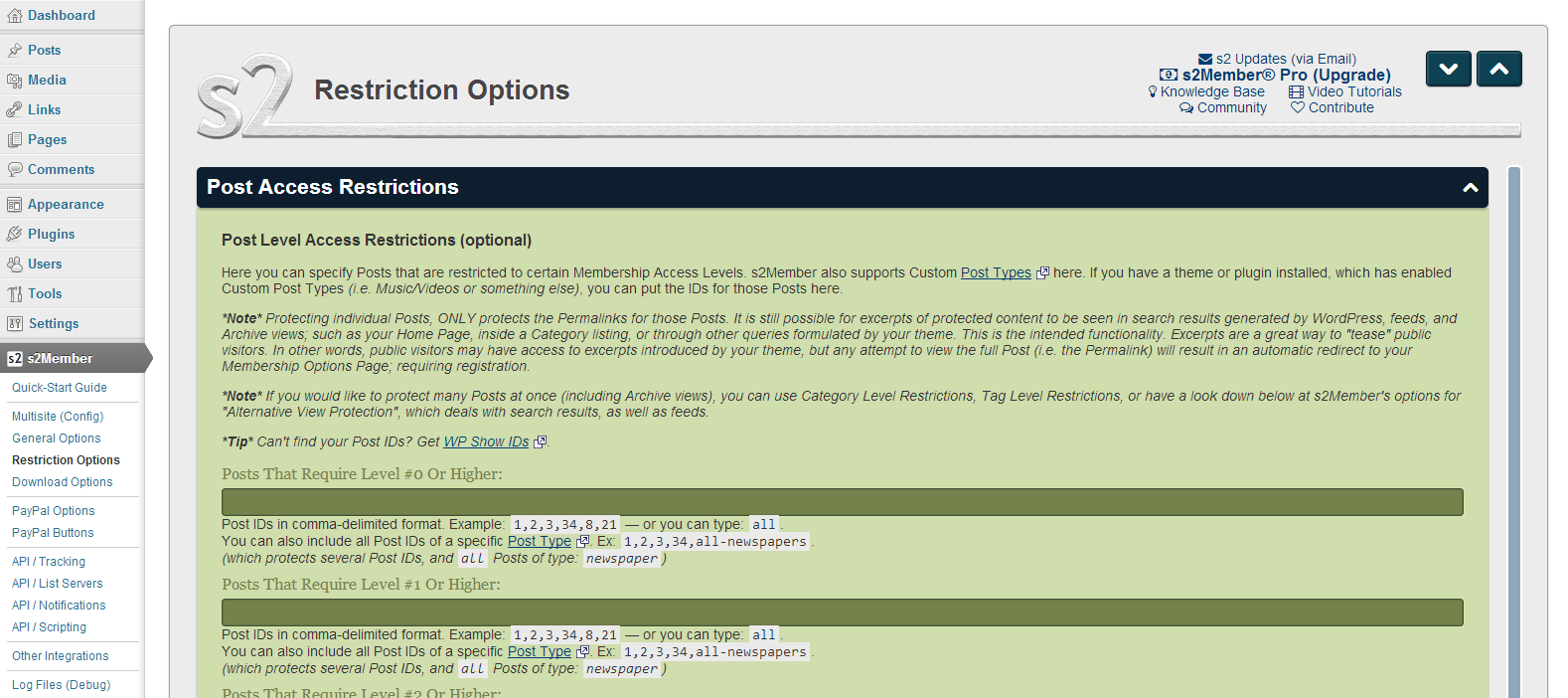
➡️ Membership content protection (post, page, category, tag, etc)
➡️ Protect anything served by WP (post types, URLs)
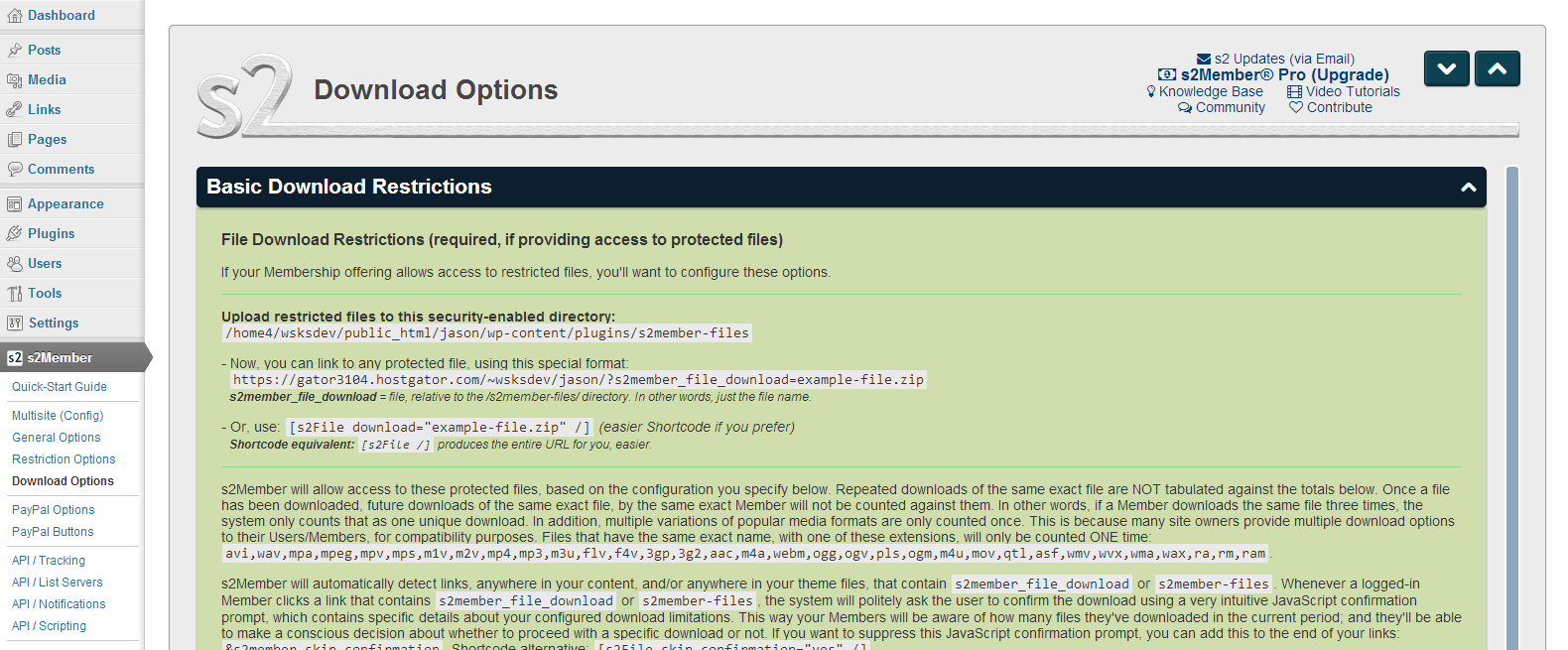
➡️ Member file protection (sell downloads)
➡️ Prevent member account sharing (limit IPs, simultaneous logins)
➡️ Protect accounts (limit failed login attempts)
➡️ Cool security/trust badge with your domain
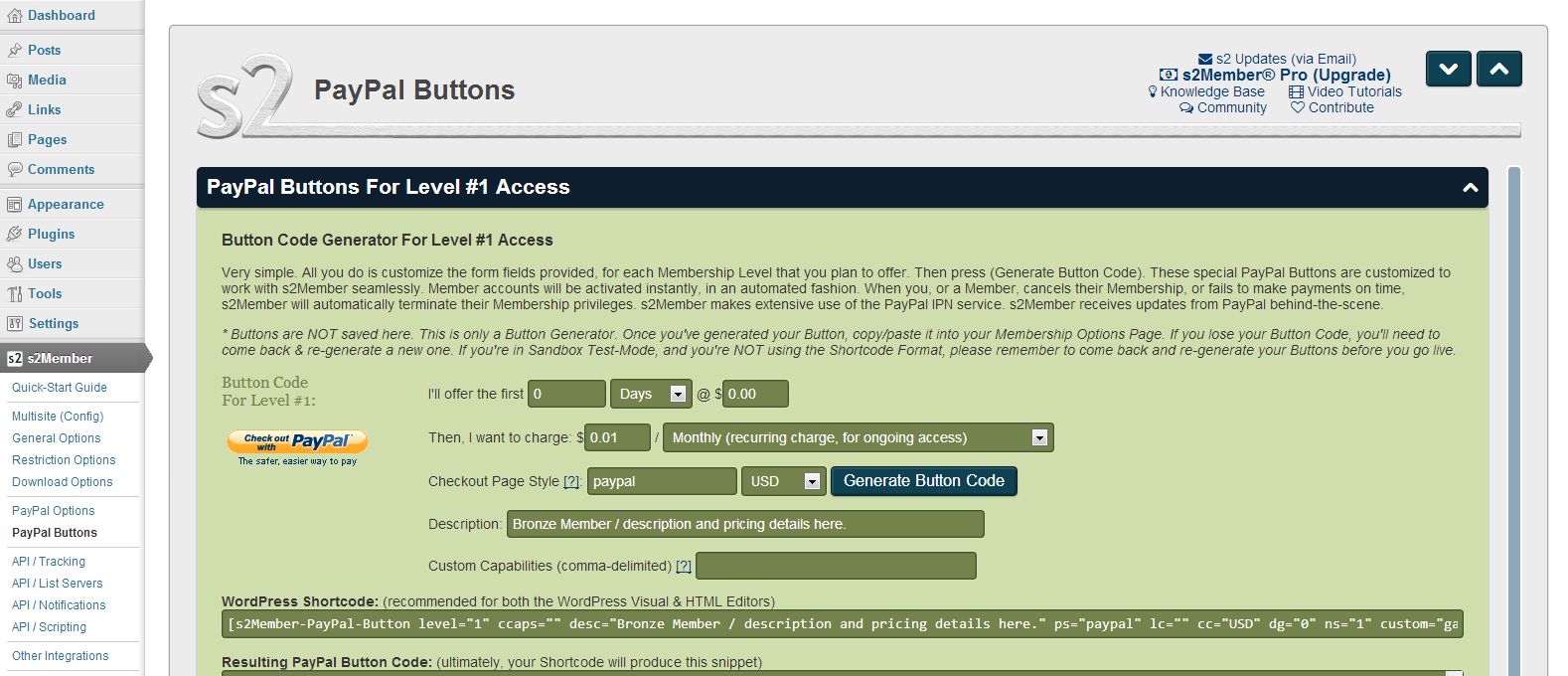
➡️ PayPal Standard buttons for membership payments (more in Pro)
➡️ Automatic member access demotion at end of paid access time
➡️ Tracking software integration (affiliates, etc)
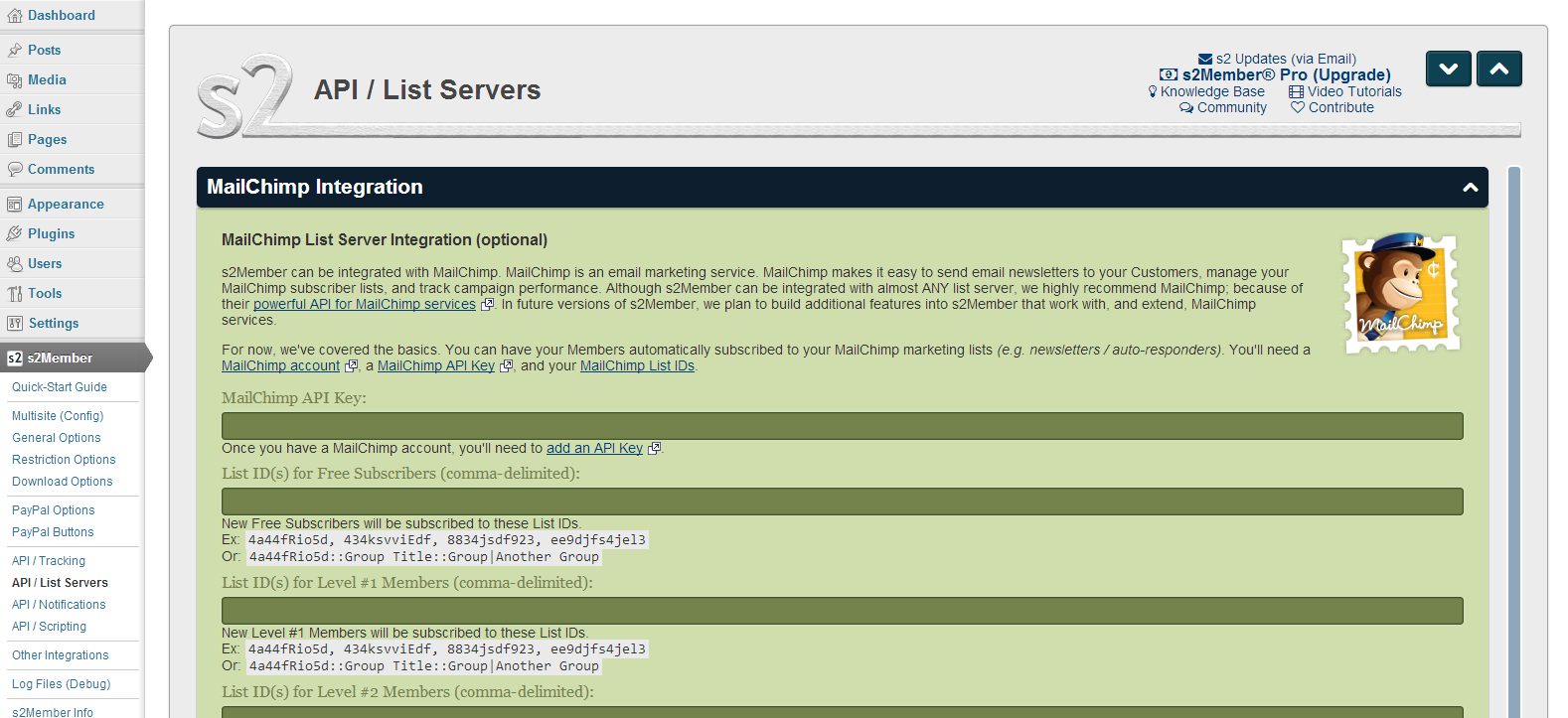
➡️ Email list services (Mailchimp, etc)
➡️ Notifications (signups, payments, etc)
➡️ Integrate with bbPress, BuddyPress for member communities
➡️ Compatible with any well coded theme (Elementor, Divi, etc)
➡️ Customize the WP login/registration look
➡️ Custom redirection after member login
➡️ Create custom profile fields for member accounts
➡️ Customize the user welcome email
➡️ And more!
👉 Install and start using s2Member now! 🤩
⭐⭐⭐⭐⭐ Very Powerful Membership Plugin „This membership plugin does a lot and has many, many configuration options to achieve whatever you want… I received extremely quick and reliable support.“ –liltrucks
⭐⭐⭐⭐⭐ Simple, Compatible, Secure, and Versatile! „We are seriously impressed with this plugin and we highly recommend it… We have not found ANY limitations to what we are trying to accomplish… a very smooth process… straight-forward and user-friendly!… exceeded our expectations!“ –tips4gamers
⭐⭐⭐⭐⭐ Excellent plugin „This plugin does everything it says on the box. It does it well… the functionality is absolutely spot on. The developers/maintainers are also active and helpful. Totally recommended!“ –richardfoley
⭐⭐⭐⭐⭐ Best Membership Plugin I’ve Used „I switched to s2 Member around 3 years ago after trying a few plugins. I found these other plugins inflexible and difficult to configure… Well worth investigating if you want a robust membership solution.“ –rnwhalley
🤖 Not needed to know any PHP code or be a developer. Only code needed is copy-paste wp shortcodes, like for the paypal buttons… But is also developer-friendly to customize your installation if wanted.
Some reasons to get s2Member Pro
✅ Membership content dripping
✅ Stripe, PayPal Pro, Authorize.Net, ClickBank
✅ On-site one-step checkout with pro-forms (Stripe, PayPal, Auth.Net)
✅ Unlimited membership levels
✅ Membership renewal reminder emails
✅ Single-step member registration and payment with pro-forms
✅ Custom redirection after payment
✅ Coupon codes and gift/redemption codes
✅ Custom member offer redirections after login
✅ Pro API for new integrations
✅ Public members directory
✅ Members bulk import/update/exporter
✅ Multisite network support
✅ Login and registration forms to use in pages/posts
👉 Click here for more 🙂
⭐⭐⭐⭐⭐ The Best Membership Plugin „I have built with most Membership plugins and literally dozens using S2 Pro and I can tell you, bar none it is the best of all of them. Extremely powerful, anything you might want to do it can do… I highly recommend you try it out.“ –antwoords
⭐⭐⭐⭐⭐ Excellent plugin & top support „We’ve used s2member pro on a few projects now & find it has met all our membership needs. Most impressive has been the support. Excellent communication, knowledgeable, friendly and super patient 🙂“ –aaee6
⭐⭐⭐⭐⭐ Awesome Support „I’ve been using s2Member for 9 years… Amazing support of a high-end plugin and much appreciated. This is one of the reasons I stick with s2Member. Support has always been great!“ –graphichome
⭐⭐⭐⭐⭐ Wonderful Support „Above and beyond. I’ve used this plugin for over ten years with various clients and whenever I need help, they’ve helped find a solution.“ –germars
The free s2Member Framework integrates with PayPal Website Payments Standard (also free). Sell „Buy Now“ or Membership access to your site. Restrict access to Roles, Capabilities, Posts, Pages, or anything else in WordPress.
Protect your WordPress Posts, Pages, Tags, Categories, URIs, BuddyPress, bbPress, and even portions of content within Posts, Pages, themes, plugins. Easily configurable and highly extensible. You can even protect downloadable files and streaming audio/video. Store files locally, or use s2Member’s integration with Amazon S3/CloudFront.
s2Member is powered almost entirely by WordPress shortcodes, making advanced integrations quick and easy. Sell recurring (or non-recurring) subscriptions with lots of flexibility. Or sell „Buy Now“ membership access in various ways. You can also sell specific Posts/Pages, sell member access to file downloads, or sell members Custom Capabilities that provide highly configurable access to specific portions of your content.
👉 Install now s2Member and start making money! 😀
Snímky obrazovky



Instalace
NOTICE: For help with s2Member Pro, please use our forum.
s2Member is very easy to install
Just like any other normal plugin:
- From the WP Admin’s Plugins Add New Screen.
- Or via FTP upload the
s2memberfolder from the zip to your/wp-content/plugins/directory. - Activate it from Plugins page in your WordPress Admin.
Here’s a quick-start video for a simple basic setup to get you started.
See also
Detailed installation/upgrade instructions.
Is s2Member compatible with Multisite Networking?
Yes, requires s2Member Pro for Unlimited Sites. After you enable Multisite Networking, with s2Member Framework and Pro active, navigate to s2Member → Multisite (Config) in the Dashboard on your Main Site.
Nejčastější dotazy
NOTICE: For help with s2Member Pro, please use our forum.
-
Is s2Member compatible with Multisite Networking?
-
Yes, s2Member Pro for Unlimited Sites is compatible with Multisite Networking. After you enable Multisite Networking, with s2Member Framework and Pro enabled, navigate to
s2Member → Multisite (Config)in the Dashboard on your Main Site. -
Where can I find more information?
-
- s2Member FAQs: http://s2member.com/faqs/
- Knowledge Base: http://s2member.com/kb/
- Video Tutorials: http://s2member.com/videos/
- Community: http://s2member.com/r/forum/
- Codex: http://s2member.com/codex/
-
Translating s2Member
-
Please see: http://s2member.com/r/translations/
Recenze


Autoři
s2Member – Excellent for All Kinds of Memberships, Content Restriction Paywalls & Member Access Subscriptions je otevřený software. Následující lidé přispěli k vývoji tohoto pluginu.
Spolupracovníci


Plugin „s2Member – Excellent for All Kinds of Memberships, Content Restriction Paywalls & Member Access Subscriptions“ byl přeložen do 2 jazyků. Děkujeme všem překladatelům za jejich pomoc.
Zajímá vás vývoj?
Prohledejte kód, podívejte se do SVN repozitáře, nebo se přihlaste k odběru protokolu vývoje pomocí RSS.
Přehled změn
v261011
-
(Pro) Major Improvement: Expanded the existing Pro-Form CAPTCHA Anti-Spam Security with multiple independent and optional layers of protection while preserving the existing pro-form
captchashortcode control. See s2Member Pro > General Options > Pro-Form Anti-Spam & Bot Protection (Beta)- Built-in Protection: Added Honeypot and configurable Speedtrap checks that can reject common automated submissions without requiring an external service. Speedtrap uses a server-signed form timestamp and has an adjustable minimum form age.
- More Bot Check Choices: The existing Google reCAPTCHA v2 integration remains available for compatibility, alongside new support for Google reCAPTCHA v3 and Cloudflare Turnstile. Only one external Bot Check provider is active at a time.
- Signup Screening: Added Akismet screening for pro-forms that create new WordPress users. This check only applies to account-creation pro-forms; it does not apply to payment-only, account-maintenance, modification, update, or cancellation pro-forms that are not creating a new account.
- Configuration Health Checks: Added status information and configuration tests for the selected protection services, making missing, invalid, or unverified configurations easier to identify before relying on them to protect live pro-forms.
- Administrator Diagnostics: Added optional administrator-only pro-form diagnostics and a dry-run Simulate Bot test for checking anti-spam behavior without creating a user, processing a payment, or submitting the actual form.
- Privacy-Preserving Statistics: Added 30-day totals for Allowed and Blocked submissions, plus summaries of form age and active entry time. These can help administrators choose an appropriate Speedtrap threshold. The statistics are aggregate only; individual timings, IP addresses, emails, usernames, tokens, and submitted form data are not stored.
- Backward-Compatible Activation: Existing CAPTCHA-enabled pro-forms continue to use their
captchashortcode attribute to control whether s2Member’s protection is active.captcha="0"disables it, whileclean,light, ordarkvalues enable it.
-
(Pro) Enhancement: EOT demotion and custom capability removal previously used site-wide settings for every level. New Custom EOT Demotions let each paid level have its own destination level and custom capability removal list, preserving unrelated access. Choose the same destination level to remove capabilities without changing the level. Use
all-ccapsto remove all of the member’s custom capabilities when that level’s rule applies. Thanks to Carole for suggesting this. See WP Admin > s2Member Pro > PayPal Options > Automatic End-of-Term Behavior > Custom EOT Demotions (Beta) -
(Framework) Improvement: EOT demotion and account-deletion notifications now report the previous s2Member Level and custom capabilities, plus which custom capabilities were removed and which remained after the access change. These details are included in notification emails and available as URL replacement codes, making access changes easier to track. See WP Admin > s2Member > API / Notifications > EOT/Deletion
-
(Framework) Fix: EOT demotion could leave other roles assigned when the member already had the destination role. The setting to replace “All WordPress roles” now consistently leaves only the destination role.
-
(Framework & Pro) Enhancement: Added an optional setting to check whether a user’s email domain is configured to receive mail, helping catch mistyped or unusable addresses during
wp-login.phpregistration, account creation through pro-forms, or email changes in thes2Member Profileform. See WP Admin > s2Member > General Options > Registration/Profile Fields & Options > Check Email Domain? (Beta) -
(Framework) Improvement: Continued the s2Member Security Encryption Key improvements introduced in v260814. The newer fingerprint-based key records are now used first, with older records kept as a fallback for compatibility. Upgrades preserve valid newer records, and the encryption keys themselves remain unchanged so existing encrypted data can still be decrypted.
-
(Framework) Security: Strengthened verification of registration links and cookies to ensure membership access follows the original registration details, and that registration links respect their expiration. Existing authenticated registration links remain supported. Older registration links and cookies using legacy encryption are no longer accepted. Specific Post/Page access links are unaffected.
-
(Pro) Improvement: Updated PayPal and Authorize.Net pro-forms to work with the strengthened registration security checks, ensuring purchased membership levels, custom capabilities, and subscription details continue to be assigned correctly.
-
(Framework & Pro) Fix: Corrected notifications for new Stripe Pro-Form signups that complete after delayed payment authentication. Pending accounts still remain at s2Member Level 0 until Stripe confirms payment, but new-user notifications now reflect the membership being purchased. Once payment is confirmed, the signup follows the normal confirmation and notification paths instead of being treated as a membership modification. Thanks to Gerard for reporting the issue. See thread #13644.
-
(Pro) Fix: Corrected Stripe Free Registration when Custom Registration Passwords are disabled. The registration form can legitimately omit its password fields in this configuration, but the registration handler still assumed a password value was present, which could trigger an undefined-array-key warning on PHP 8+. s2Member now handles the optional password correctly and continues using its existing generated-password flow when no custom password is supplied.
-
(Pro) Fix: Improved Stripe SetupIntent checkout reliability when webhook fulfillment is still processing, giving the webhook more time to complete the membership update before the browser reports that processing is still underway.
-
(Framework) Fix: Some WordPress REST API requests could expose protected content, including custom post types and content protected by URI restrictions. Collections and search results could also include protected items when alternative-view filtering was disabled or specific items were explicitly requested. s2Member now applies access restrictions to these API requests before returning results, preventing these request options from exposing protected content.
-
(Framework) Fix: Page restrictions using
all-pageorall-pagescould leave pages accessible when the rule appeared first in the restriction list. s2Member now recognizes these rules in that position for both normal page requests and the WordPress REST API, so their placement no longer affects page protection. -
(Framework) Fix: WordPress REST API requests could overlook the singular
all-postrule or apply page exemptions to other types of content. Unrelated API routes could also be blocked because their names or numeric IDs matched protected resources. s2Member now recognizesall-postconsistently and applies restrictions and exemptions to the appropriate resources, preserving access to unrelated API functionality. -
(Framework) Fix: WordPress REST API requests could expose comments on protected posts, along with protected categories and tags in collections and search results. Comments now follow the access restrictions of their parent post, and inaccessible categories and tags are excluded from those results. REST tag checks also consistently recognize restrictions configured by name, slug, or numeric ID.
-
(Framework) Fix: Tag protection and permission helpers could report a tag as unrestricted when its restriction was configured using a numeric tag ID, even though the tag archive restriction recognized that ID. These helpers now recognize the same restrictions, keeping custom access checks consistent with archive protection.
-
(Framework) Fix: s2Member’s access-denied messages for protected content requested through the WordPress REST API could remain untranslated even when an s2Member translation was available. These messages now use the correct s2Member translation domain, allowing available translations to apply.
-
(Framework) Fix: Profile password requirements were checked in the browser but were not enforced when a member submitted a password change directly or without JavaScript. s2Member now also checks password confirmation and the site’s minimum length and strength requirements on the server, ensuring these requirements apply regardless of how the form is submitted.
-
(Framework) Fix: Profile updates could display a success message even when a requested email change was rejected (e.g. invalid address, already-used address), or WordPress returned an update error. s2Member now reports the error and stops the save, leaving profile fields unchanged and preventing post-save integrations from running for rejected updates.
-
(Framework) Fix: Successful profile updates could produce WordPress warnings or an invalid redirect when the Login Welcome Page was unset or had been deleted. s2Member now falls back to the site’s home page when that page is unavailable.
-
(Framework) Fix: Coupon codes could be created with characters that prevented them from working correctly afterwards. Coupon code validation now handles these cases more reliably.
-
(Framework) Fix: Downloading an individual s2Member log file could exhaust PHP memory because the entire file was loaded before sending it to the browser. Downloads now send the file in small chunks, allowing large logs to be downloaded without requiring enough memory to hold the whole file.
v261001
-
(Framework) Improvement: PayPal Checkout buttons now keep a recoverable record of each checkout, allowing s2Member to complete a subscription signup even if the customer closes the page or loses their connection before the final confirmation. PayPal’s verified webhook can finish the signup using the original purchase details, while checkout retries reuse the same subscription instead of creating another. Thanks to Felix for reporting the issue. See thread #13627.
-
(Framework) Fix: When a PayPal Checkout Buy Now payment succeeded but the browser lost the final response, the customer could see a payment error despite having been charged. s2Member now recovers the completed checkout and continues to the registration instructions without capturing the payment again.
-
(Framework) Fix: Corrected JavaScript issues that could prevent PayPal Checkout buttons from appearing, including incorrectly encoded characters and problems loading the PayPal SDK.
-
(Framework) Fix: Corrected an edge case where PayPal Checkout returns could fall back to the legacy site-wide proxy handler. Checkout returns now consistently use their transaction-specific return flow, with returned values normalized before downstream processing.
-
(Pro) Security: Hardened Remote Operations API authentication by using timing-safe comparisons when validating API keys.
-
(Pro) Fix: Improved legacy Multisite Membership-Only registration after WordPress core updates. s2Member now restores its required patches after successful automatic/background upgrades, while avoiding unnecessary rewrites when files are already patched. Thanks to Tim for reporting the issue. See thread #13641.
-
(Framework) Compatibility: Updated admin JSON handling to use WordPress’s bundled JSON compatibility script instead of maintaining a separate bundled copy.
-
(Framework) Maintenance: Added missing direct-access safeguards to Markdown, AWeber, and IP utility files that are only intended to load through WordPress/s2Member.
-
(Framework) Maintenance: Removed obsolete inactive code that previously prevented automatic Framework updates when Pro was installed.
-
(Framework) Maintenance: Aligned the plugin’s GPL license declaration with the existing GPLv2-or-later declaration in the readme.
-
(Pro) Maintenance: Added the existing GPLv2-or-later license declaration to the installer-compatible Pro plugin header.
-
(Framework) Maintenance: Updated release packaging so the internal language-generation marker remains available in the source repository without being included in the distributed ZIP build.
v260927
-
(Pro) Fix: Improved Stripe 3D Secure recovery when browser and webhook processing overlap, or when the browser loses the final checkout response after successful authentication. s2Member now reconciles those recovery paths using the saved checkout state so successful signups can finish correctly without repeating fulfillment. Thanks to Felix for reporting it. See thread #13627.
-
(Framework) Fix: Improved Gateway Checkout state handling so concurrent recovery paths can safely patch independent checkout data and explicitly reload newly committed state without stale request-local cache values.
-
(Pro) Fix: Improved Stripe subscription recovery for new customers when payment authentication continues after the initial Pro-Form request. s2Member now keeps the pending WordPress account linked to the checkout, allowing browser or webhook recovery to complete the correct signup without losing its account association.
-
(Pro) Fix: In a rare Stripe pending-payment recovery case, membership processing could already be complete while the original checkout request still saw an older cached copy of the member’s data and continued showing a processing state. s2Member now refreshes that data before deciding whether fulfillment has completed.
-
(Pro) Fix: Stripe one-time (Buy Now) Pro-Form purchases requiring 3D Secure could lose the password entered during the initial checkout when the form resumed after authentication. s2Member now keeps the same pending WordPress account through authentication and completes it with the password the customer originally chose.
-
(Pro) Fix: Closed a remaining failed-3D-Secure cleanup case where Stripe.js could return an authentication error without the PaymentIntent details used by s2Member’s cleanup flow. s2Member now recovers the PaymentIntent ID from the existing Stripe client secret when needed so the incomplete subscription can still be cleaned up correctly.
-
(Pro) Fix: Failed card authentication during Stripe free-trial subscription checkout could leave the pending subscription active in a trialing state at Stripe. s2Member now cancels the incomplete subscription generation so unsuccessful authentication attempts do not leave orphaned trial subscriptions behind.
-
(Pro) Fix: Immediately retrying a Stripe free-trial subscription with another card after failed authentication could overlap with cleanup of the previous attempt or fail to continue correctly. s2Member now safely finishes that cleanup, confirms the retried authentication when needed, and starts a fresh subscription attempt without browser and webhook recovery interfering with each other.
-
(Pro) Compatibility: Improved Stripe SDK loading so s2Member does not accidentally trigger another plugin’s dormant Stripe autoloader. This prevents an older Stripe library registered by another plugin from loading before s2Member Pro’s bundled Stripe SDK.
-
(Pro) Fix: Prevented a PHP warning during Stripe Buy Now checkouts for existing members when determining whether a previous recurring subscription should be cancelled.
-
(Framework) Compatibility: Expanded no-cache support for caching solutions that use their own page-exclusion APIs or signals in addition to the commonly supported WordPress no-cache conventions. Added explicit compatibility for LiteSpeed Cache, FlyingPress, Super Page Cache for Cloudflare, WP Fastest Cache, and Cloudflare APO, helping prevent dynamic/private s2Member pages from being cached.
-
(Pro) Fix: When
[s2Member-List]usedrlc_satisfy="ANY"with multiple Levels, Roles, or Custom Capabilities, additional filtering on the member list could cause unrelated members to appear. Membership filters are now grouped correctly, so only members matching the requested criteria are returned. Thanks to Philip for reporting this. -
(Framework) Fix: PayPal IPN domain checks could fail on some server setups when the incoming request did not provide a usable domain, for example with some reverse-proxy setups where something like Nginx, Cloudflare, a load balancer, etc. sits in front of WordPress and affects the request host. s2Member now falls back to the site’s configured domain when needed.
-
(Framework) Fix: Some unexpected PayPal proxy values could cause notifications to fail and be ignored. These values are now normalized before the notification is processed.
-
(Framework) Fix: PayPal proxy notifications could fail on sites where their domain differs from the site’s configured domain. s2Member now uses the appropriate site domain more consistently in these cases.
-
(Framework) Fix: Corrected the timeout value passed to the Mailchimp API client, preventing an invalid HTTP stream configuration that could interfere with list subscription requests.
-
(Framework) Fix: Avoided calling WordPress’s deprecated
force_ssl_login()helper on current WordPress versions when determining login and RPC URL schemes, preventing deprecation notices while preserving the same SSL behavior and compatibility with older WordPress versions. -
(Framework) Fix: Prevented PHP notices from the
[s2Member-Security-Badge /]shortcode when the optionalvattribute is omitted. The shortcode now applies its default badge version before validating the value. -
(Framework) Fix: Prevented PHP notices from the
[s2Stream /]shortcode when the optionalplayerattribute is omitted. Existing player defaults and behavior are unchanged. -
(Framework & Pro) UI: Shortcode whitelist security notices are now more compact and easier to review, grouping detected user fields and template paths instead of repeating each shortcode occurrence, and listing the affected pages once with direct links. Thanks to Sherry for her feedback on these. WP Admin > s2Member > General Options > Shortcode User Fields Whitelist and Pro Shortcode Templates Whitelist
-
(Framework) UI: Corrected several PayPal Button Generator shortcode attribute descriptions to match current PayPal Checkout behavior, particularly the
outputandimageattributes.
v260917
-
(Framework) Performance: Further improved searching on the WP Admin > Users screen, building on the performance improvements introduced in v260909. Searches across user profiles and s2Member membership data now require substantially less database work, with the biggest benefit on sites with large member databases. This can make member administration noticeably faster while preserving the same searchable fields, sorting, and pagination.
-
(Pro) Performance: Significantly improved
[s2Member-List]and[s2Member-List-Search]performance for member directories and searches, especially on sites with larger user databases. Member searches now require substantially less database work, with much more efficient profile-field searching, filtering, sorting, and pagination. This can make large member directories noticeably faster and more responsive while preserving the shortcodes‘ existing Custom Field, wildcard, filtering, pagination, and sorting features. See: s2Member-List Shortcode Documentation. -
(Framework) Performance: Improved Alternative View Protection performance on sites with larger amounts of protected content. Searches, archives, menus, widgets, and other areas where restricted content needs to be filtered now do less repeated work during each page request, helping busy pages load more efficiently while preserving the same access-control behavior. WP Admin > s2Member > Alternative View Protection
-
(Pro) Performance: Reduced overhead when End-of-Term reminder emails are disabled. The heavier reminder processing, health, and email code is now loaded only when it is actually needed.
-
(Framework & Pro) Security & UI: Added a prominent admin warning for outdated s2Member Pro installations that predate the current Pro updater. The Framework now warns administrators when an old Pro version may be missing recent security fixes, shows how old the installed release is, and provides a prominent link to download the latest Pro version. The warning does not disable the installed Pro add-on or its features.
-
(Pro) Security: Enforced the Shortcode User Fields Whitelist for
[s2Member-List]‚sshow_fieldsattribute. Fields not on the whitelist are now omitted from Member Lists, with an administrator notice identifying blocked fields that may need to be allowed. WP Admin > s2Member > General Options > Shortcode User Fields Whitelist -
(Pro) Security: Enforced the Pro Shortcode Templates Whitelist. Custom templates specified with the
templateattribute are now blocked unless specifically allowed. The shortcode uses its standard template instead, and an administrator notice identifies blocked template files that may need to be allowed. WP Admin > s2Member > General Options > Pro Shortcode Templates Whitelist -
(Pro) Improvement: Hardened validation of PayPal Pro-Form
successURLs used after subscription cancellation. Redirects are now limited to normal HTTP(S) destinations after replacement codes are processed, preventing executable or other non-web URL schemes from being used. Also hardened malformed programmaticsuccessvalues to avoid PHP warnings. -
(Framework) Fix & UI: Corrected Asset Health reporting when static CSS or JavaScript cannot be used because the site’s current hooks or configuration require dynamic delivery. This intentional compatibility behavior is now treated as healthy instead of being reported as an unexpected fallback, and it no longer creates misleading „Latest Issues“ entries. Asset Health now identifies why dynamic delivery is required, explains when the Full WordPress Dynamic Loader is necessary, and points to the „JavaScript Text Delivery“ setting when it can help more pages continue using static JavaScript.
-
(Framework) Improvement: EOT demotion traditionally replaced all of a member’s WordPress roles, but some sites need to preserve unrelated roles. The new Demote From setting can now remove only the member’s s2Member Level role instead. New installations use this level-only behavior by default; existing installations keep the legacy replace-all behavior unless changed. Thanks to Craig for suggesting this. See: thread #13494.
-
(Framework) Improvement: EOT demotion normally sends members to Subscriber / s2Member Level 0, and using another role previously required custom code. The new Demote To Role setting lets site owners choose another s2Member Level or an available custom role directly from the EOT settings. Existing customizations using the
ws_plugin__s2member_force_demotion_rolefilter continue to work. -
(Pro) Improvement: PayPal Checkout cancellation buttons using
output="button"can now also use asuccess=""attribute to redirect the member after a successful subscription cancellation. If no Success URL is provided, the existing cancellation confirmation remains unchanged. Thanks to Felix for suggesting this. See: thread #13462 -
(Framework) Improvement: Added date formatting support to the
[s2Get /]shortcode when retrieving the current user’s registration timestamps.S2MEMBER_CURRENT_USER_REGISTRATION_TIMEandS2MEMBER_CURRENT_USER_PAID_REGISTRATION_TIMEcan now use the existingdate_formatattribute (e.g.,m/d/Y,default, ortimestamp), making these timestamps easier to display as readable dates without custom PHP. Also corrected the related scripting documentation to distinguish registration day counts from Unix timestamps. Thanks to Gerard for suggesting this. See thread #13221. -
(Framework) Improvement: Expanded the AWS S3 region selector with several compatible regions that were missing: Canada Central (
ca-central-1), Ohio (us-east-2), Mumbai (ap-south-1), Paris (eu-west-3), and Stockholm (eu-north-1). Sites using buckets in those regions can now select them directly. Thanks to David for the reminder. See: thread #4706. -
(Framework & Pro) Improvement: Added some needed filters that were missing, giving developers more ways to customize s2Member emails and Tracking Codes.
-
(Pro) Fix: Resolved PHP 8.x warnings in
[s2Member-List]caused by optional member-query arguments, includingmeta_query, not always being present. -
(Framework) Fix: Prevented a fatal error in the s2Member-Only dynamic CSS/JS loader when BuddyPress is detected but its
bp_is_create_blog()helper is unavailable. This also prevents affected sites from unnecessarily falling back to the Full WordPress Dynamic asset loader.
v260913
-
(Framework) Fix: Made frontend CSS/JavaScript monitoring less impatient on sites where expected assets take a little longer to become active. Although the monitor already waited until the page had fully loaded before checking, some setups make their CSS/JavaScript become active a little later, which could cause a false alarm. This has now been fixed. Thanks to Gerard for reporting this. See: thread #13609
-
(Framework) Enhancement: Expanded the frontend CSS/JavaScript monitoring introduced in the previous release into a new „CSS/JS Asset Health“ system. The earlier monitoring layer is now smarter, more patient, more informative, more self-healing, quieter when the administrator does not need to intervene, and still designed to stay lightweight during normal frontend traffic.
- New overall health status: „CSS/JS Asset Health“ monitors frontend assets, including the Pro add-on’s assets when installed, keeps track of recent delivery results, and summarizes the current situation as „Healthy“, „Recent issue“, „Working, review suggested“, or „Needs attention“ instead of reacting to every individual hiccup in isolation.
- More patient, configurable checks: The original monitor checked whether expected assets had become active 1 second after the page finished loading. The default wait is now 3 seconds, and the new „Wait Before Checking Frontend Assets“ setting lets site owners adjust that delay for setups where optimization, caching, networking, or other conditions make assets become active a little later.
- Smarter issue handling: A single delayed or uncertain result no longer needs to become an immediate administrator problem. Asset Health considers both how recent and how persistent problems are, and can return to „Healthy“ as normal loads continue.
- More resilient automatic recovery: If an enabled static asset file unexpectedly disappears, s2Member will try to rebuild it automatically the moment the problem is encountered instead of waiting for the administrator to refresh it manually. Assets that need rebuilding can also be recovered during normal admin activity, avoiding an extra rebuild during a frontend page-load when possible, and relevant settings changes can trigger affected assets to be rebuilt immediately, too.
- Clearer diagnostics: The new Asset Health panel shows each CSS/JavaScript asset and its current delivery state, including „Healthy“, „Late“, „Fallback“, „Failed“, „Not generated yet“, and „Pending rebuild“, with plain-language details when more information is useful. A persistent „Last issue“ reminder and compact „Latest Issues“ log preserve useful troubleshooting details, including affected frontend URLs, occurrence times, and repeated occurrences, with controls to clear them when they are no longer useful.
- Fallback visibility: Asset Health understands s2Member’s existing automatic fallback behavior, distinguishes successful delivery from successful fallback, and shows when the preferred delivery method could not be used but a compatible fallback kept the asset working. It can also show when the fallback itself is unavailable, even while the preferred delivery method is still working, so the administrator knows that the safety net needs attention before it’s needed.
- More useful administrator notices: Short-lived issues are given time to recover without unnecessary warnings. When a problem persists long enough to deserve attention, or is serious enough to require attention sooner, s2Member can show a compact administrator notice explaining the affected asset and link directly to the „CSS/JS Asset Health“ section for review.
- Manual recovery and rechecking: The „Refresh Static Assets“ button rebuilds the enabled static files, while the „Recheck Asset Health“ button performs a fresh check of the current delivery setup. Refreshing static assets also rechecks their health automatically afterward.
- Performance-conscious health tracking: Frontend page-loads save small, independent Asset Health records without waiting for the shared health history to be updated. Those events are merged into the rolling history separately and in chronological order, preserving delayed reports and recent-issue details without making normal frontend page-loads wait on Asset Health bookkeeping.
-
(Framework) UI: Refined the CSS/JavaScript delivery controls and status presentation. Renamed the beta section to „CSS/JS Delivery & Optimization (Beta)“, improved the shared health-status colors used across s2Member status sections, clarified help text and status explanations, and corrected the disabled „Refresh Static Assets“ button so it remains visibly disabled when unavailable because static assets are not enabled or a configuration change needs to be saved first.
-
(Framework) Fix: Corrected a compatibility issue that could cause a PHP fatal error when another plugin printed WordPress scripts unusually early, before s2Member had finished initializing. s2Member now handles that early script output safely. Thanks to Sim Architect for reporting it.
-
(Pro) Improvement: EOT Reminder failure notices are now more actionable. Reminder Status can identify the oldest failing recipient and, when available, the related WordPress user. Persistent admin warnings can now be dismissed for the current incident, while retry and failure details remain available in the EOT Reminder Status section. A materially new or escalated critical reminder problem will alert administrators again. Thanks to Matt for reporting this.
-
(Framework & Pro) Fix: Restored compatibility with WordPress 4.2–4.3 by replacing uses of
wp_parse_url(), which wasn’t introduced until WordPress 4.4.
v260909
-
(Framework & Pro) Major Improvement: Until now, s2Member normally generated CSS/JS assets dynamically because some of their contents can change depending on the visitor or other conditions. Dynamic generation requires PHP and WordPress to load before each file can be built. s2Member can now build in advance the parts that don’t change and whose contents are shared across all visitors, and save them as static files, allowing the web server to return them directly without loading WordPress for each request. In our tests, static requests were consistently more than 100× faster than dynamic delivery, helping pages load faster while reducing server work. See WP Admin > s2Member > General Options > Performance & Caching > Static CSS/JS Optimization (beta).
- Flexible opt-in controls: Enable static CSS, static JavaScript, or both. The existing CSS/JS Lazy Loading option still controls which pages load s2Member’s files.
- Better caching for logged-in users: Most of s2Member’s JavaScript is the same for everyone, so it can now be shared and cached instead of being rebuilt separately for each visitor. Personal/member-specific values stay with the WordPress page and are never stored in reusable static files. This lets logged-in and logged-out visitors reuse the same shared JavaScript more effectively across page views.
- Pro and gateway support: Pro core and enabled-gateway CSS and JavaScript can use the same static delivery, combining, and minification options.
- Flexible static asset delivery: Static Framework and Pro assets can be kept separate for more granular caching, refreshing, and monitoring, or combined into one CSS file and one JavaScript file to minimize the number of requests.
- Optional automatic minification: Generated CSS and JavaScript can also be minified automatically. Smaller files take less time and bandwidth to download, helping pages load faster, especially on slower connections.
- Multilingual-site optimization: Sites that change language between pages or visitors can reuse the same static JavaScript file across languages. s2Member loads translated messages and other page-varying values with each WordPress page instead, while personal/member details always remain page-specific and are never stored in reusable static files. Single-language sites can keep more site-wide values in the static JavaScript file for maximum efficiency.
- Reliable automatic fallback: Static delivery is an optimization, not a requirement for the site to keep working. If a static file cannot be used, rebuilt, or delivered correctly, s2Member automatically falls back to a compatible dynamic delivery method instead of serving a stale or broken asset.
- Targeted refreshes and recovery: When relevant settings change, s2Member refreshes only the affected static files. During normal WordPress admin use, s2Member also checks that active generated files are still available and working. If a problem is confirmed, it can fall back safely, show an administrator warning, and provide a Refresh Static Assets control to recreate the files.
- Troubleshooting and event logging: When s2Member logging is enabled, a dedicated
css-js.logrecords important CSS/JavaScript delivery events such as generation and refreshes, configuration changes, loader or delivery problems, automatic fallbacks and recoveries, browser-reported runtime issues, and stale-file cleanup, without logging routine page loads. - Safer plugin updates: s2Member keeps its generated static JavaScript synchronized with the installed Framework and Pro versions. If an older generated file no longer matches the current plugin files, s2Member rebuilds it or falls back safely instead of risking broken JavaScript after an update.
- Cache-safe cleanup: Recently replaced static files are kept temporarily so visitors can still load pages cached with an older file URL. Older unused generations are cleaned up automatically, preventing the generated-assets directory from growing indefinitely.
-
(Framework & Pro) Improvement: Added a choice of loaders for dynamically generated CSS and JavaScript. The Lightweight s2Member Loader remains the default and avoids loading more of WordPress than necessary for better performance. A WordPress Loader option is also available, loading WordPress normally for these asset requests on sites where the server or security software blocks direct s2member-o.php requests. Configure it from WP Admin > s2Member > General Options > Performance & Caching > Dynamic CSS/JS Loader. See Mod Security (Odd 403, 503, 500 Errors)
-
(Framework & Pro) Fix: Due to an earlier change in WordPress, s2Member’s dynamic CSS and JavaScript loader could end up loading more of WordPress than necessary, making those files slower to load. Its original lightweight loading behavior has now been restored. See: s2Member-Only Mode
-
(Framework) Improvement: Added a shared checkout recovery system …