
Popis
Handy Custom Fields is a compact plugin, which allows You to:
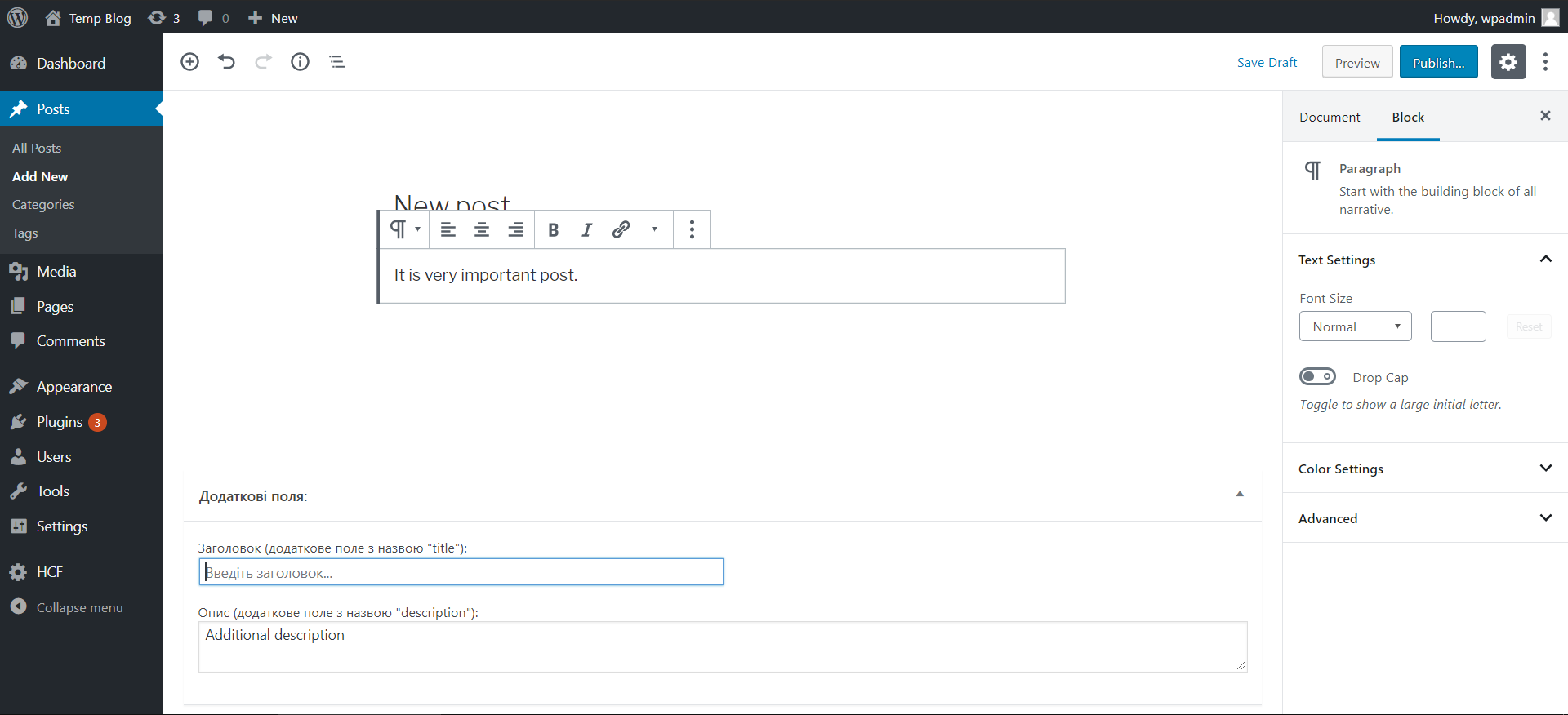
– work with additional data about post (while creating/editing blog posts);
– display such additional data by specifying name of the field You want to show;
– activate/deactivate each of the additional fields separately through WP admin panel (when deactivated, field will no longer be available for creating);
Snímky obrazovky

Instalace
Steps to become happy with HCF: 1. Copy „HCF“ directory files to the „/wp-content/plugins/“ directory. 2. Find the plugin in the „Plugins“ menu in admin panel and activate it. 3. Set up plugin’s settings in admin panel („HCF“ page) by entering word „true“ in inputs to active needed additional field/fields.
Nejčastější dotazy
- How to add new custom field or edit existing?
-
In „HCF.php“ file You will find „extra_fields_box_func“ function.
Each „if“ block references single plugin’s additional field. It checks if field is activated, and if so – generates markup in posts create/edit pages on admin panel. - How to add display custom field data on page?
-
Simply add code „ID, „title“, true); ?>“ anywhere on your page, which will get custom field value and display it as text.
You have to specify name of custom field to show, in example it is „title“.
Recenze
Pro tento plugin nejsou žádné recenze.
Autoři
Handy Custom Fields je otevřený software. Následující lidé přispěli k vývoji tohoto pluginu.
Spolupracovníci
Přeložte “Handy Custom Fields” do svého jazyka.
Zajímá vás vývoj?
Prohledejte kód, podívejte se do SVN repozitáře, nebo se přihlaste k odběru protokolu vývoje pomocí RSS.
Přehled změn
1.1
- Fixed function names.
1.0
- Ended up with stable version.
- Custom fields editing.
- Inserting custom fields values in markup.