
Popis
Easy Content Manager (ECM) – Add extra data fields and manage website content in WordPress
Easy Content Manager is the fast, flexible content management plugin built for creators, developers, and website owners who want better control over their WordPress posts, pages, users, settings, taxonomy and custom post types—without the clutter, bloat, or manual work.
From docs, blogs, services, portfolios, courses, and products—to any type of custom post, ECM lets you create and manage everything in one place. Add advanced taxonomies and custom fields like ratings, videos, author details, product data, client feedback, and more. You get full flexibility to organize, filter, and control how content is displayed—without writing a single line of code.
👥 Pro koho je Jednoduchý správce obsahu (ECM) učen?
- 🎯 Website Owners – Running a portfolio, blog, recipe site, job board, or local business directory? ECM makes it easy to manage structured content without relying on extra plugins or developers.
- 🧑💻 Freelancers & Agencies – Deliver client-specific content types fast. Build and manage post types for real estate listings, staff directories, service lists, product catalogs, or testimonials—right from the dashboard. Create functional client sites even without extra third-party tools.
- 📝 Bloggers – Add advanced fields like „Author Bio“, „Post Rating“, „Reading Time“, or „Source Link“ directly to your blog posts—without bloating your theme. A full-featured blogging site can be built with ECM alone.
- 🎓 Course Creators – Need to display instructor info, course outline, video links, or duration on course pages? Do it all visually—no coding needed. Build a basic course website even without an LMS plugin.
- 🛒 Store Owners & eCommerce Sites – Add extra product info like expiration dates, supplier links, additional images, or video reviews. You can launch a product showcase site without using any eCommerce plugin.
- 🏢 Local Businesses – Showcase team members, services, client feedback, or service areas with clean, professional layouts. Even without extra add-ons, you can build a working business website.
- 📇 Directory or Listing Sites – Manage complex databases like job listings, restaurants, agencies, or vendors. ECM supports user reviews, ratings, ownership claims, popularity tracking, and saved listings—ideal for directory-style websites.
- 👨🔧 Developers – Get a quick, clean visual editor to test custom post types and field structures before pushing to production. Build full content prototypes without relying on external plugins.
🔧 Co je Jednoduchý správce obsahu (ECM) a proč je to důležité
Working with dynamic content in WordPress can be painful—especially when you need to manage custom post types, structured data, or repeatable content sections. Most solutions either focus only on adding custom fields or force you into a clunky third-party plugin or manual coding and post edits.
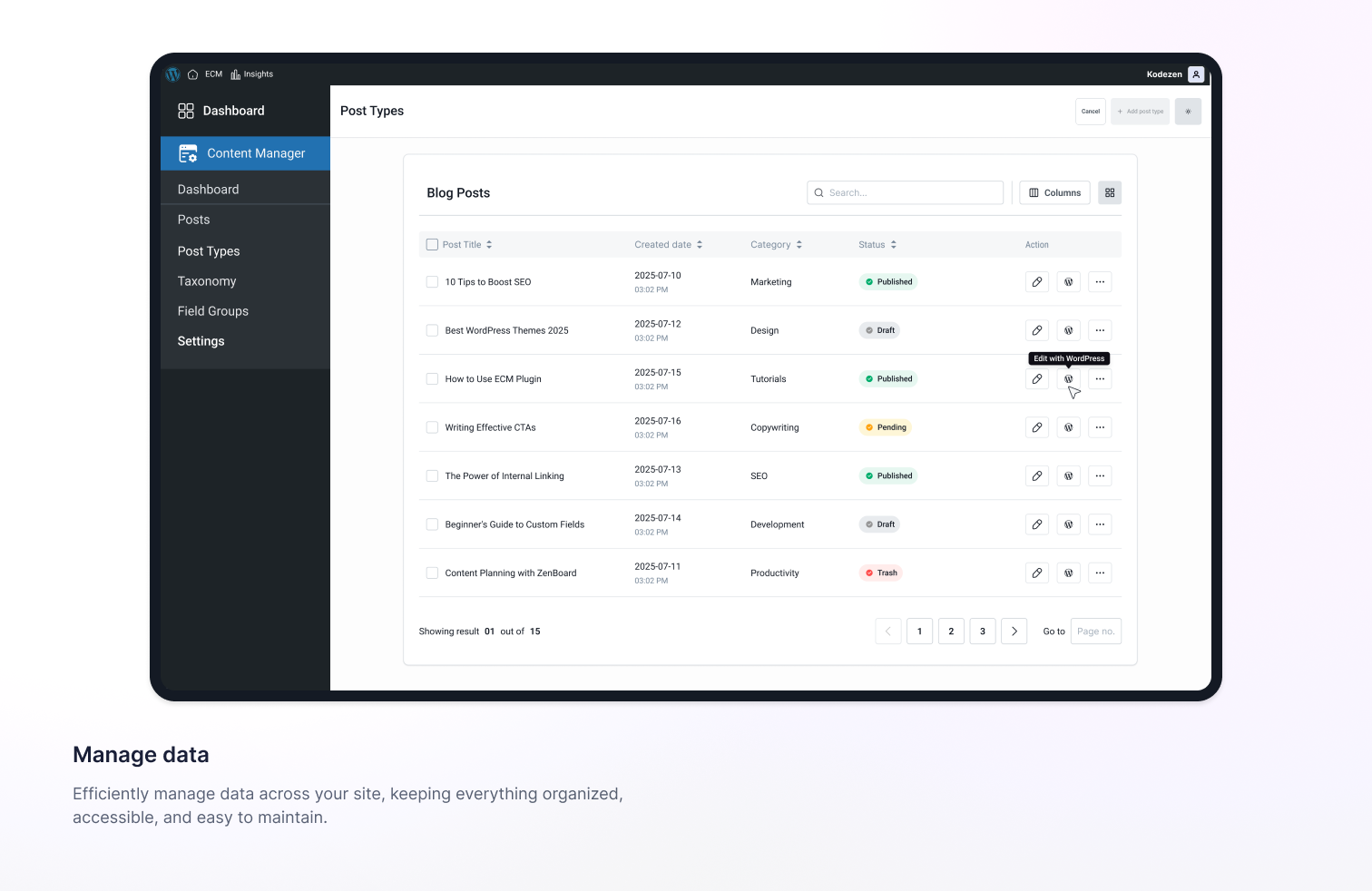
Easy Content Manager (ECM) solves this from both sides. You’re not just creating custom fields—you’re also getting a dedicated interface to manage those fields visually, without jumping into individual post screens. ECM provides a clean, fast UI where you can add, update, organize, and filter your content—all from a single screen.
Instead of just inserting fields into a form, you can:
- View and manage field values
- Instantly filter posts by categories or status
- Create repeatable field groups and display them visually
- Control your content types and field logic without writing a single line of code
Where others stop at field creation, ECM gives you full content control—for posts, products, courses, testimonials, or any custom content type. You can:
- Edit, duplicate, delete, and filter any post type
- Manage custom fields, taxonomies, and content settings visually
- Create your own dashboard layout using custom field views
- Avoid the mess of jumping between WordPress menus and post screens
Beyond content structure, ECM also supports built-in user interaction features. You can enable reviews, ratings, reactions, upvotes, bookmarks, and view counts on any post type and manage all engagement data directly from the dashboard—without installing separate plugins.
🧠 Proč používat ECM místo tradičních pluginů pro vytváření vlastních datových polí?
Most developers know tools like Advanced Custom Fields (ACF). These are solid for adding custom fields—but limited when it comes to actually managing content. ECM is more than a custom field builder—it’s a complete content management tool for WordPress.
- ✅ Visual Field Management – Not Just Creation – ACF creates fields. ECM goes further with a dedicated interface to view and manage field values directly from the dashboard—no digging through single post pages.
- ✅ Manage Fields and Content from One Dashboard – Add, edit, delete, and duplicate posts; manage categories, tags, comments, and featured images; apply filters to find content instantly; and work across all post types from one place.
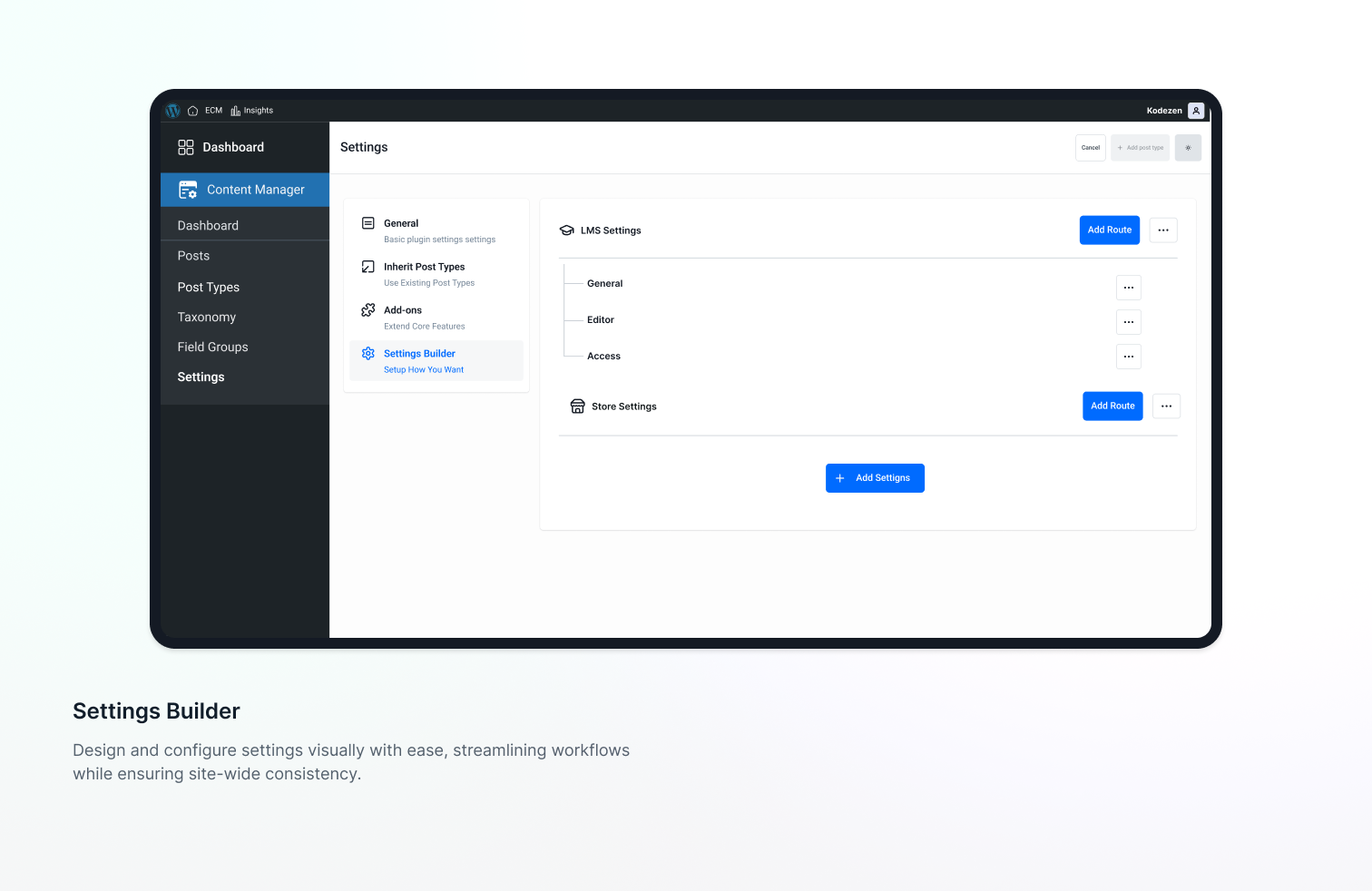
- ✅ Custom Settings Builder Built In – Create custom settings panels for site-wide data like contact info, social links, and global banners—something ACF doesn’t offer by default. No code needed.
✨ Funkce Jednoduchého správce obsahu (ECM)
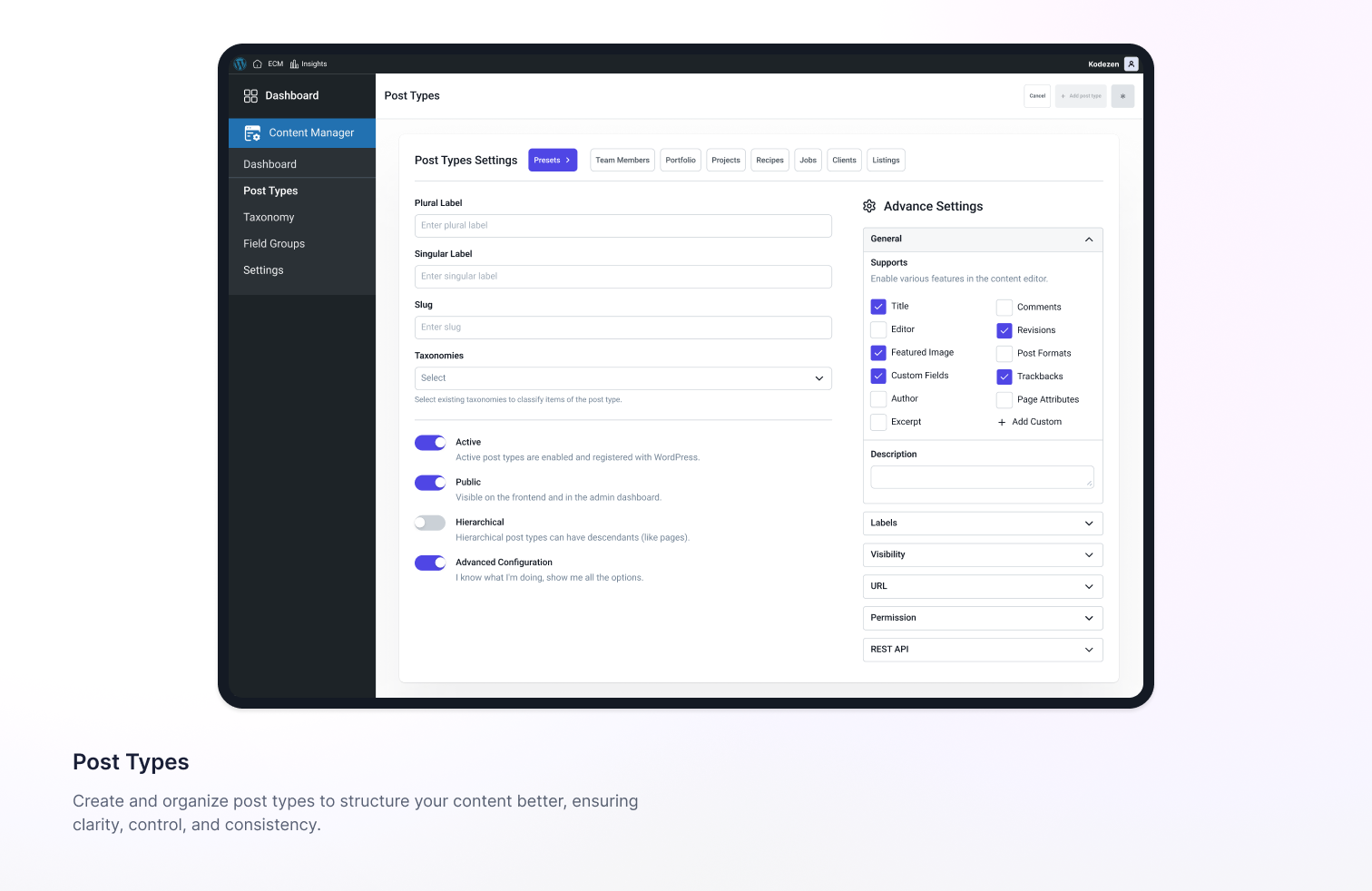
- Create Custom Post Types Without Coding – Set names, slugs, icons, visibility, and more in a few clicks. Supports advanced post sorting by title or date (ascending/descending).
- Add Advanced Custom Fields to Any Post Type – Collect structured content and display dynamic data without extra plugins.
- Visual Field Management Interface – View, edit, and manage custom field values across posts from one clean dashboard.
- Create and Group Fields Logically – Organize related fields using Field Groups and apply them to specific post types.
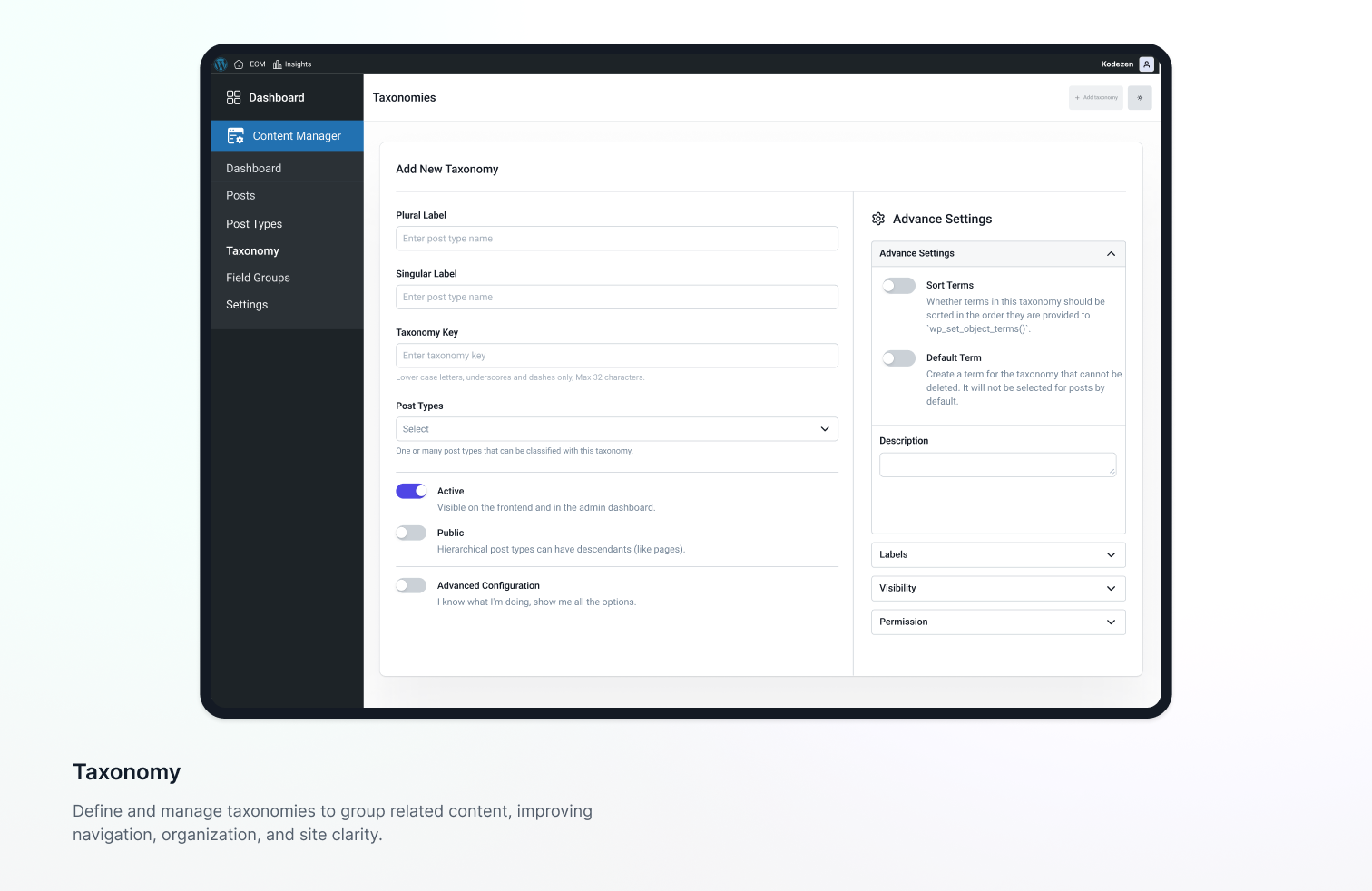
- Built-In Taxonomy Support – Create and manage custom taxonomies like „Job Type,“ „Course Level,“ or „Project Status.“
- Settings Panel Builder for Global Data – Store site-wide values like contact info, header scripts, or social links.
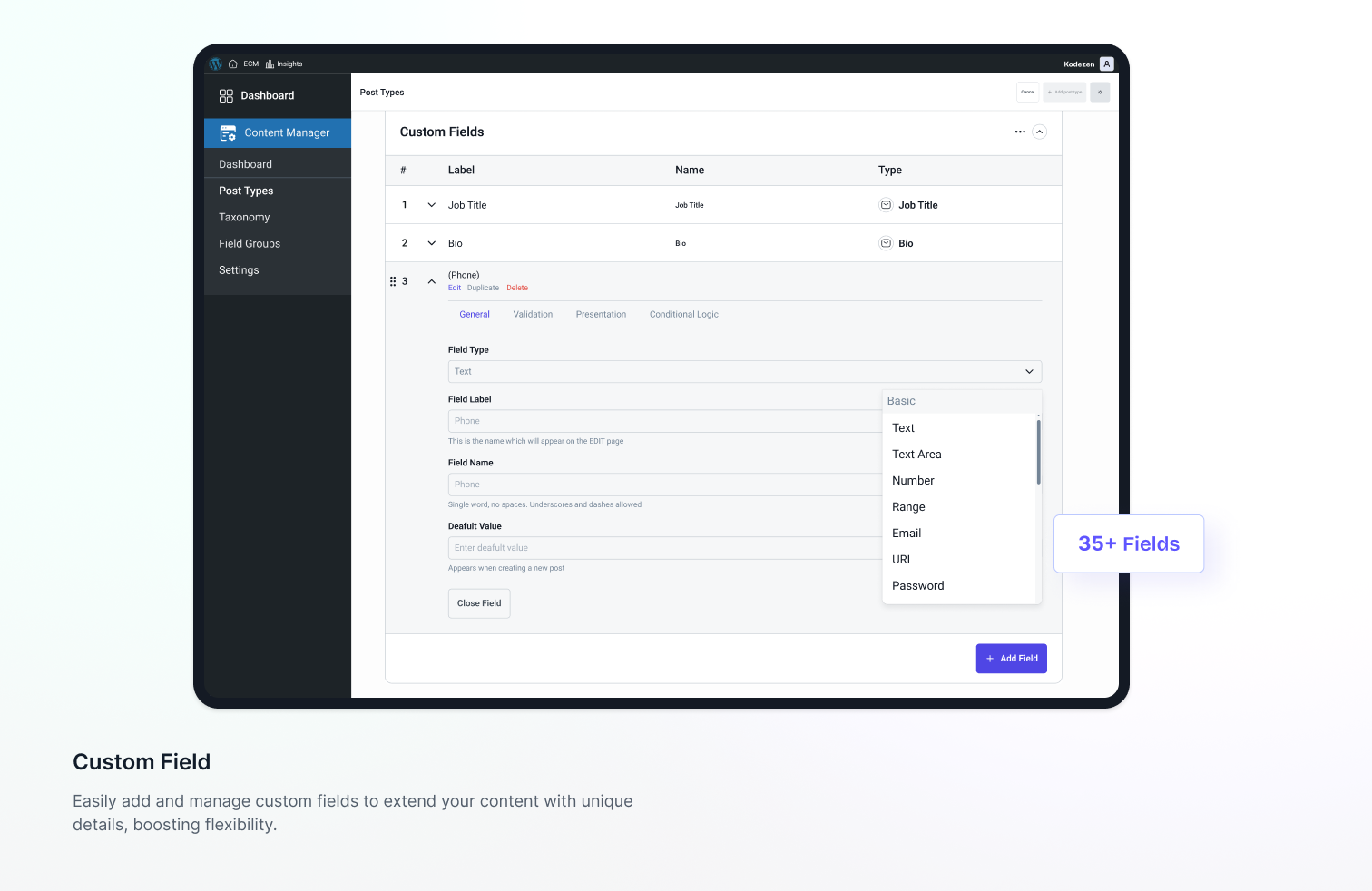
- Supports 35+ Field Types Out of the Box – Text, Textarea, Number, Email, URL, Password, Rich Text, Image, File, Video, Date, Time, Switch, and more.
- Reusable Field Groups Across Post Types – Apply the same group of fields to multiple post types without rebuilding.
- Test and Preview Changes Instantly – Post types, taxonomies, and field groups apply and load instantly in WordPress.
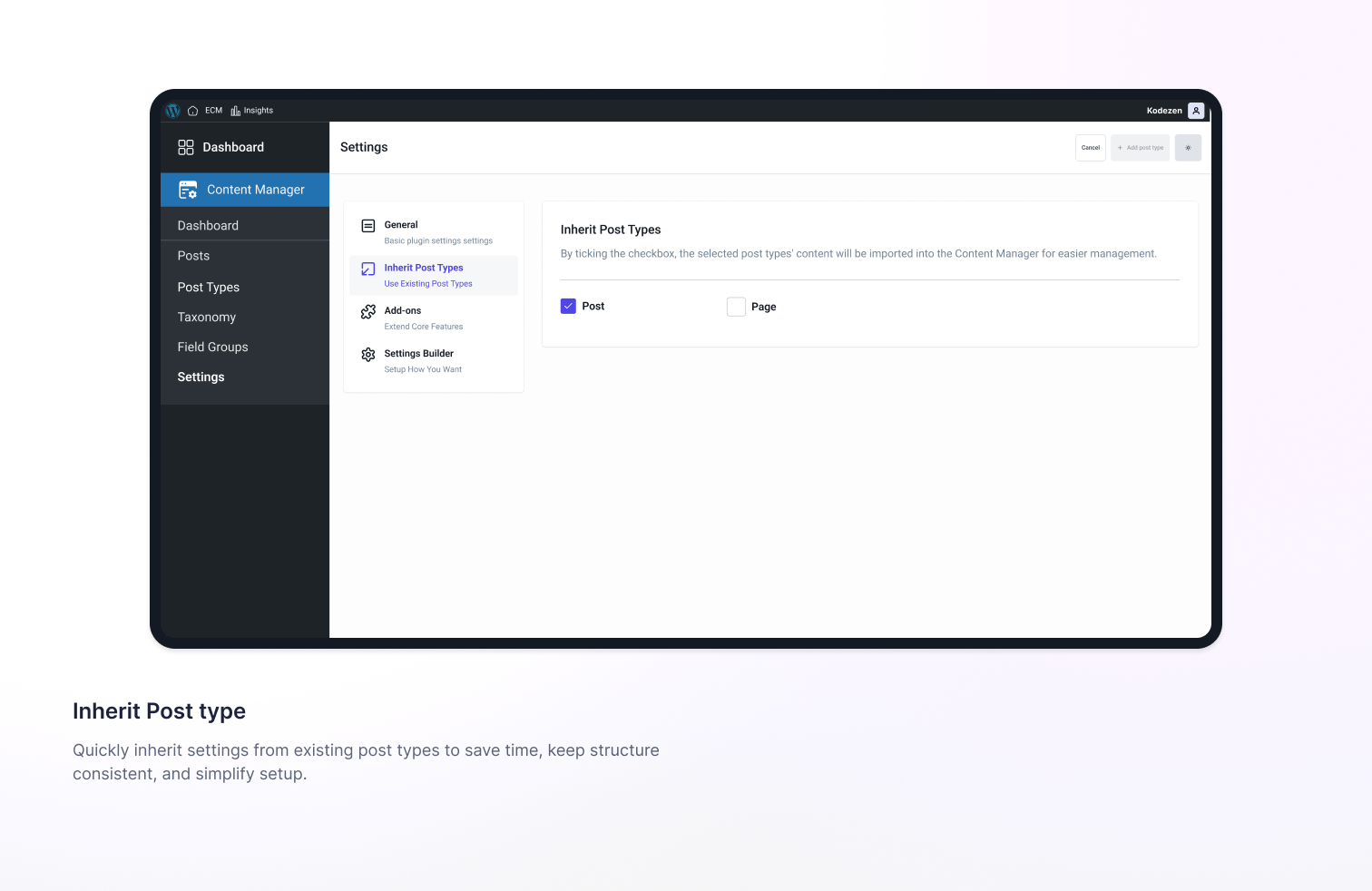
- Manage Existing Post Types with ECM – Attach custom fields, taxonomies, and settings to WordPress defaults like Posts and Pages.
- Clean and Lightweight Codebase – Loads only when needed and integrates smoothly with modern WordPress setups.
- Settings Builder – Create custom settings pages for any WordPress plugin/theme and extend existing plugins/themes without complex code.
- Display Custom Field Data Anywhere Using Shortcodes – The
[ecm_field]shortcode displays any custom field value—text, image, link, file, or any supported type—inside pages or posts.
🔌 Addons (Modular Content & Engagement Extensions)
ECM includes a modular addon system that lets you extend content functionality only when needed. Each addon can be enabled or disabled individually from a centralized settings panel.
- Claim Addon – Lets users submit ownership claims for posts, listings, or custom post types. Admins can review, approve, or reject claims from the dashboard.
- Review Addon – Enables users to submit reviews on any post type, with admin moderation controls and per-post-type enable/disable.
- Ratings Addon – Adds numeric or star-based ratings to any post type, managed from the backend per content type.
- Bookmark Addon – Lets users save posts for later (custom post types supported). Bookmarks are stored per user and shown in profiles or dashboards.
- Upvote Addon – Enables post upvoting to measure popularity, with anonymous voting, abuse prevention, and admin controls.
- View Counter Addon – Tracks post and page views automatically (custom post types supported), with anonymous tracking and time-based count control.
- Reaction Addon – Adds multiple reaction types such as like, love, or wow for any post type, managed from the admin panel.
External Services
Easy Content Manager (ECM) connects to one external service operated by the plugin author (Kodezen) — the StoreEngine license server at https://store.kodezen.com — for plugin software updates, license validation, and optional feedback. It is used only in the situations described below; no data is sent during normal day-to-day use of the content-management features.
-
Plugin updates & license validation. When you check for or install an update — and, for premium add-ons, when you activate or validate a license key — the plugin contacts https://store.kodezen.com to retrieve update information and the plugin package and to verify the license. Data sent: your site URL, the plugin slug and version, and your WordPress and PHP versions; premium add-ons additionally send the license key you entered. Update packages are downloaded only from the kodezen.com domain — a package URL pointing to any other host is rejected before installation.
-
Deactivation feedback (optional). If you deactivate the plugin and submit the optional feedback form, the deactivation reason you select plus the plugin slug and version are sent to https://store.kodezen.com. No personal or site data is sent unless you explicitly tick the „Also send my site data“ checkbox shown in that form. If you tick it, the form additionally sends your admin name and email, site name and URL, server IP address, server/PHP/database versions and operating-system details, WordPress version and locale, and your list of active/inactive plugins and active theme. Choosing „Skip & Deactivate“ sends nothing.
-
Usage tracking (optional, off by default). The plugin can periodically send the same site-environment data described above to help improve the product, but only after you explicitly opt in. Tracking is disabled until you opt in and can be turned off again at any time.
Service provider: Kodezen.
Terms of Service: https://kodezen.com/terms-and-conditions/
Privacy Policy: https://store.kodezen.com/privacy-policy/
Snímky obrazovky

Instalace
- Upload the
easy-content-managerfolder to the/wp-content/plugins/directory, or install the plugin through the WordPress plugins screen directly. - Activate the plugin through the ‚Plugins‘ screen in WordPress.
- Use the Easy Content Manager menu in the admin to create your post types, taxonomies, and fields.
Nejčastější dotazy
-
Do I need to write code to use ECM?
-
No. Post types, taxonomies, and fields are all created from the admin UI. A Frontend Field API is also available for developers who want to display fields in custom templates.
-
Can I add custom fields to existing post types like Posts and Pages?
-
Yes. ECM lets you attach custom fields, taxonomies, and settings to existing post types—including WordPress defaults—without recreating anything.
-
How do I display a field on the frontend?
-
Use the
[ecm_field]shortcode, or the Frontend Field API helpers such asecm_get_field()andecm_the_field(). -
What is the minimum WordPress version?
-
WordPress 6.8 or higher.
-
What is the minimum PHP version?
-
PHP 7.4 or higher.
Recenze


Autoři
Easy Content Manager (ECM) – Custom Post Types, Custom Fields & Content Management je otevřený software. Následující lidé přispěli k vývoji tohoto pluginu.
Spolupracovníci
Plugin „Easy Content Manager (ECM) – Custom Post Types, Custom Fields & Content Management“ byl přeložen do 1 jazyku. Děkujeme všem překladatelům za jejich pomoc.
Zajímá vás vývoj?
Prohledejte kód, podívejte se do SVN repozitáře, nebo se přihlaste k odběru protokolu vývoje pomocí RSS.
Přehled změn
1.2.6 — 2026-08-25
- Added What’s new section into Topbar
- Fixed non-admin users with the
manage_categoriescapability (e.g. category managers) being unable to create categories. - Fixed React admin routes not enforcing capability checks; unauthorized requests are now redirected and only routes/menu items the current user has permission to access are exposed.
- Fixed manually typed or drag-reordered post priorities still colliding with existing values when a search filter or pagination hid the rest of the list; priority moves are now resolved against the complete list on the server so priorities always stay unique.
- Fixed notification message text, icon, and close button being hardcoded to white, making them unreadable against light backgrounds (most notably the warning notification’s light orange background).
- Fixed some static text was not translated.
- Fixed chakra theme variable conflict with css root variables.
1.2.5 — 2026-07-31
- Added: Custom post type entries (posts, custom field values, featured image, and taxonomy terms) are now included when exporting or importing „All“ or „Post Types“.
- Improved: Front-end scripts and styles are now only loaded on pages that actually use an ECM shortcode, instead of on every page.
- Improved: Export archives are now written to a protected directory with an unguessable filename.
- Improved: Imported content is restricted to ECM-owned post types and registered custom field meta keys.
- Fixed: Saving user profile custom fields could overwrite unrelated WordPress user data, including user roles.
- Fixed: Gallery and Image custom field values not saving correctly on the user profile screen.
- Fixed: Broken image URL for Gallery custom fields holding more than one image on the user profile screen.
- Fixed: The True/False field default message returning translation file metadata instead of an empty string.
1.2.5 — 2026-08-11
- Security: Hardened AJAX and REST endpoints across the plugin and its addons (bookmark, claim, upvote, reactions, view counter, reviews) with nonce verification and capability checks.
- Security: Added input sanitization (text, email, URL) and output escaping across request handlers and frontend templates.
- Security: Sanitized custom CSS color settings to prevent style injection.
- Security: Field-type-aware sanitization when saving custom field and post meta values.
- Fixed: Script and style asset loading issues.
- Fixed: Custom post type entries (posts, custom field values, featured image, and taxonomy terms) not being included when exporting or importing „All“ or „Post Types“.
- Fixed: User profile custom fields save process could overwrite unrelated WordPress user data, including user roles.
- Fixed: Gallery and Image custom field values not saving correctly when used on the user profile screen.
- Fixed: Broken image URL for Gallery custom fields holding more than one image on the user profile screen.
1.2.4 — 2026-06-14
- Added: Clear, plain-language disclosure of the data shared when submitting deactivation feedback („What data do we collect?“).
- Added: „External Services“ section documenting the connection to store.kodezen.com for updates, license validation, and optional feedback.
- Improved: Plugin updates now only install packages served from the official update server (supply-chain hardening).
- Fixed: Deactivation feedback popup not appearing on the Plugins screen.
1.2.3 — 2026-06-04
- Fixed: Image upload field page blank issue in Single Image Custom Field.
- Fixed: Image delete issue from Single Image Custom Field.
1.2.2 — 2026-04-22
- Added: StoreEngine SDK License feature.
1.2.0 — 2026-03-02
- Added: User review list feature and shortcode docs.
- Added: ECM data export and import features.
- Added: Tools page.
- Added: Create/update WP user with custom meta.
- Added: Frontend submission feature with role and submission status control.
- Added: Anonymous frontend submission control.
- Added: Claim count system with claim addon and shortcode docs.
- Added: Bookmark count system with bookmark addon and shortcode docs.
- Added: Shortcode docs into tools page with copy-to-clipboard.
- Fixed: Settings Builder routing and data save issues in dynamic settings.
- Fixed: Post menu sort order ajax request payload.
- Fixed: Category page blank issue.
- Fixed: Review form UI break issue.
- Fixed: Bookmark status mismatch issue.
- Fixed: ECM bookmark addon shortcode not working in frontend.
- Fixed: Custom taxonomy menu order sort issue.
- Changed: Claim shortcode docs.
- Changed: Separated the addons menu from the main settings.
- Changed: ECM settings data save structure.
- Removed: Enable specific post type option for addons from addons settings.