

Popis
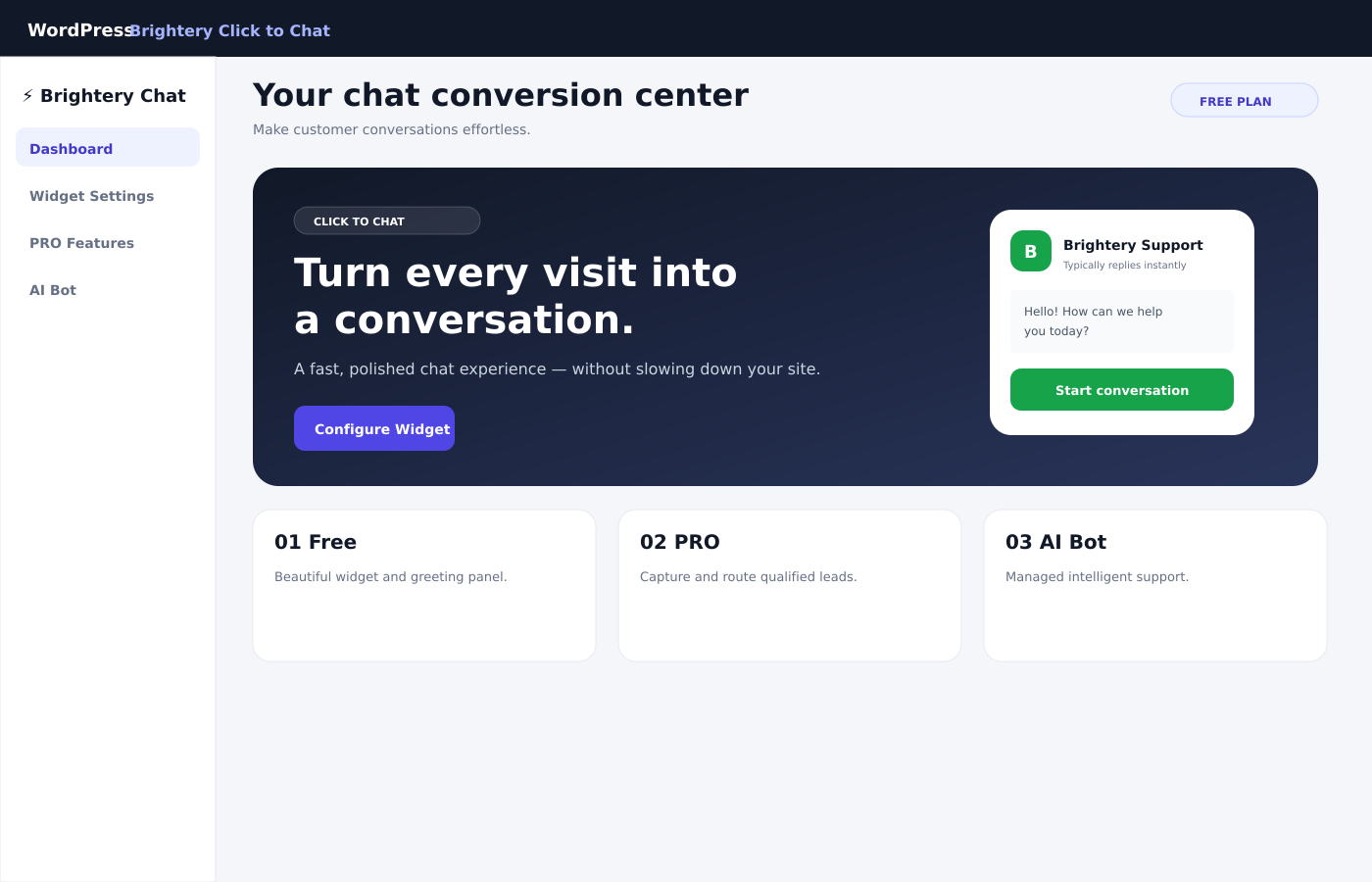
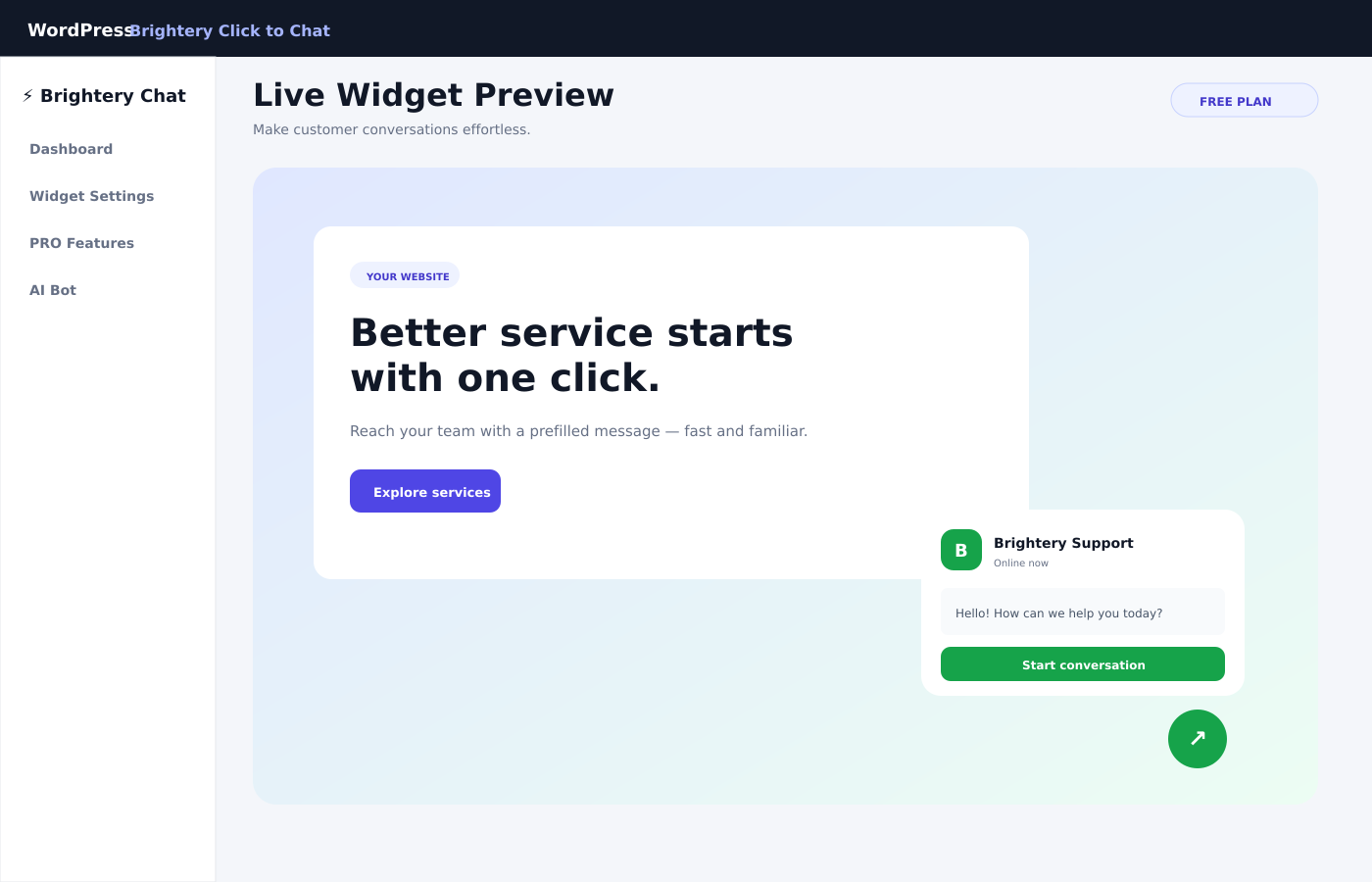
Brightery Click to Chat adds a fast, customizable chat button to your WordPress website. Visitors can open a prefilled WhatsApp conversation with your business without creating an account or loading a third-party chat script on every page.
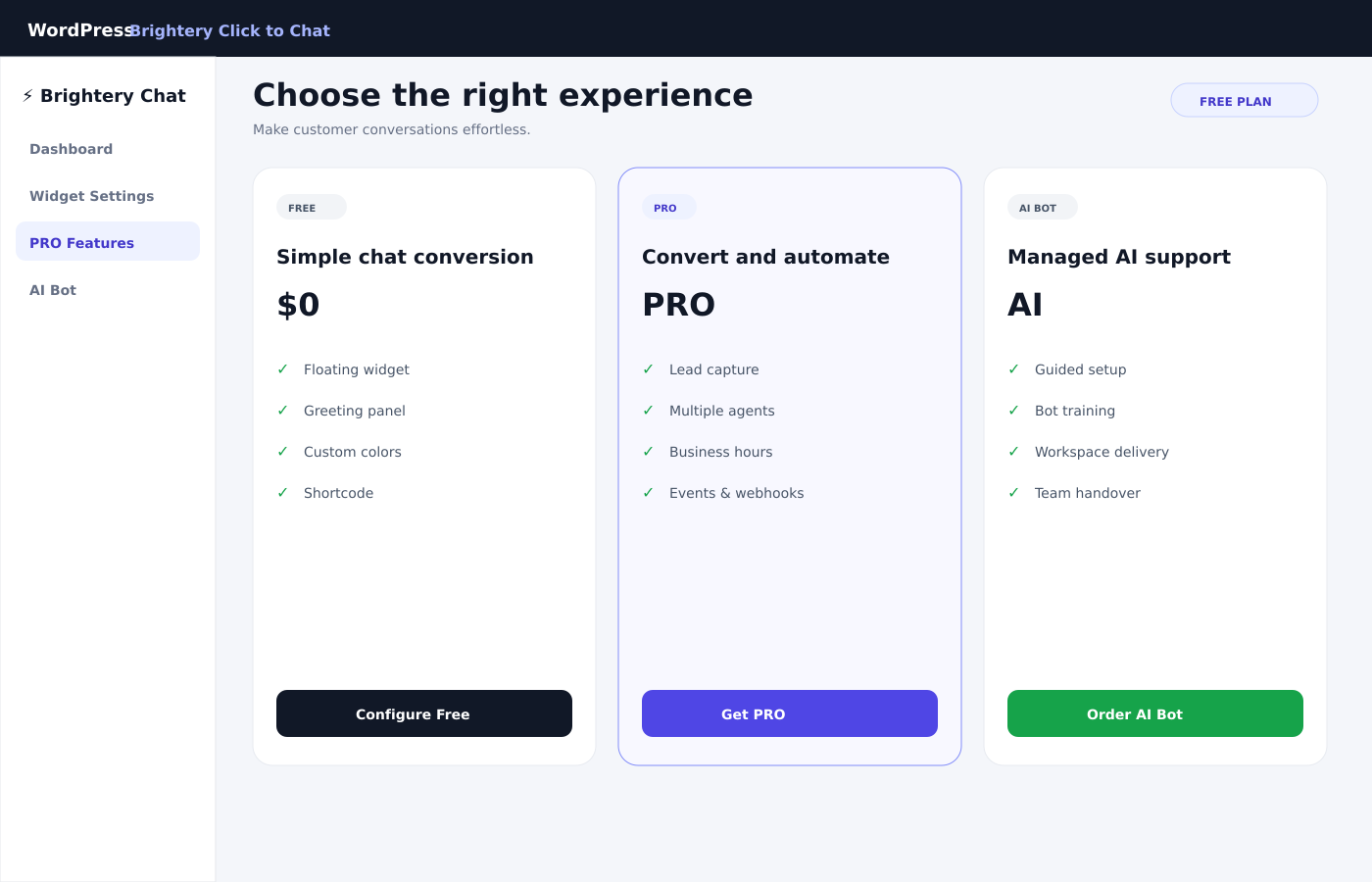
The free plugin is fully usable on its own. A separately distributed PRO add-on is available for businesses that need lead capture, multiple agents, schedules, targeting, conversion events, and webhooks. A managed AI Bot service can also be ordered from the plugin admin area.
This plugin is not affiliated with, sponsored by, or endorsed by WhatsApp LLC or Meta Platforms, Inc. WhatsApp is a trademark of its respective owner.
Free features
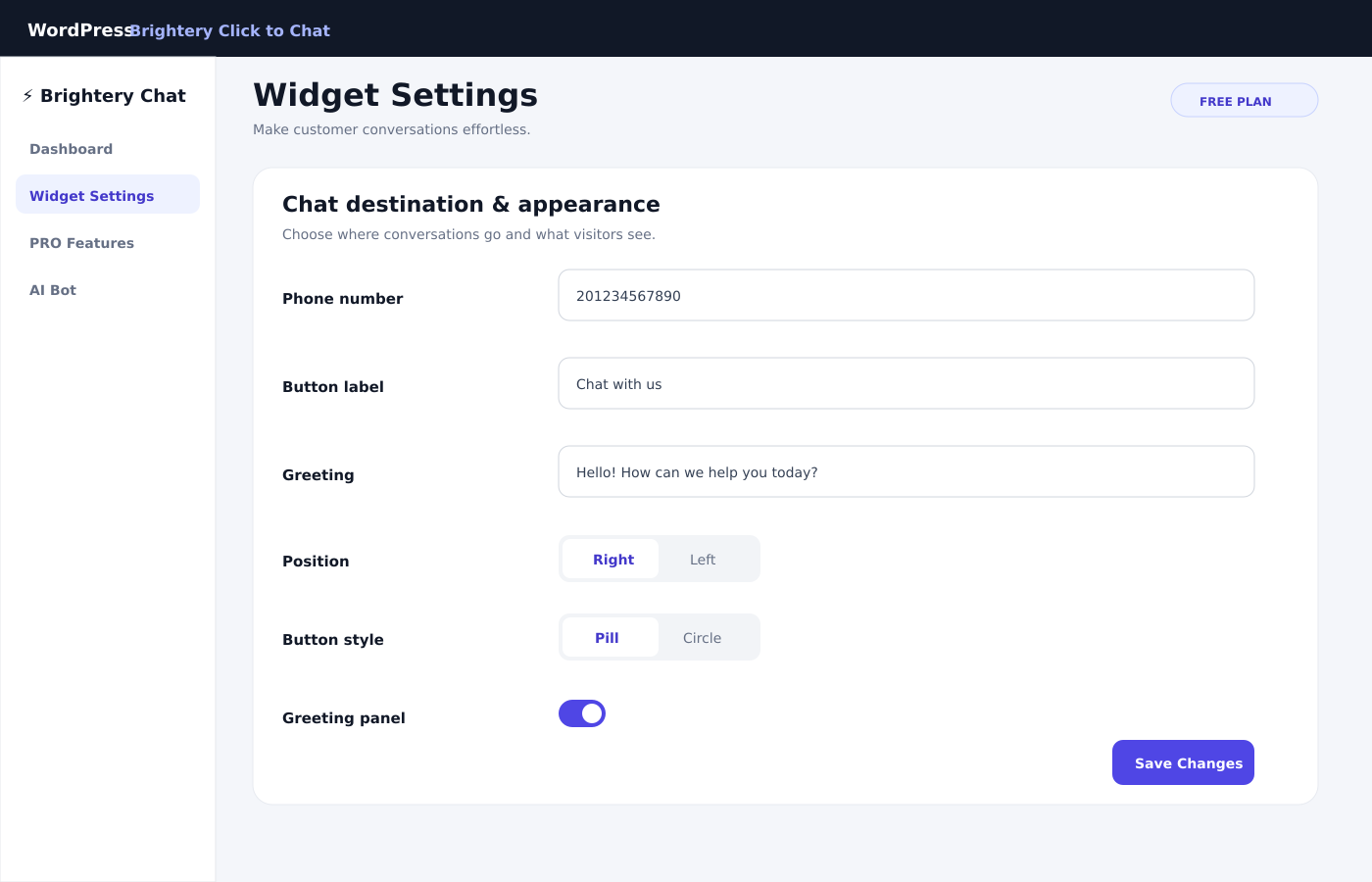
- Floating click-to-chat button and expandable greeting panel.
- Left or right positioning.
- Pill or circular button style.
- Custom brand color, label, greeting, avatar, and delay.
- International phone-number formatting.
- Prefilled messages with dynamic page variables.
- Automatic display or shortcode placement.
- Upgrade and managed AI Bot ordering from the WordPress admin area.
Use this shortcode to place the widget manually:
[brightery_click_to_chat]
The legacy shortcode [brightery_whatsapp] remains available for backward compatibility.
PRO add-on
The PRO add-on is a separate plugin named Brightery Click to Chat Pro. It is not bundled inside the WordPress.org ZIP and must be installed alongside the free plugin.
PRO adds:
- Lead form before opening the conversation.
- Lead storage inside WordPress.
- Multiple agents.
- Random or sequential agent routing.
- Weekly business hours and offline behavior.
- Country targeting when the hosting environment provides a country header.
- Google Tag Manager data-layer events.
- Meta Pixel events.
- Dynamic lead variables.
- Optional signed webhooks to a CRM or automation endpoint selected by the site owner.
The free plugin continues to work without PRO and has no time limit or usage quota.
Managed AI Bot service
The AI Bot option is a managed Brightery service. After an order is submitted and paid, the Brightery team contacts the customer to collect setup information, configure the bot, and provide the Bot ID, workspace details, and management instructions.
External services
This plugin can communicate with the following external services:
1. WhatsApp click-to-chat service
When a visitor actively clicks the chat button, the plugin opens a wa.me URL containing the business phone number and the prefilled message. No request is sent to WhatsApp by this plugin before the visitor clicks the button.
- Service: https://wa.me/
- Terms: https://www.whatsapp.com/legal/terms-of-service
- Privacy: https://www.whatsapp.com/privacy
2. Brightery Orders Hub
When a WordPress administrator actively submits a PRO or AI Bot order form, the plugin sends the following information to Brightery’s hosted order system: request ID, selected plan, name, email, phone, company, website, notes, source website URL and domain, locale, and plugin version. This data is used to create the order, show the hosted checkout, process payment, and contact the customer about delivery.
No upgrade-order data is transmitted until the administrator submits the form and accepts the displayed consent text.
- Service and checkout: https://apps.brightery.com/brightery-whatsapp-for-wordpress/
- Brightery privacy policy: https://www.brightery.com/en/page/privacy
- Brightery terms of use: https://www.brightery.com/en/page/tos
3. Site-owner webhooks in PRO
PRO users may enter their own webhook URL. When enabled, lead information is sent to that URL after a lead is created. The destination, retention policy, and legal basis are controlled by the website owner, not by WordPress.org.
Privacy
The free plugin stores its configuration in the WordPress options table. It does not store front-end visitor messages or personal details.
When PRO lead capture is enabled, submitted lead details are stored as private WordPress content on the website. The website owner is responsible for providing an appropriate privacy notice and lawful basis for collecting and processing those details.
Upgrade and AI Bot order information is sent to Brightery only after an administrator submits the order form. See the External services section for the exact data and policies.
Snímky obrazovky
Instalace
- Upload the
brightery-click-to-chatfolder to/wp-content/plugins/, or install the ZIP from Plugins > Add New > Upload Plugin. - Activate Brightery Click to Chat.
- Open Brightery Chat > Widget Settings.
- Enter the destination number in international format without
+, spaces, or punctuation. Example:201234567890. - Configure the button, greeting, message, position, and display behavior.
- Save the settings and visit the front end of the website.
- For manual placement, disable automatic rendering with the available filter and add
[brightery_click_to_chat]where needed.
Installing PRO
- Keep the free plugin installed and active.
- Upload and activate the separate
brightery-click-to-chat-pro.zippackage. - Open Brightery Chat > PRO Features.
- Configure lead capture, agents, schedules, targeting, tracking, and optional webhooks.
Brightery Click to Chat Pro 1.1.0 requires Brightery Click to Chat 1.2.3 or later.
Nejčastější dotazy
-
Is the free plugin usable without PRO?
-
Yes. The free widget, greeting panel, styling, custom message, and shortcode do not expire and do not require a paid plan.
-
Where is the PRO version?
-
PRO is distributed as a separate add-on ZIP after purchase. It is installed alongside this free plugin and is intentionally not included in the WordPress.org package.
-
Does the plugin require a Brightery account?
-
No account is required for the free click-to-chat widget. Contact and payment details are required only when an administrator chooses to order PRO or the managed AI Bot service.
-
Does the plugin send visitor data automatically?
-
The free widget does not send visitor details to Brightery. A WhatsApp link is opened only after the visitor clicks the button. PRO can save lead details locally and can send them to a webhook only when the site owner enables and configures that feature.
-
Which phone-number format should I use?
-
Use the complete international number without the plus sign, spaces, brackets, or hyphens.
-
Can I display the widget only in selected places?
-
Yes. Use the
[brightery_click_to_chat]shortcode for manual placement. Developers can also use thebwai_render_automaticallyfilter to disable the automatic footer output. -
Is this an official WhatsApp plugin?
-
No. It is an independent Brightery plugin that creates click-to-chat links for WhatsApp.
-
How does the AI Bot order work?
-
The order is completed through Brightery’s hosted checkout. After payment, the Brightery team contacts the customer to complete setup, training, and handover.
Recenze
Pro tento plugin nejsou žádné recenze.
Autoři
Brightery Click to Chat je otevřený software. Následující lidé přispěli k vývoji tohoto pluginu.
Spolupracovníci
Přeložte “Brightery Click to Chat” do svého jazyka.
Zajímá vás vývoj?
Prohledejte kód, podívejte se do SVN repozitáře, nebo se přihlaste k odběru protokolu vývoje pomocí RSS.
Přehled změn
1.2.3
- Added
Tested up to: 7.0for WordPress 7.0 compatibility metadata. - Rebuilt the readme with complete Free, PRO, AI Bot, privacy, external-service, installation, and FAQ documentation.
- Added a separate full changelog file.
- Documented the independently distributed Brightery Click to Chat Pro add-on.
1.2.2
- Set a plugin-specific Plugin URI that differs from the Brightery author website.
- Updated the WordPress.org contributor username to
brighterycom.