Popis
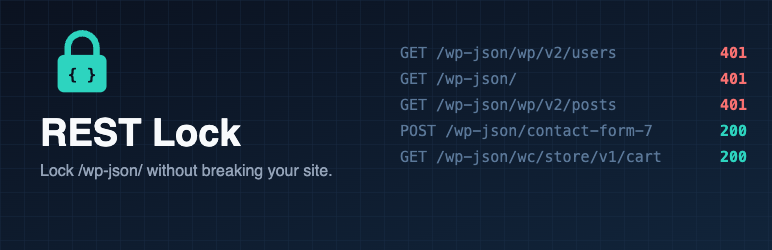
WordPress exposes a public REST API at /wp-json/. Anyone can list your users, your installed plugins‘ endpoints and your content. Birim REST Lock closes it without breaking your site.
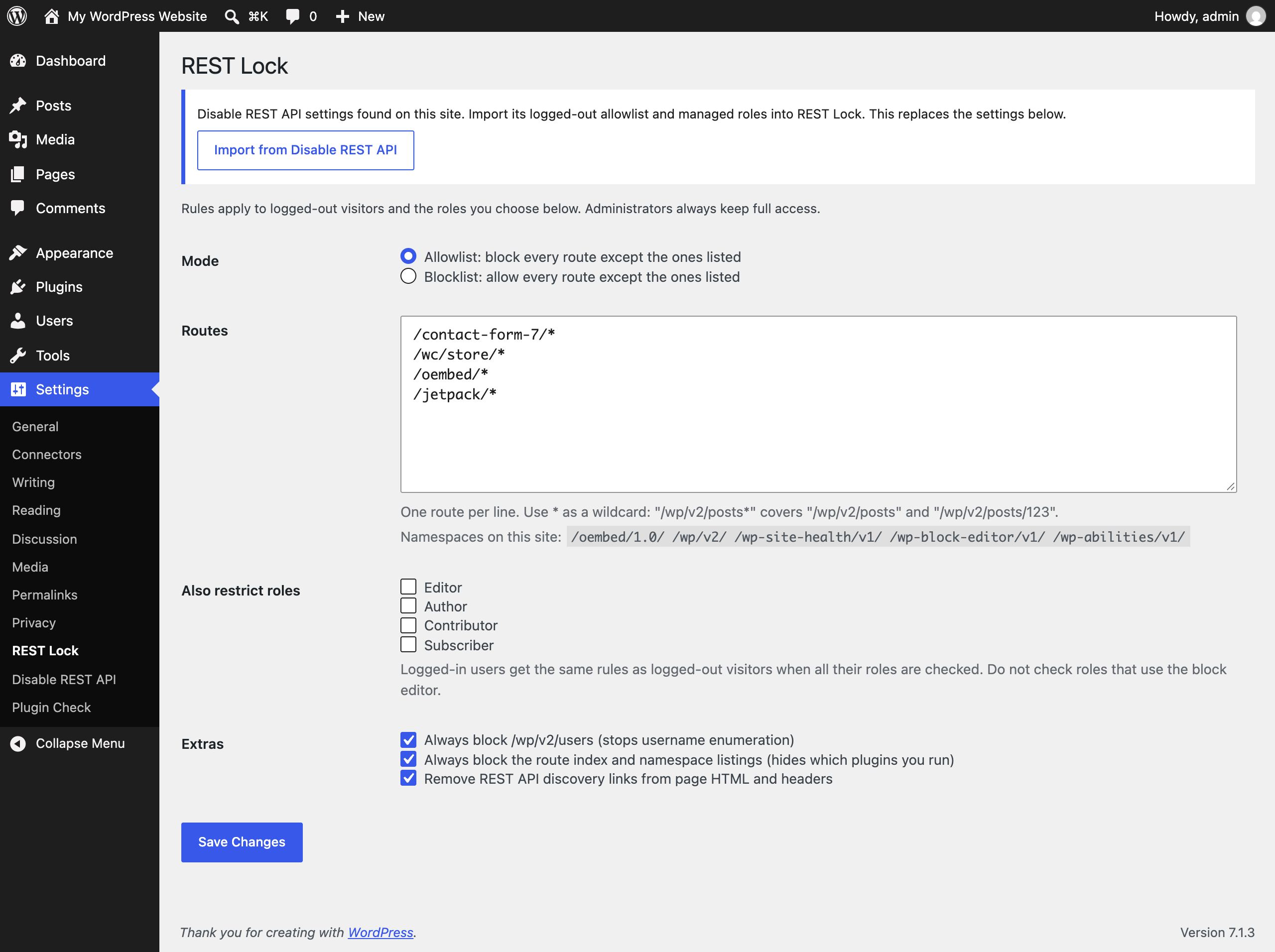
- Allowlist mode (default): block every route except the ones you list.
- Blocklist mode: allow every route except the ones you list.
- Wildcards:
/wp/v2/posts*covers/wp/v2/postsand/wp/v2/posts/123. - Role rules: apply the same rules to logged-in roles you choose, such as subscribers or customers. Administrators are never blocked.
- Stop username enumeration: always block
/wp/v2/users. - Hide what you run: block the route index and namespace listings, and remove REST links from page HTML, the
Linkheader and RSD. - Safe defaults: Contact Form 7, WooCommerce block checkout, oEmbed and Jetpack routes are allowed out of the box. CORS preflight (
OPTIONS) requests pass through, so token logins keep working. - One-click import from Disable REST API: moves your logged-out allowlist and managed roles across.
- Lightweight: one file, works on PHP 7.4 and up, no tracking, no external requests, no ads.
For developers
birim_rest_lock_blockedfilter:( bool $blocked, string $route, WP_REST_Request $request )to override the decision.birim_rest_lock_messagefilter: change the error message.
Snímky obrazovky
Instalace
- Install from Plugins > Add New, or upload the
birim-rest-lockfolder to/wp-content/plugins/. - Activate the plugin.
- Go to Settings > REST Lock to review the routes.
Nejčastější dotazy
-
How do I check it works?
-
Open
https://yoursite.com/wp-json/wp/v2/usersin your browser. You should get a 401 error. This happens even while you are logged in: WordPress treats a browser visit to/wp-json/without a security nonce as logged out. The block editor and admin screens send the nonce, so they keep working. -
A plugin stopped working for visitors.
-
That plugin calls the REST API for logged-out visitors. Settings > REST Lock lists the namespaces on your site. Add the plugin’s namespace (for example
/my-plugin/v1) to the allowlist. -
Does it block APIs outside /wp-json/?
-
No. It controls routes registered with the WordPress REST API only.
-
I’m moving from Disable REST API.
-
Activate REST Lock and open Settings > REST Lock. Click „Import from Disable REST API“, review the result, then deactivate Disable REST API. The import copies the logged-out allowlist and turns roles you managed there into restricted roles. Per-role route lists are not copied; restricted roles share the logged-out rules.
-
Will it break the block editor?
-
No. Administrators are never blocked, and other logged-in users are only restricted if you choose their role. Do not restrict roles that write posts.
-
How do I report a security issue?
-
Please email security@birim.one instead of posting in the forum. See https://birimone.pages.dev/security/ for the full policy.
Recenze
Pro tento plugin nejsou žádné recenze.
Autoři
Birim REST Lock je otevřený software. Následující lidé přispěli k vývoji tohoto pluginu.
Spolupracovníci
Přeložte “Birim REST Lock” do svého jazyka.
Zajímá vás vývoj?
Prohledejte kód, podívejte se do SVN repozitáře, nebo se přihlaste k odběru protokolu vývoje pomocí RSS.
Přehled změn
1.0.0
- First release.