

Popis
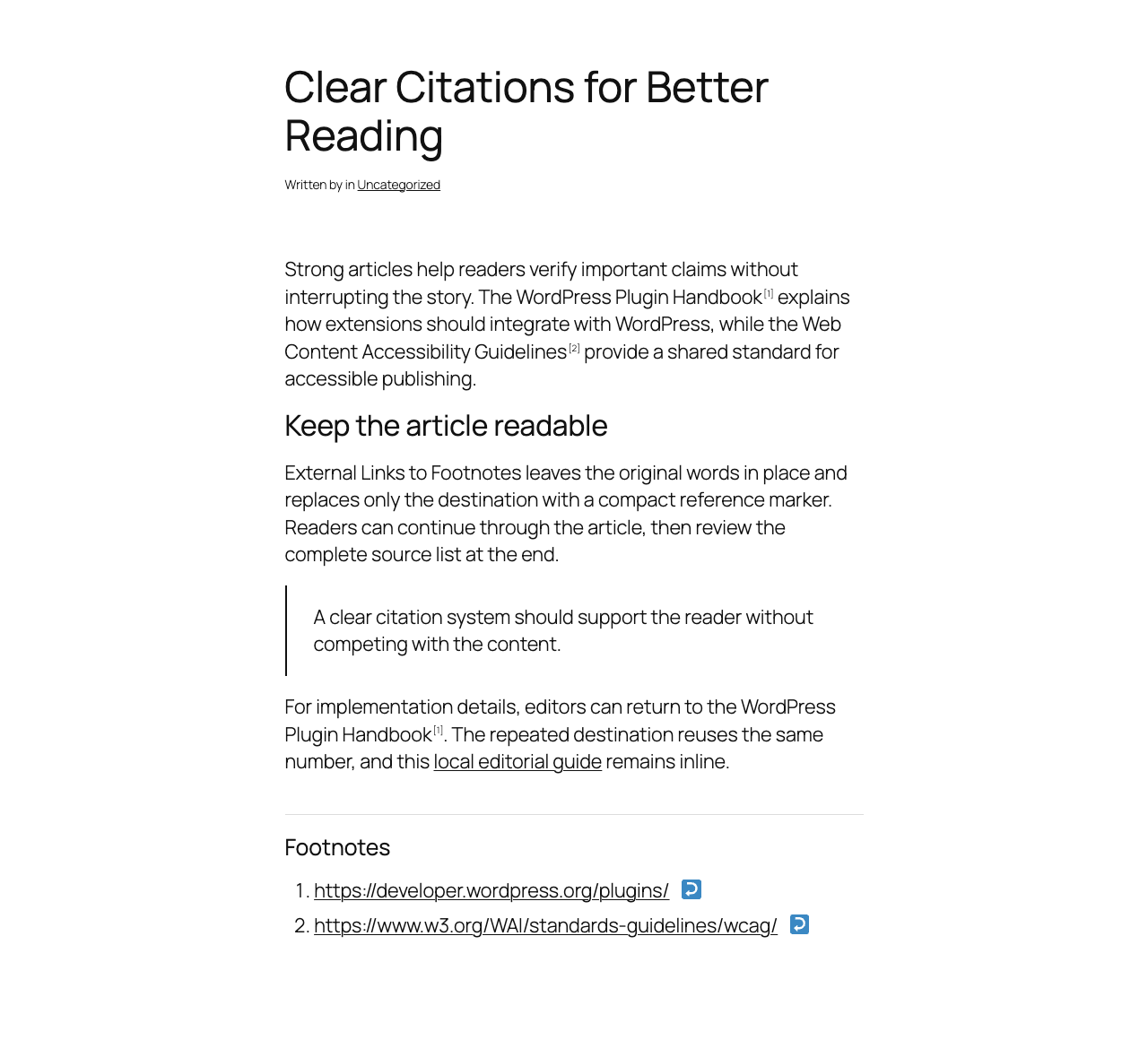
External Links to Footnotes converts external links in article content into compact numbered references such as [1]. It keeps the original linked words in the article, then displays each external destination in a Footnotes list at the end of the content or at a shortcode location.
The plugin is published by Enok SEO and runs entirely on your WordPress site.
Key features:
- Keeps same-site, relative, and configured always-inline domains unchanged.
- Converts external text links into accessible numbered references.
- Preserves the original anchor text in the article body.
- Deduplicates repeated external URLs by default.
- Removes common tracking parameters from displayed Footnotes URLs by default.
- Supports automatic placement and
[enok_extref_resources]placement. - Supports posts, pages, and selected public post types.
- Supports URL, APA 7, MLA 9, Chicago/Turabian, and IEEE-style display templates.
- Includes accessible marker labels, back links, selected-Footnote highlighting, focus styles, and stable IDs.
- Includes optional citation JSON-LD, disabled by default.
- Includes background indexing and local statistics with no external data transmission.
- Includes layout-level compatibility for popular page builders.
Links remain inline when they are:
- Internal or relative URLs.
- On a domain listed under Internal / Always Inline Domains, including its subdomains.
- Amazon product or affiliate links when that option is enabled.
- Inside code, preformatted text, scripts, styles, known embeds, or plugin-owned Footnotes markup.
- Wrapped around an image.
- Marked with the configured exclude class.
mailto:,tel:,javascript:, or fragment-only links.
The plugin modifies rendered content only. It does not rewrite post content stored in the database and does not modify destination URLs in the editor.
How to Use
The default configuration processes published posts and automatically appends a Footnotes section after the article content.
To keep a destination inline, add its root domain under Internal / Always Inline Domains. Subdomains are included automatically. You can also add the no-footnote class to an individual link.
To place Footnotes manually, change Append Mode to Shortcode Only and add:
[enok_extref_resources]
The shortcode renders the collected Footnotes list at that location without appending a duplicate section.
Builder Compatibility
The plugin processes complete content layouts rather than individual builder modules whenever the builder provides a layout-level render hook.
- WordPress Classic Editor and Block Editor: supported through
the_content. - Elementor: supported through its frontend content hook and wrapper-aware placement.
- Beaver Builder: supported through its complete layout content hook.
- Divi: supported through its complete layout render hook.
- Bricks: supported through its frontend content hook.
- WPBakery, Oxygen, and Avada: supported through the core content path and wrapper-aware placement.
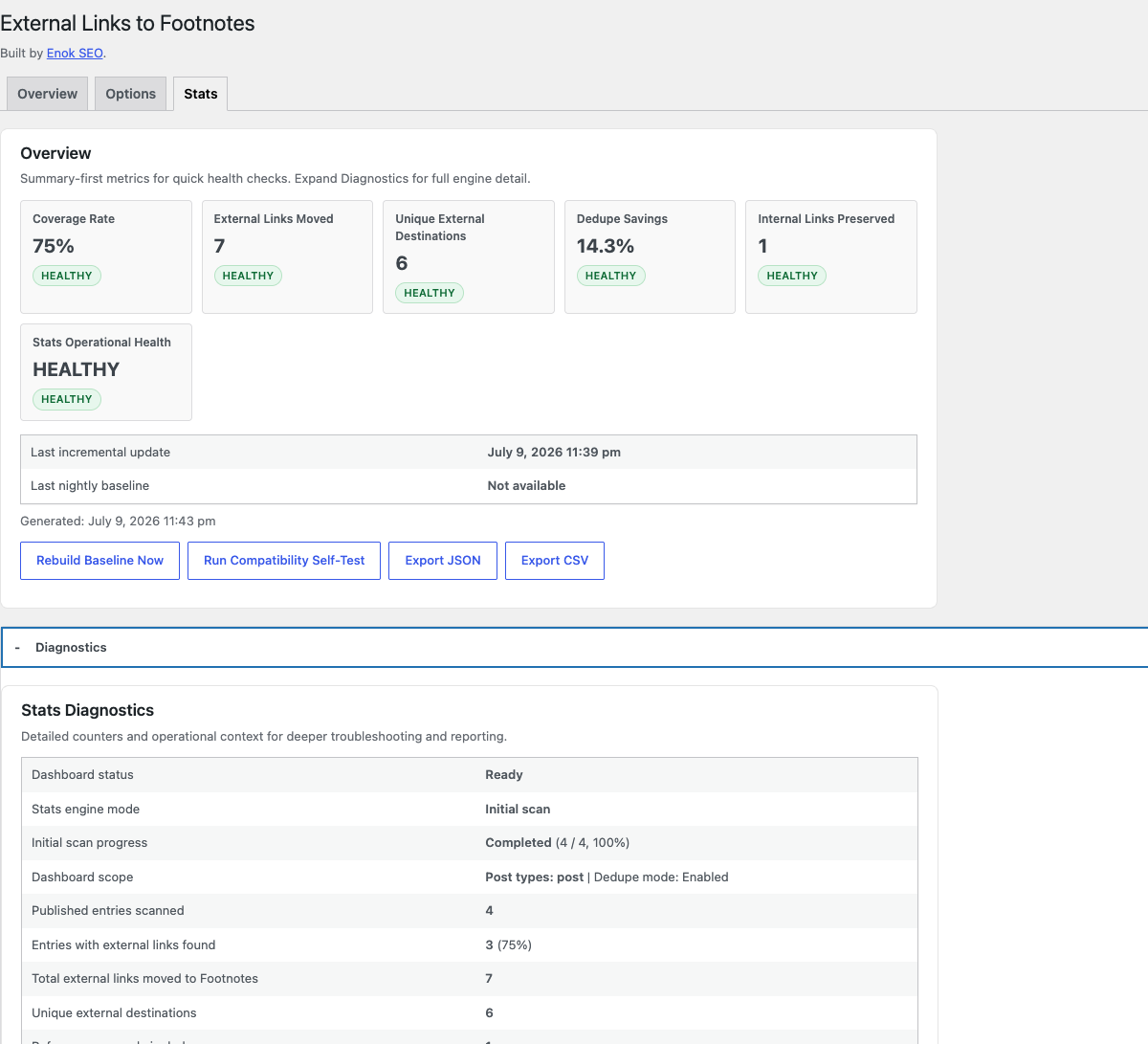
Builder diagnostics and a compatibility self-test are available under Footnotes > Stats > Diagnostics.
For safety, HTML parsing fails open when one content value is larger than 2 MiB or contains more than 2,000 links. The original content remains unchanged. Developers can adjust these limits with enok_extref_dom_max_content_bytes and enok_extref_dom_max_anchor_count.
Privacy
External Links to Footnotes processes post content locally. The plugin does not send post content, link data, usage data, or personal information to external servers.
The plugin stores settings, aggregate statistics, per-post indexing metadata, and temporary render-cache entries in the WordPress database. Plugin-owned options, scheduled events, and indexing metadata are removed when the plugin is uninstalled.
Snímky obrazovky
Instalace
- Upload the plugin ZIP through Plugins > Add Plugin > Upload Plugin, or install it from the WordPress Plugin Directory.
- Activate External Links to Footnotes.
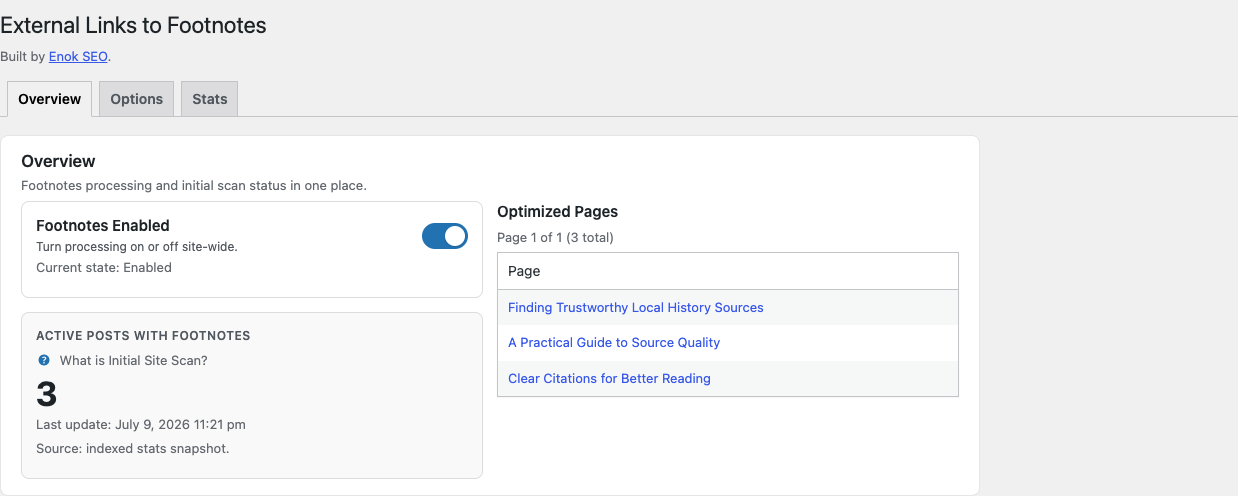
- Open Footnotes > Overview and confirm that Footnotes are enabled.
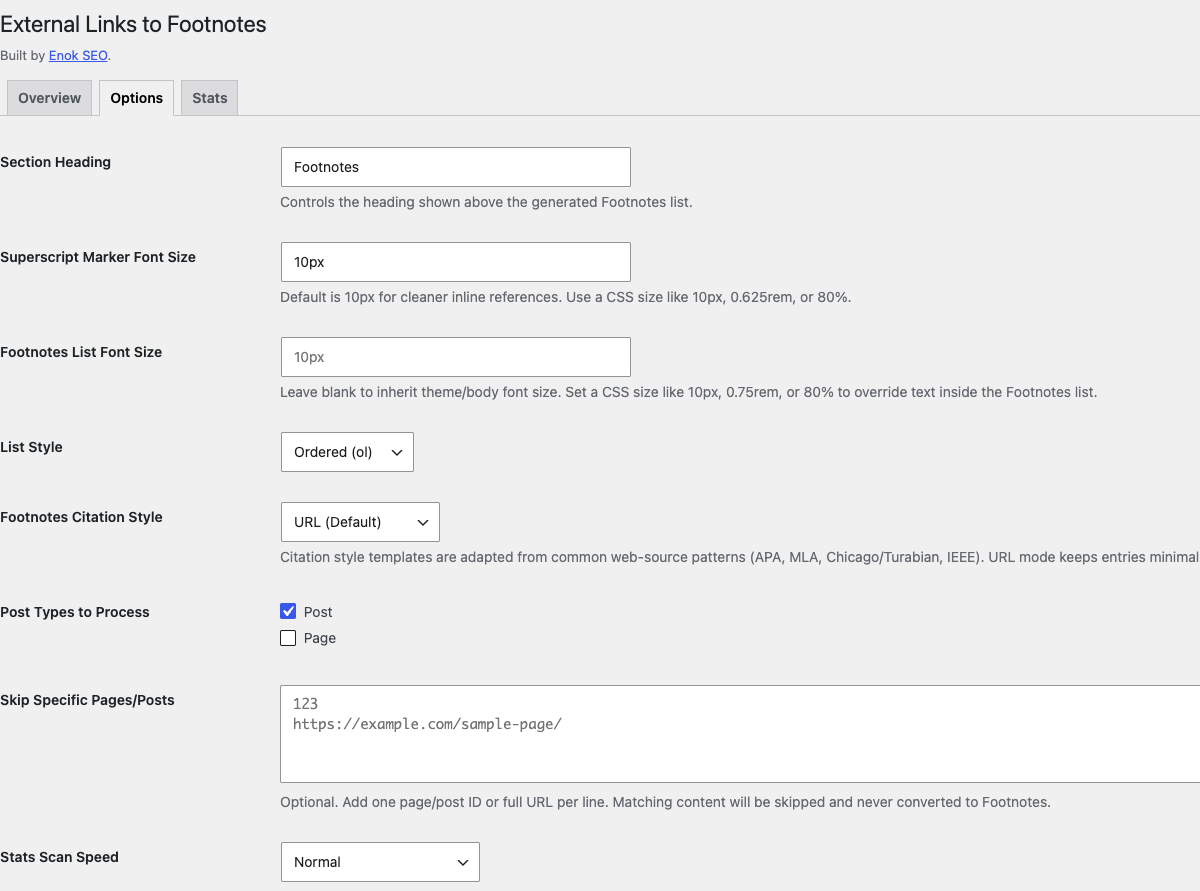
- Open Footnotes > Options to adjust domains, post types, placement, typography, and link attributes.
- Allow the initial site scan to finish in the background so Overview and Stats counts become current.
Nejčastější dotazy
-
Does this change links in the editor or database?
-
No. Links are classified and transformed only when WordPress renders eligible frontend content.
-
Can I keep affiliate or partner links inline?
-
Yes. Add the root domain under Internal / Always Inline Domains, enable the Amazon option, or add the configured exclude class to an individual link.
-
Are subdomains included when I add an always-inline domain?
-
Yes. Adding
example.comalso keeps links towww.example.com,shop.example.com, and other subdomains inline. -
They remain unchanged. Image links and links inside recognized embed wrappers are not converted to Footnotes.
-
Can I limit processing to posts only?
-
Yes. Choose the eligible post types under Footnotes > Options. Posts are selected by default.
-
What happens if WordPress cron is disabled?
-
Frontend Footnotes still work. Background statistics require WordPress cron or a server cron that calls
wp-cron.php; the Stats screen shows a warning when cron is disabled. -
Where can I get support?
-
Visit the Enok SEO plugin page at https://www.enokseo.com/seo-services/wordpress-seo-plugins/external-links-to-footnotes.
Recenze
Pro tento plugin nejsou žádné recenze.
Autoři
External Links to Footnotes je otevřený software. Následující lidé přispěli k vývoji tohoto pluginu.
Spolupracovníci
Přeložte “External Links to Footnotes” do svého jazyka.
Zajímá vás vývoj?
Prohledejte kód, podívejte se do SVN repozitáře, nebo se přihlaste k odběru protokolu vývoje pomocí RSS.
Přehled změn
1.9.31
- Preserved non-tracking query parameters exactly when cleaning Footnotes URLs.
- Serialized statistics updates and added automatic recovery when simultaneous requests compete.
- Kept Overview requests read-only while background indexing is scheduled.
- Added safe HTML parsing limits, stronger mixed-layout exclusions, safer CSV exports, and context-aware render caching.
- Prefixed the manual placement shortcode as
[enok_extref_resources]to prevent conflicts with other plugins.
1.9.30
- Made release ZIP output reproducible across supported build systems.
- Kept all frontend and administration behavior unchanged.
1.9.29
- Hardened filtered Footnotes markup and browser-rendered JSON payloads against unsafe output.
- Removed avoidable raw admin output while preserving extension hooks and existing frontend behavior.
- Prepared ownership metadata for the official Enok SEO WordPress.org account.
1.9.28
- Limited the selected-Footnote highlight to the destination link instead of the full list row.
- Removed the inset edge accent so the highlight cannot overlap link text.
- Hardened production packaging with an explicit runtime-file allowlist and zero-warning Plugin Check gates.
1.9.27
- Replaced the return glyph with a simpler text-style up arrow while preserving accessible labels and screen-reader text.
- Added a lightweight CSS-only highlight for the Footnote selected from an article marker.
- Added sticky-header scroll clearance and theme-overridable highlight variables without frontend JavaScript.
1.9.26
- Prepared a clean standalone WordPress.org release package.
- Removed development-only content seeding from production WP-CLI commands.
- Added a unique plugin homepage, verified contributor metadata, focused documentation, and stricter release gates.
- Prevented background initial scans and simultaneous post-save events from double-counting statistics.
- Normalized production archive permissions for reliable installation across common hosting environments.
- Ensured uninstall removes temporary render-cache entries along with plugin settings and statistics.
- Preserved all frontend link-processing, shortcode, accessibility, stats, and builder-placement behavior.
1.9.25
- Kept anchors containing images inline so linked images retain their destination and never become Footnotes.
- Added regression coverage for responsive linked images alongside normal external text links.
Full release history is available in changelog.txt.