

Popis
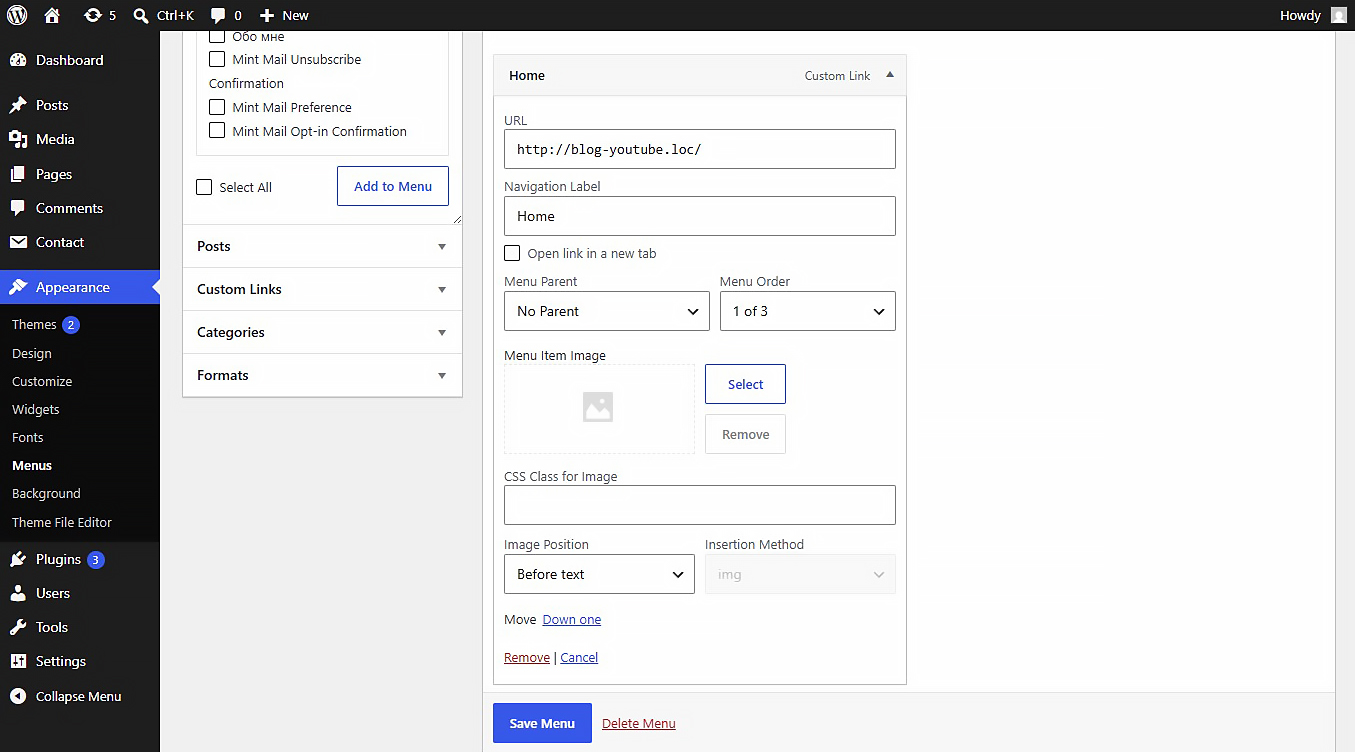
This plugin allows you to upload or link images (JPEG, PNG, WebP, SVG, etc.) directly inside the WordPress Customizer or Appearance > Menus panel. Includes built-in SVG sanitization for secure inline SVG injection.
Settings
After activating the plugin, navigate to Settings Media in your WordPress admin dashboard. There you will find the „NaviPix Settings“ section where you can disable SVG upload support and SVG sanitization if needed. This gives you full control over whether the plugin handles SVG files or leaves them to your theme or other plugins.
Snímky obrazovky
Instalace
- Upload the plugin folder to the
/wp-content/plugins/directory. - Activate the plugin through the ‚Plugins‘ menu in WordPress.
- Go to Appearance > Menus, open any menu item, and choose your image.
Recenze
Pro tento plugin nejsou žádné recenze.
Autoři
NaviPix je otevřený software. Následující lidé přispěli k vývoji tohoto pluginu.
Spolupracovníci
Plugin „NaviPix“ byl přeložen do 1 jazyku. Děkujeme všem překladatelům za jejich pomoc.
Přeložte “NaviPix” do svého jazyka.
Zajímá vás vývoj?
Prohledejte kód, podívejte se do SVN repozitáře, nebo se přihlaste k odběru protokolu vývoje pomocí RSS.
Přehled změn
1.0.0
- Initial release.