
Popis
THE FAST, VISUAL FAQ BUILDER FOR WORDPRESS
TrainedPixels FAQ Builder helps you create polished, conversion-friendly FAQ sections in minutes. Build and organize content in one place, style everything visually, and publish anywhere with a shortcode.
Whether you run a support center, business website, or online store, the plugin gives you precise control over design, accessibility, and SEO without writing code.
Create professional FAQ sections with confidence:
- Visual Settings Panel + Live Preview — Style typography, colors, spacing, borders, and icons while previewing real FAQ interactions.
- FAQ Manager — Create, edit, categorize, and reorder FAQs from a clean drag-and-drop admin interface.
- Flexible Shortcode Engine — Use
[trained_faq]with category, ID, limit, order, and schema controls. - Beautiful Defaults — Accordion behavior, smooth slide animation, and 4 icon presets out of the box.
- Custom Icon Uploads (PNG/JPG/GIF) — Upload closed/open icons for branded FAQ toggles.
- Responsive Typography Controls — Keep FAQ readability strong across mobile and desktop.
- SEO Schema Built In — Automatically outputs FAQPage JSON-LD for search visibility.
- Accessibility Focused — Keyboard navigation, ARIA attributes, and focus styles are built in.
- Translation Ready — Full i18n support with
.potincluded.
Unlock more with PRO (premium add-on):
- Gutenberg Block — Insert FAQs directly in the block editor with visual controls.
- Elementor Widget — Add and configure FAQs natively inside Elementor.
- Toggle / Multi-open Mode — Allow multiple questions to stay open.
- Advanced Animation Types — Fade, scale, collapse, and more.
- Rotate Icon Animation — Add 180-degree rotate transitions for custom icons.
- Question-Answer Gap Control — Fine-tune spacing between each question and answer.
- Analytics Dashboard — Track views, clicks, read duration, and engagement.
- WooCommerce Integration — Show mapped FAQs directly on product pages.
- Preset Library (Coming Soon) — Save and reuse full design presets.
Learn more about PRO at trainedpixels.com.
Development
Source code for all compiled JavaScript and CSS is available at:
https://github.com/TrainedPixels/trainedpixels-faq-builder-lite
To build from source:
- Clone the repository
- Run
npm install - Run
npm run build
Build tools used: webpack (via @wordpress/scripts), PostCSS, Tailwind CSS.
Snímky obrazovky
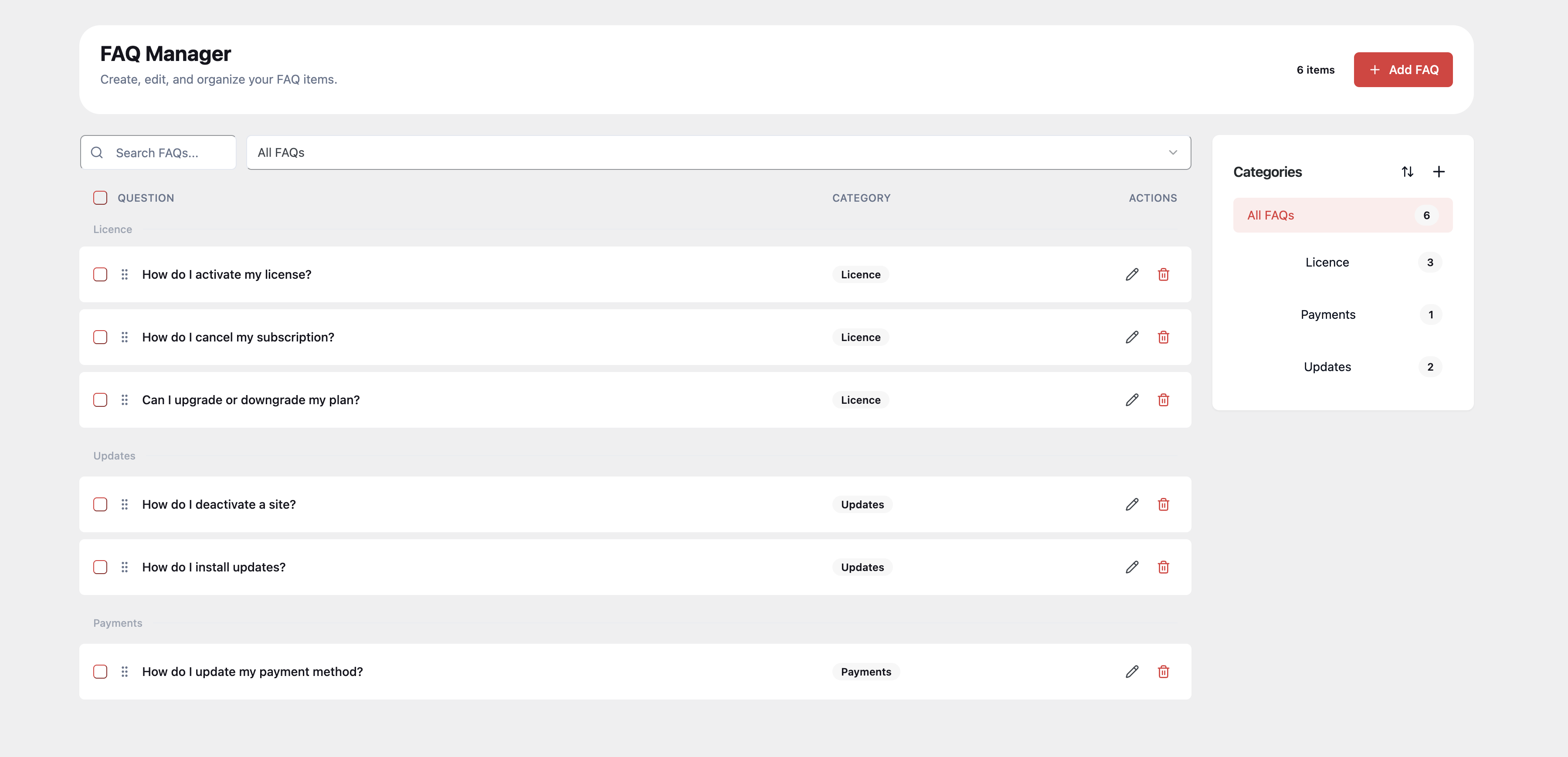
Manage FAQ content faster: create, search, edit, delete, categorize, and reorder FAQs from one central manager. 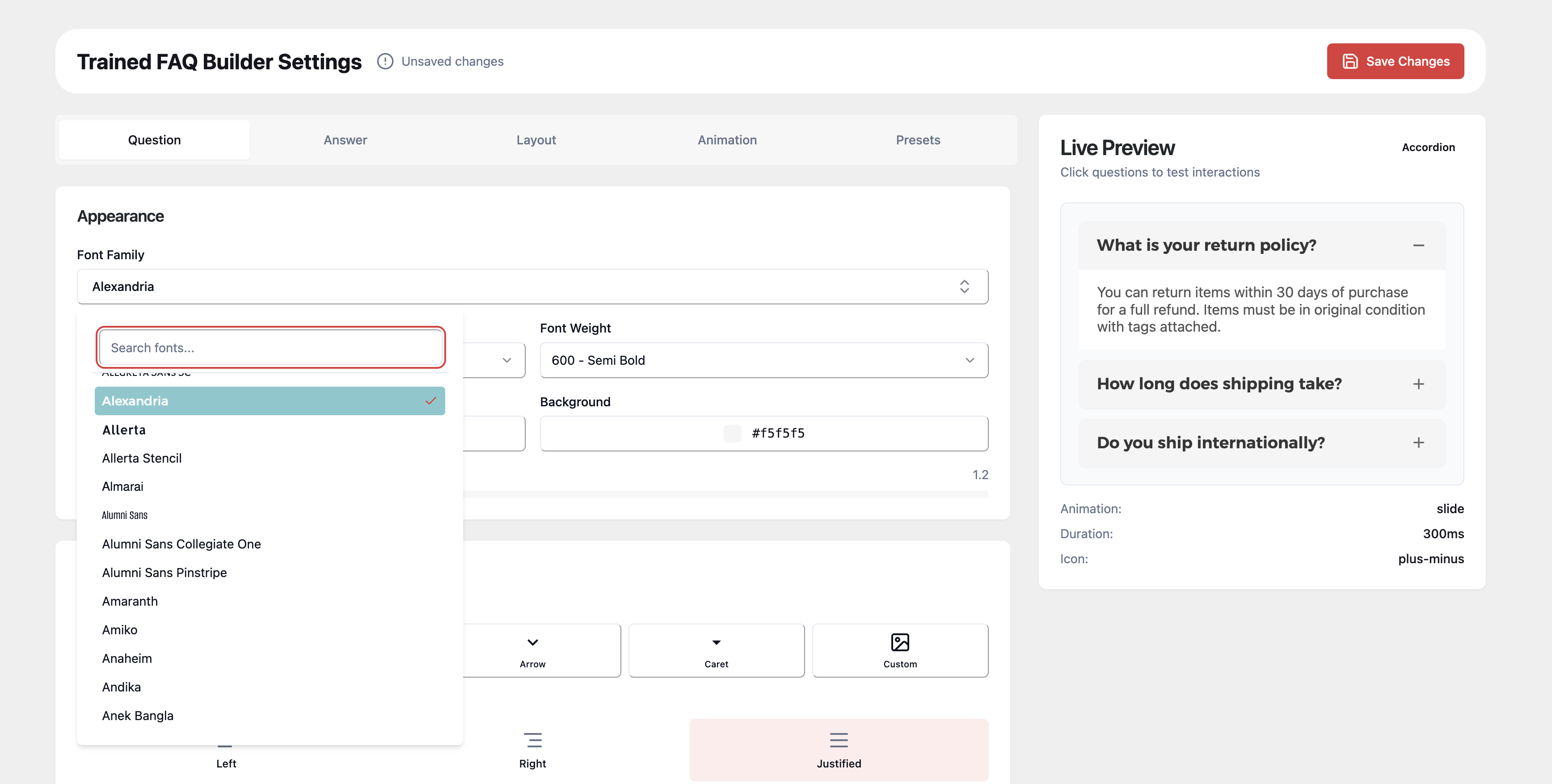
Configure shortcode layout behavior: control item spacing, container width, and container padding with a live preview of the frontend output. 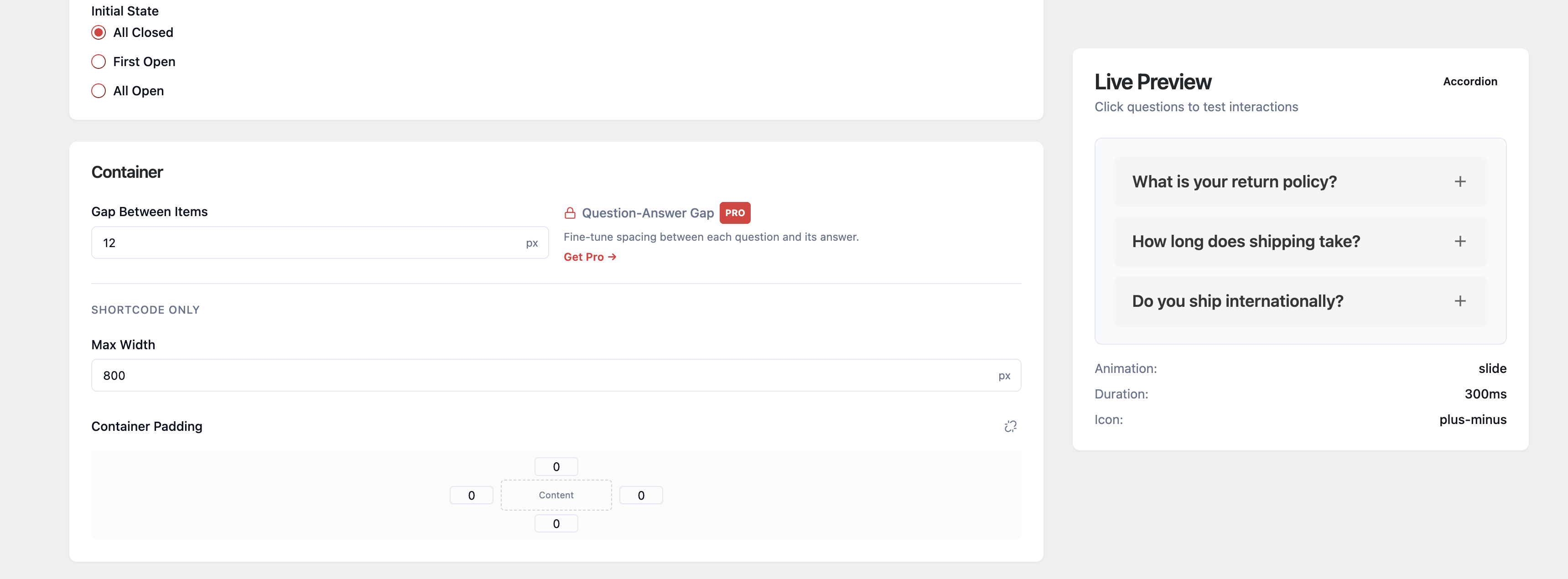
Customize question design without CSS: choose fonts, colors, icon styles, and icon positions with instant preview feedback. 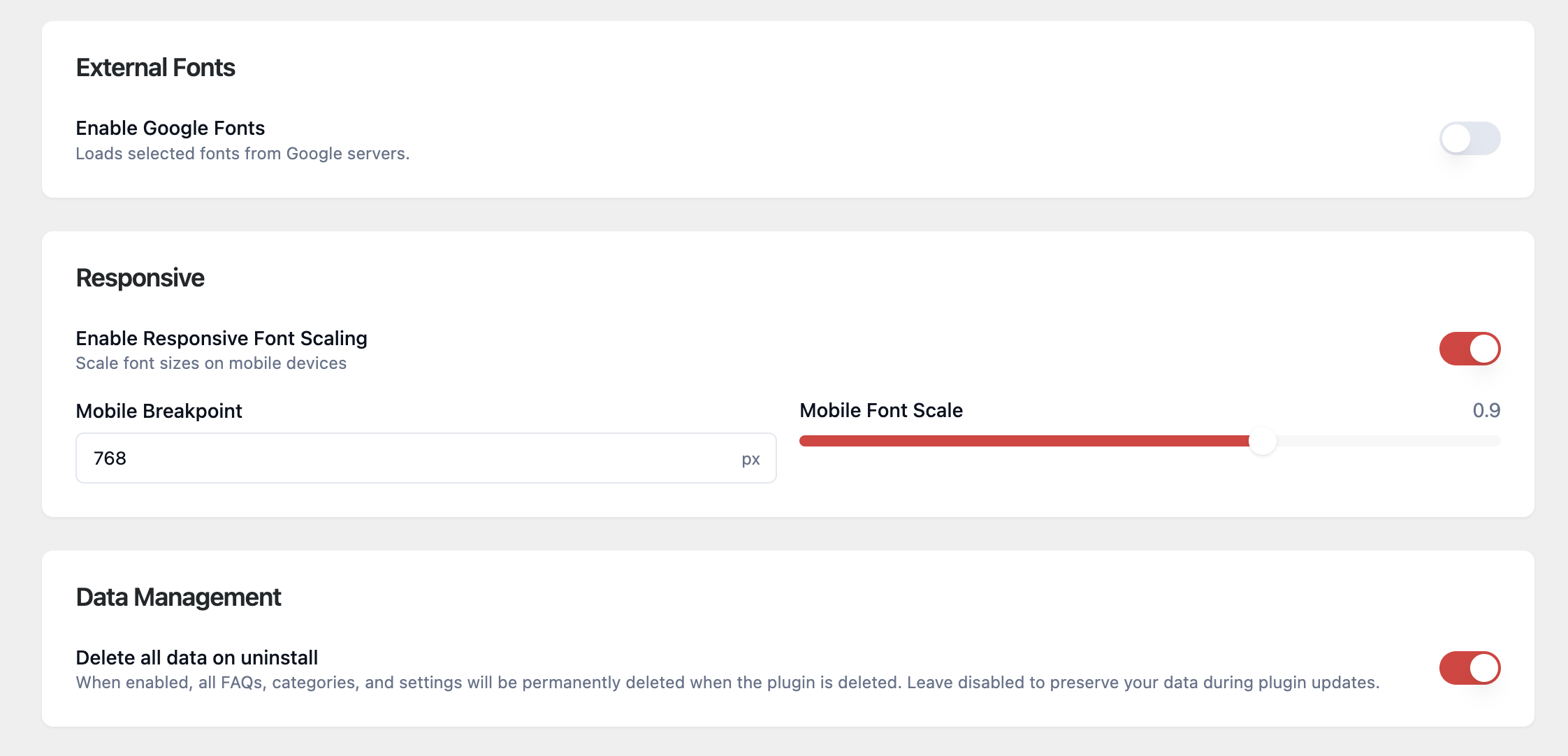
Improve mobile readability and site hygiene: enable responsive font scaling, set mobile breakpoints, and choose uninstall data cleanup behavior. 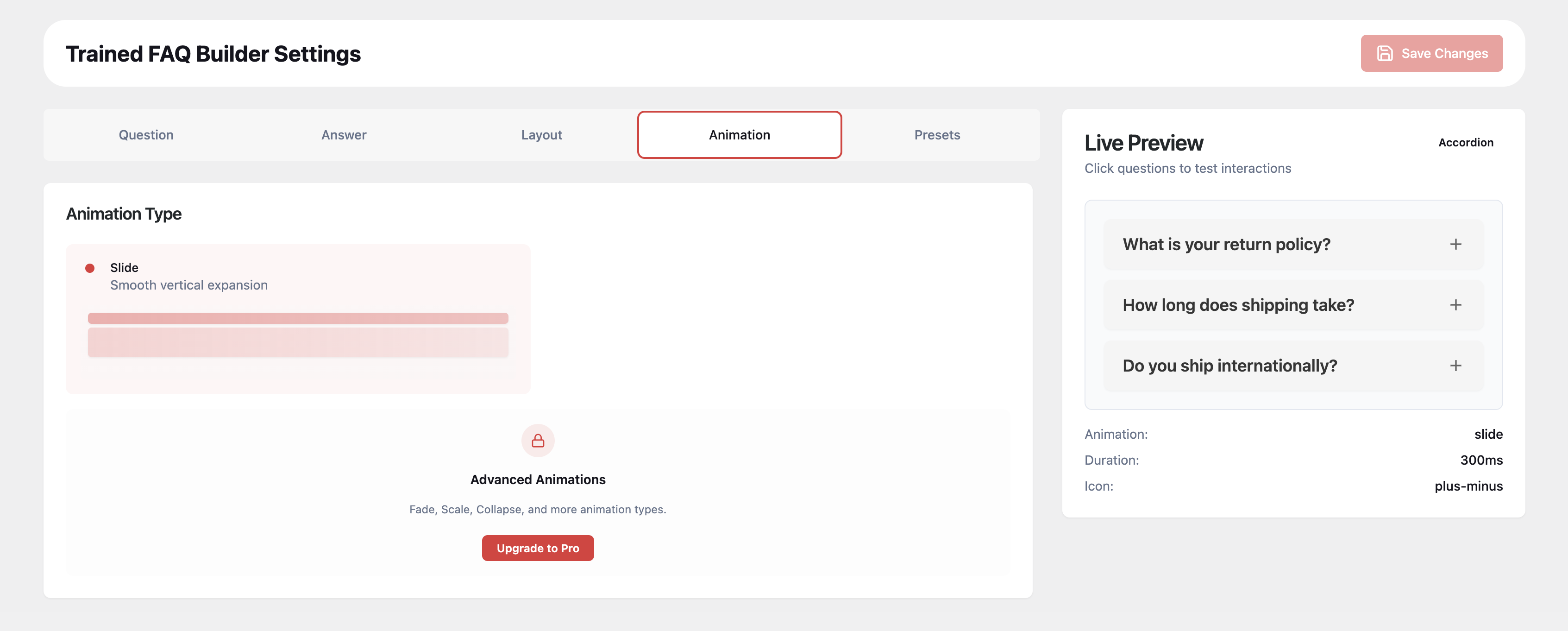
Control FAQ motion behavior: Lite includes smooth slide animation, while PRO unlocks additional animation types for richer interactions. 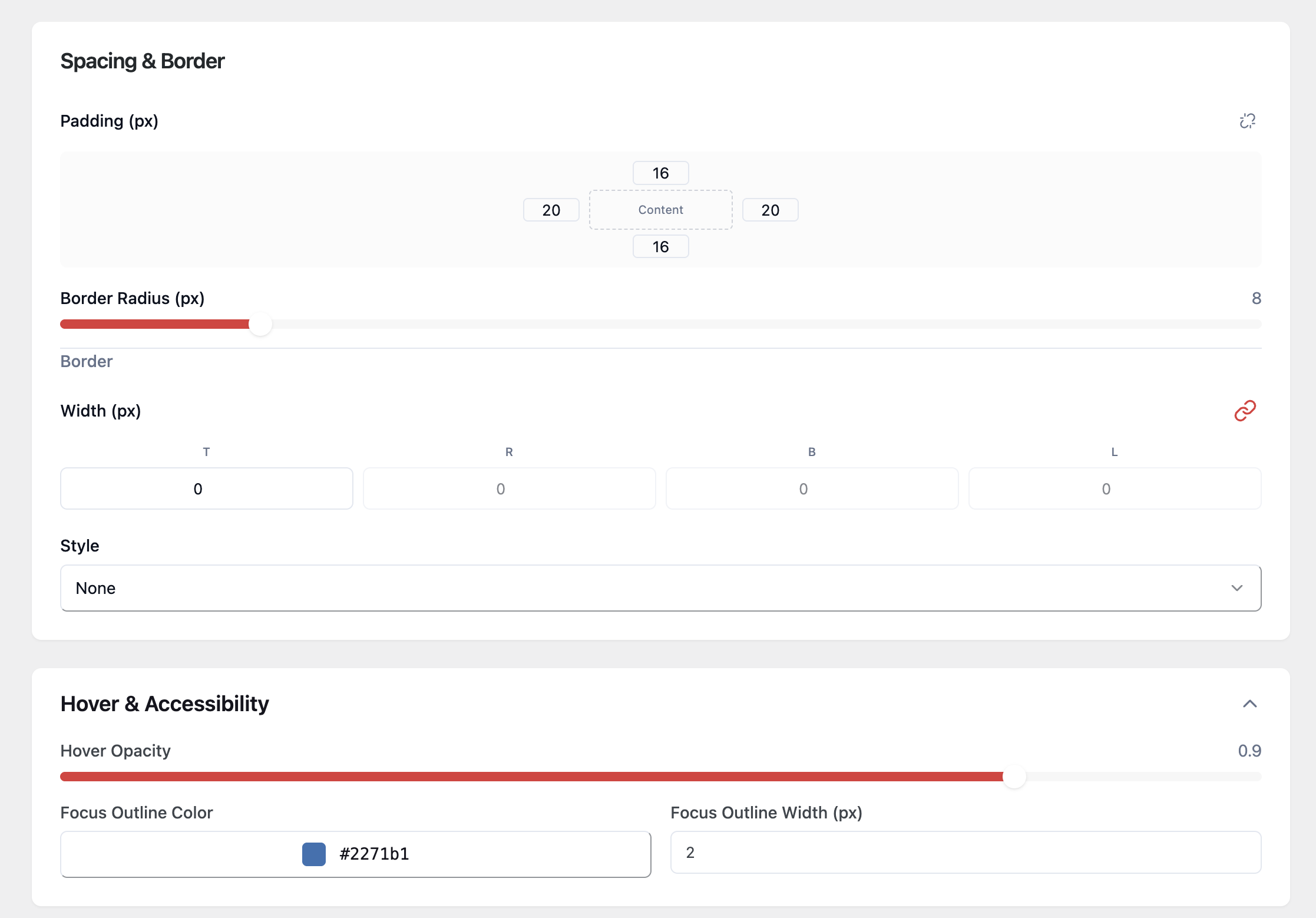
Fine-tune UX and accessibility details: adjust padding, borders, hover opacity, and focus outline settings for cleaner, more accessible FAQ blocks.
Instalace
- Upload the
trainedpixels-faq-builderfolder to/wp-content/plugins/. - Activate the plugin through the Plugins menu in WordPress.
- Go to Trained FAQ > FAQ Manager to create your first FAQ.
- Customize appearance at Trained FAQ > Settings.
- Add FAQs to any page using the
[trained_faq]shortcode.
Nejčastější dotazy
-
How do I display FAQs on a page?
-
Use the shortcode
[trained_faq]in any post, page, or widget area. The Gutenberg block is available in the PRO version. -
Can I filter FAQs by category?
-
Yes. Create categories in the FAQ Manager, then use
[trained_faq category="my-category"]to filter by category. The category slug is visible and copyable directly in the FAQ Manager. -
Does it support FAQ schema for SEO?
-
Yes. FAQ schema (JSON-LD) is automatically generated for all displayed FAQs, helping your content appear as rich results in Google.
-
Can I use custom icons?
-
Yes. The free version includes 4 built-in icon presets plus custom icon uploads (PNG/JPG/GIF) with separate closed and open states. The PRO version adds rotate icon animation for custom icons.
-
Is it compatible with page builders?
-
Yes. It works with any theme or page builder that supports shortcodes. The PRO version adds a native Gutenberg block and an Elementor widget.
Recenze
Pro tento plugin nejsou žádné recenze.
Autoři
TrainedPixels FAQ Builder je otevřený software. Následující lidé přispěli k vývoji tohoto pluginu.
Spolupracovníci
Přeložte “TrainedPixels FAQ Builder” do svého jazyka.
Zajímá vás vývoj?
Prohledejte kód, podívejte se do SVN repozitáře, nebo se přihlaste k odběru protokolu vývoje pomocí RSS.
Přehled změn
1.0.7
- Settings option key renamed from
trained_faq_builder_pro_settingstotrained_faq_builder_settings; existing settings are automatically migrated on upgrade - Corrected plugin header description to remove references to PRO-only features (Gutenberg, Elementor)
- Toggle mode shortcode attribute now correctly documented as a PRO feature
1.0.6
- Moved all PRO features into a standalone premium addon — the free plugin no longer contains any license-gated (trialware) code
- Free plugin identity corrected: plugin name, text domain, PHP constants, and REST namespace now consistently reflect the free version
- Build pipeline: PRO addon assets now built and distributed separately from the free plugin
1.0.5
- Fixed padding settings — previously only left padding value was editable
- Added category slug view and one-click copy in the FAQ Manager for shortcode users
- Fixed Plus/Minus icon preset animation — shows + when closed, – when expanded
- Fixed custom icon upload and dual closed/open icon animation
1.0.4
- Plugin rebranded to TrainedPixels FAQ Builder (new slug: trainedpixels-faq-builder)
- Dual custom icon upload with separate closed and open state icons
- Category slug display and one-click copy in the FAQ Manager
- Visual settings: improved padding controls, icon picker UX, and text-align position icons
- WordPress.org compliance: output escaping, inline script enqueue, cron hook naming
1.0.1
- Initial WordPress.org release
- Free version includes shortcode, visual settings, SEO schema markup, and FAQ manager
- PRO features clearly marked in the UI and documentation