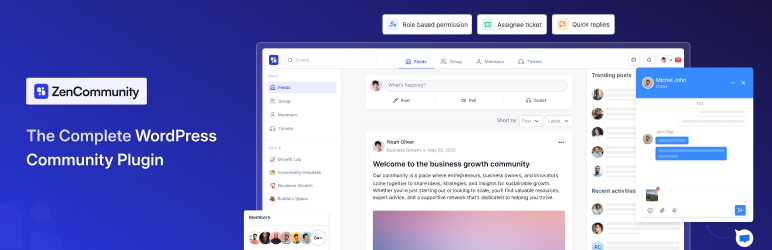

Popis
Kompletní řešení pro vytvoření komunity na platformě WordPress v reálném čase se zprávami, nástěnkou příspěvků, živým chatem a systémem podpory
ZenCommunity is the first WordPress community plugin that unifies groups, posts, support ticketing, and live chat into one native powerhouse. Build social, Facebook-style communities with real-time chat and posts, convert community posts into tracked support tickets, and offer instant live help — all inside your WordPress site.
👉 ZenCommunity Site
👉 Unlock Premium Features
👉 Join Our Official Community
Core Features at a Glance
Community Tool
- User-friendly UX
- Unlimited groups/spaces
- User profiles
- Activity feeds
- Member controls
- Feeds
- Comments & reactions
- Real-time chat
- Notifications
- Privacy controls
- Mentions
- Hashtags
- Polls and surveys (Coming soon)
- Leaderboard (Coming soon)
- Bookmarks
- Branding options
- Welcome message
- Custom slugs
- Search
- Member directory
- File uploads
- GIF
- Emoji
- Media storage
- Role manager
- User approval
- Email summaries
- Tmavý a světlý styl obrazovky
Support Ticketing [PRO]
- Convert feed to tickets
- Ticket status tracking
- Ticket assignment
- Ticket stages (ongoing, solved, etc.)
- Ticket notifications
- Auto replies (Coming soon)
Live Chat [PRO]
- Customizable website live chat widget (Cross domain also supported)
- Multi-session handling
- Instant visitor support
- Real-time notifications
- File sharing
- 24/7 support system
ZenCommunity isn’t just another community plugin. It’s the first WordPress solution that combines the three strongest engagement systems — Community, Real-Time Chat, and Support Tickets — together in one place.
Most WordPress websites use 3–5 different tools to achieve what ZenCommunity does alone. That creates scattered conversations, missed messages, and poor user experience. ZenCommunity removes that problem completely.
By keeping community posts, chats, and support inside one system, your users stay connected, engaged, and supported without ever leaving your site.
Below are the core sections that show how ZenCommunity stands out.
Community Features — Your Full Social System Inside WordPress
ZenCommunity gives you everything needed to build a full, social-style community inside WordPress — no third-party platforms, no separate plugins.
Advanced Community Groups
Build public or private groups with full admin control. Groups can be used for LMS classes, client spaces, internal teams, membership circles, or interest-based communities. Each group has its own feed, members, and settings.
Facebook-Style Posting & Engagement
Your members can publish posts, attach media, use @mentions, comment, reply, react, and follow discussions. The interface feels familiar, simple, and fast — encouraging users to talk and stay active.
Real-Time Community Chat
ZenCommunity includes built-in chat inside groups. Members can start private one-to-one chats or chat as a group with typing indicators, read status, file sharing, and notifications. Conversations stay active without page reloads.
User Profiles & Activity Tracking
Each user gets a profile with activity, groups, posts, and engagement. This makes your community feel more personal and interactive.
Community Growth Features
Hashtags, polls, surveys, leaderboards, bookmarks, and email summaries help keep engagement high. Members always have a reason to come back.
Admin Control & Community Safety
Moderators can manage posts, approve members, customize branding, set privacy rules, and control roles. You decide how open or private each group should be.
Support Ticketing — Full Helpdesk Inside Your Community
ZenCommunity includes a complete support ticketing system connected directly to your community and chats.
Convert Posts Into Support Tickets
If a user posts a question that needs deeper help, convert it into a ticket with one click — no platform switching.
Clear Ticket Assignments
Assign each ticket to a responsible team member so the right person handles the issue. This reduces confusion and improves response time.
Status Tracking
Each ticket has clear stages (new, ongoing, solved, etc.) so both sides can follow progress. Your support team stays organized, and users always know what’s happening.
Personal Support Chat on Each Ticket
Tickets include an instant one-to-one chat. Users don’t need email or external help desks — everything is live and inside your site.
Smart Notifications
Both users and team members get notifications when ticket updates happen. Nothing gets lost.
Auto Replies
Helpful for off-hours, acknowledgment messages, or routing requests.
Live Chat — Instant Help That Converts Visitors
ZenCommunity includes a built-in real-time live chat widget for your entire site.
Customizable Widget
Add your supporter’s name, photo, availability status, and greeting message. This makes your support feel personal and trustworthy.
Instant Visitor Support
Visitors can start chatting immediately. Control visitor login or anonymous chat.
Multi-Session Handling
Support agents can handle multiple conversations at once without losing track.
Real-Time Notifications & File Sharing
Send and receive files instantly, get notified when new messages arrive, and keep the conversation going smoothly.
24/7 Support System
The widget stays active at all times, so users always have access to help.
Who ZenCommunity Helps
ZenCommunity fits a wide range of websites and business types:
- LMS websites (students + instructors)
- Membership sites
- Local groups & communities
- Agencies
- SaaS companies
- E-commerce stores
- Service providers
- Creators & educators
- Internal teams & organizations
🔥 Deep Academy LMS Integration
ZenCommunity connects directly with Academy LMS to automate all your course activities inside your community — without any extra work from the admin.
When this integration is enabled, key Academy LMS events automatically create posts in your ZenCommunity groups. This means your learners stay updated, active, and informed without any manual posting.
What Automatically Gets Shared
ZenCommunity can post updates in your community when any of the following events happen inside Academy LMS:
- Course Enrolled
- Course Complete
- Course Announcements
- User Question
- Question Answer
- Lesson Update
- Quiz Start
- Quiz End
This makes ZenCommunity the perfect LMS community plugin.
Rozšířené integrace LMS
ZenCommunity teď podporuje několik populárních WordPress pluginů pro online vyučování a tak zjednodušuje přidání komunity, diskuze, soukromých zpráv a podpory studentů na váš vzdělávací web.
Tutor LMS integrace se ZenCommunity
Integrace ZenCommuity s Tutor LMS přináší klíčové aktivity kurzu přímo do vaší komunitní skupiny a tak pomáhá studentům získat informace a být zapojeni na vašich stránkách WordPress.
Tahle integrace promění postup v kurzech z Tutor LMS ve viditelné zprávy, čímž vytvoří kolem studijních milníků diskuzi, motivaci a spolupráci.
Události z Tutor LMS sdílené se ZenCommunity
Když je integrace s Tutor LMS zapnutá, na nástěnku skupinových zpráv ZenCommunity jsou automaticky odesílány následující aktivity:
- Zápis do kurzu
- Dokončení tématu
- Course Complete
- Quiz Start
- Quiz End
Všechna oznámení jsou sdílena ve vybrané komunitní skupině a tak umožní lektorům a studentům reagovat na skutečný vývoj v kurzu v jednom centrálním místě.
LearnPress integrace se ZenCommunity
Integrace ZenCommuity s LearnPress odešle otázky studentů a informace o postupu a dokončení kurzu přímo do vaší komunitní skupiny.
Tahle integrace pomáhá webům s online učebnou LearnPress proměnit akce z kurzu ve sdílenou diskuzi, čímž udržuje studenty aktivní a zapojené uvnitř vaší stránky WordPress.
Události z LearnPress sdílené se ZenCommunity
Když je integrace s LearnPress zapnutá, na nástěnku skupinových zpráv ZenCommunity jsou automaticky odesílány následující aktivity:
- Zápis do kurzu
- Course Complete
- Dokončení lekce
- User Question
- Question Answer
- Quiz Start
- Quiz End
Oznámení jsou sdílena ve vybrané komunitní skupině a tak umožní lektorům a studentům reagovat na skutečný vývoj v kurzu v jednom centrálním místě.
MasterStudy LMS integrace se ZenCommunity
Integrace ZenCommuity s MasterStudy LMS odešle otázky studentů a informace o postupu a dokončení kurzu přímo do vaší komunitní skupiny.
Tahle integrace pomáhá webům s online učebnou MasterStudy proměnit aktivity z kurzu ve sdílenou diskuzi, čímž udržuje studenty zapojené uvnitř vaší stránky WordPress.
Události z MasterStudy sdílené se ZenCommunity
Když je integrace s MasterStudy LMS zapnutá, na nástěnku skupinových zpráv ZenCommunity jsou automaticky odesílány následující aktivity:
- Zápis do kurzu
- Course Complete
- Dokončení lekce
- User Question
- Question Answer
- Quiz End
Oznámení jsou sdílena ve vybrané komunitní skupině a tak umožní lektorům a studentům reagovat na skutečný vývoj v kurzu v jednom centrálním místě.
Lifter LMS integrace se ZenCommunity
Integrace ZenCommuity s Lifter LMS odešle otázky studentů a informace o postupu a dokončení kurzu přímo do vaší komunitní skupiny.
Tahle integrace pomáhá webům s online učebnou Lifter LMS udržet zapojení studentů skrze sdílenou diskuzi a okamžité informace přímo uvnitř vaší stránky WordPress.
Události z Lifter LMS sdílené se ZenCommunity
Když je integrace s Lifter LMS zapnutá, na nástěnku skupinových zpráv ZenCommunity jsou automaticky odesílány následující aktivity:
- Zápis do kurzu
- Course Complete
- Dokončení lekce
- User Question
- Question Answer
- Quiz End
Oznámení jsou sdílena ve vybrané komunitní skupině a tak umožní lektorům a studentům reagovat na skutečný vývoj v kurzu v jednom centrálním místě.
LearnDash integrace se ZenCommunity
LearnDash integrace se ZenCommunity propojí aktivitu v kurzech přímo s komunitními skupinami, a tím umožňuje studentům být aktivními a zapojenými přímo na stránkách WordPress.
Tato integrace sdílí postup studentů v LearnDash do skupiny, čímž mezi studenty vytvoří kolem studijních milníků diskuzi, motivaci a spolupráci.
Události z LearnDash sdílené se ZenCommunity
Když je integrace s LearnDash zapnutá, na nástěnku skupinových zpráv ZenCommunity jsou automaticky odesílány následující aktivity:
- Zápis do kurzu
- Course Complete
- Dokončení tématu
- Quiz End
Všechna oznámení jsou sdílena ve vybrané komunitní skupině a tak umožní lektorům a studentům reagovat na skutečný vývoj v kurzu v jednom centrálním místě.
Tím se ZenCommunity stává velmi silným společníkem vzdělávacích stránek používajících LearnDash pro propojení kurzů s aktivním zapojením do komunity.
⚡ Performance & Reliability
- ZenCommunity is built for speed:
- No external tools
- No outside servers
- No extra apps
- Everything loads inside WordPress
- Real-time updates with lightweight scripts
The plugin is optimized for both small sites and enterprise-level communities.
🛠 Admin Tools
Site admins get:
- A single dashboard for groups, posts, tickets, and chats
- Role-based permissions
- Community moderation controls
- Branding settings
- Full visibility into engagement and support activity
Snímky obrazovky

Nástěnka komunitních zpráv 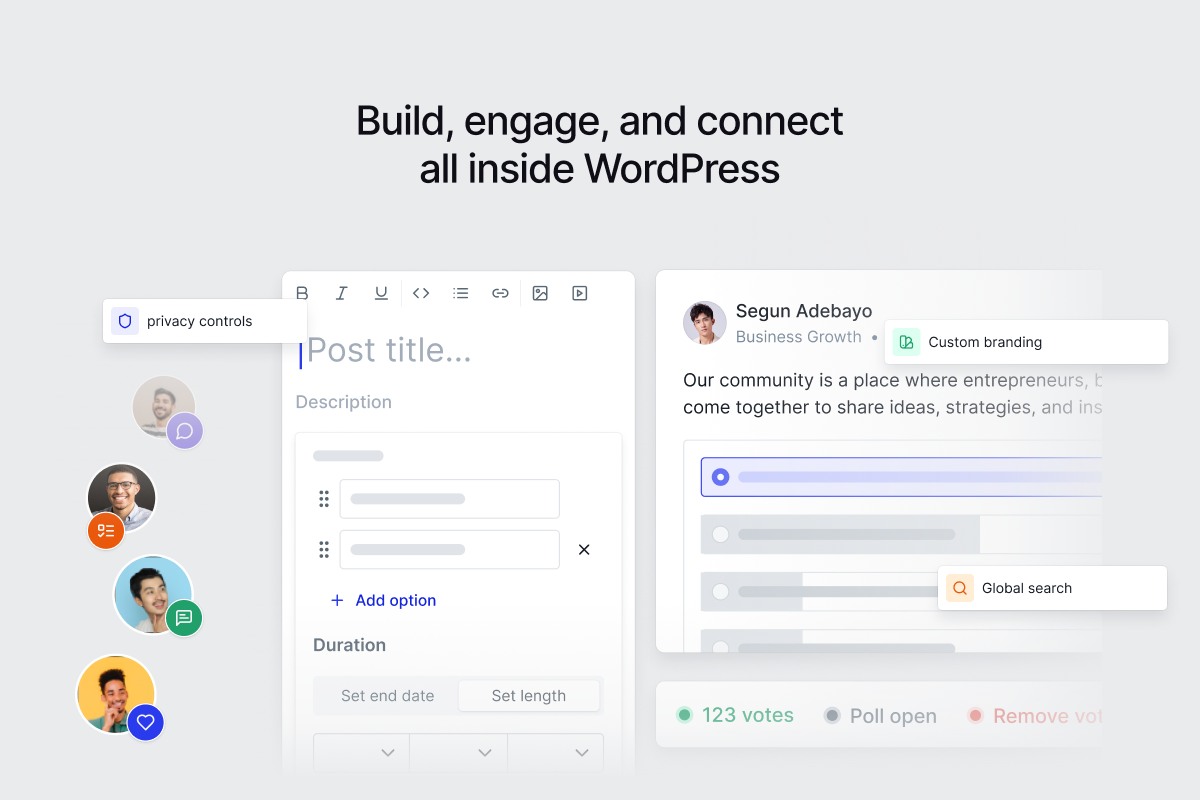
Vytvářejte příspěvky, průzkumy a mnohem více 
Soukromé zprávy 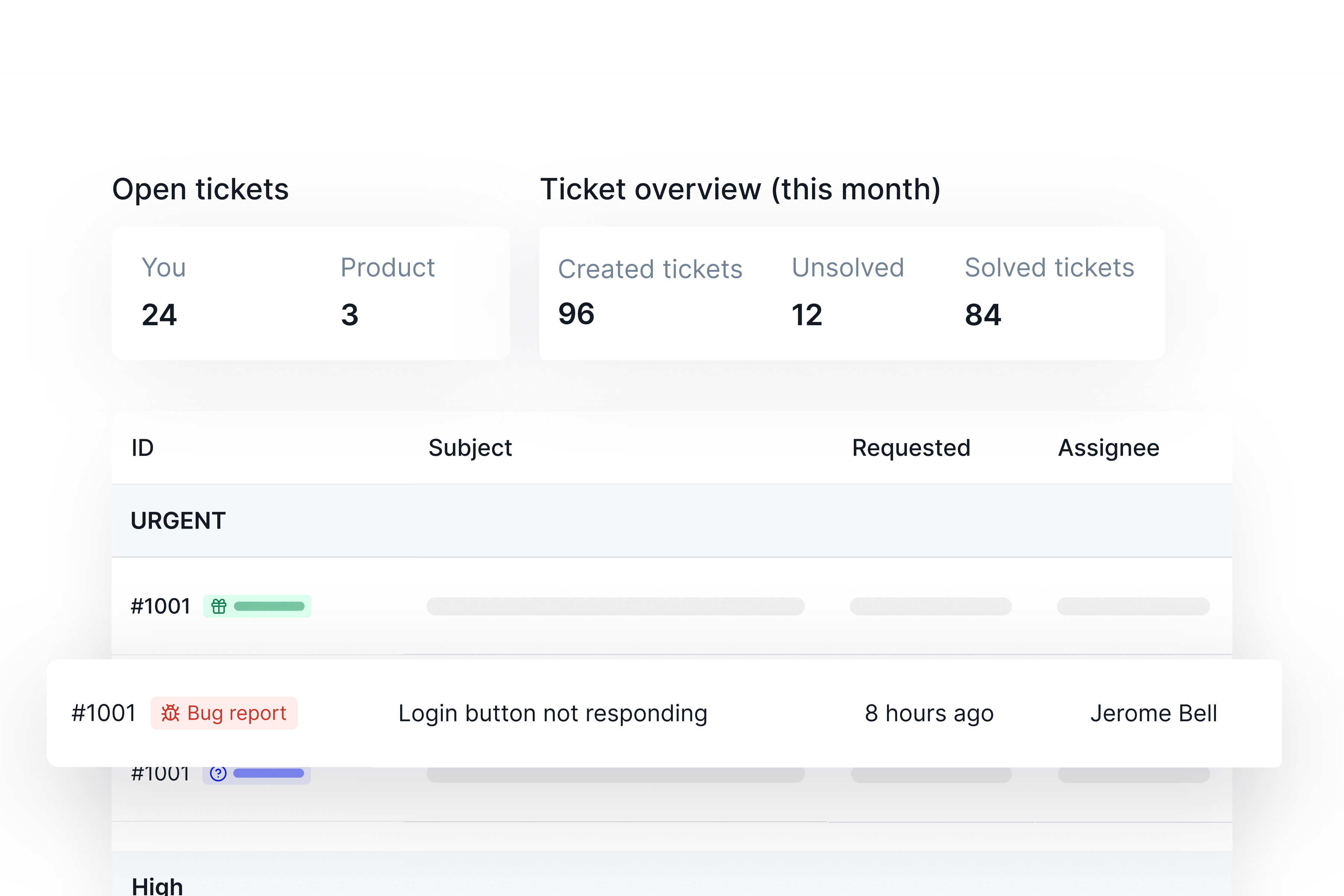
Lístky požadavků na podporu 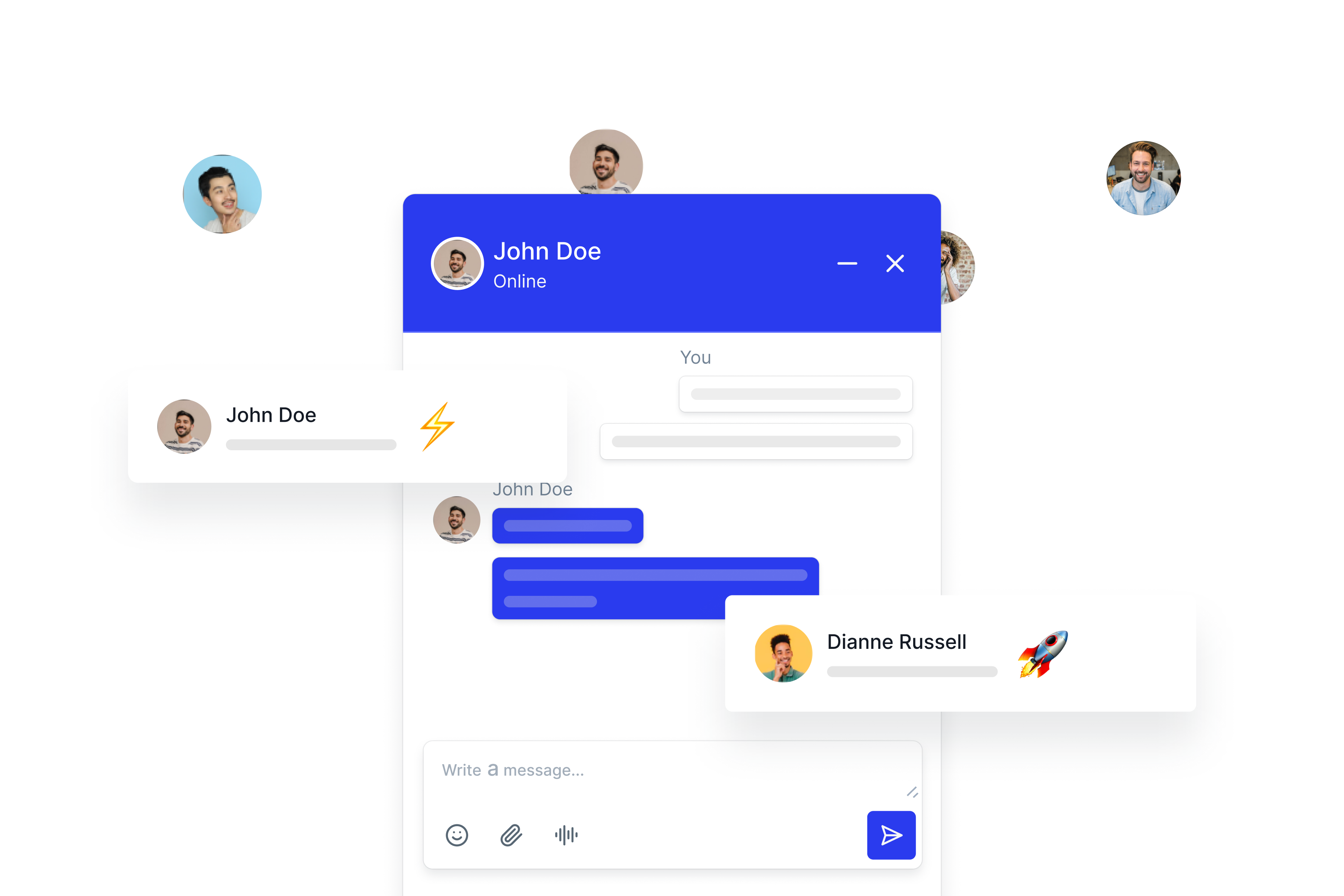
Živý chat
Nejčastější dotazy
-
Does ZenCommunity support real-time chat?
-
Yes. Both group and private chats are real-time.
-
Can I convert posts into support tickets?
-
Ano, kterýkoliv příspěvek nebo chat je možné změnit na lístek podpory jedním kliknutím.
-
Does it work with LMS platforms?
-
Ano, zvláště s naší AcademyLMS, se kterou je hluboce integrován.
-
Is live chat included?
-
Plně funkční živý chat je součástí naší Pro verze
-
Is this a complete WordPress community plugin?
-
Ano. Obsahuje skupiny, příspěvky, živý chat a systém podpory. Vše v jednom.
Recenze


Autoři
ZenCommunity – Komunita v reálném čase se zprávami, nástěnkou příspěvků, živým chatem a systémem podpory je otevřený software. Následující lidé přispěli k vývoji tohoto pluginu.
Spolupracovníci

Plugin „ZenCommunity – Komunita v reálném čase se zprávami, nástěnkou příspěvků, živým chatem a systémem podpory“ byl přeložen do 2 jazyků. Děkujeme všem překladatelům za jejich pomoc.
Zajímá vás vývoj?
Prohledejte kód, podívejte se do SVN repozitáře, nebo se přihlaste k odběru protokolu vývoje pomocí RSS.
Přehled změn
1.5.0 – 16/03/2026
- Added – Visitor search and theme switching support for logged-out (guest) users.
- Added – Confirmation popup support for post, comment, and reply delete actions.
- Added – Ticket status update support for users.
- Added – Loading skeletons and loaders for the header, feed posts, profile feed, sidebar, and profile pages.
- Added – Modal portal support and smoother UI transitions across layout, notifications, settings, tickets, profiles, and group pages.
- Fixed – Member loading, template save, ticket status option width, and select menu display issues.
- Fixed – Group data fetching, mention UI interactions, feed grid active tab state, and sidebar menu loading behavior.
- Fixed – Add-ons fetching conditions with related loader behavior.
- Fixed – Profile loading states, profile tab jumping issues, profile group grid UI, and cover image action buttons.
- Fixed – Email notification switch behavior and blank page issue caused by a spelling mistake.
- Fixed – 400/403 API error due to cookie check failed.
- Improved – Search modal UI and interaction flow for the updated search experience.
- Improved – Dark theme colors, accent color handling, primary and secondary color styling, and active states across the header, sidebars, and settings panels.
- Improved – Post form background styling, profile popup and post popup UI, post reactions, comment theme consistency, and anonymous post and ticket presentation.
- Improved – Group tabs, group action buttons, member UI, invite icon styling, icon sidebar, and settings user role UI consistency.
- Improved – Ticket colors, ticket settings UI, and email settings presentation.
- Improved – Integration settings UI and empty-state styling across supported LMS integrations.
- Improved – Community chat, support live chat table, support live chat colors, and support chat last-message avatar/name presentation.
- Improved – Loader usage by removing unnecessary root/settings loaders and refining loading states.
- Improved – Feature availability indicators, post card tooltip interactions, post avatar UI, button content, left sidebar content, avatar borders, and overall interface consistency.
v1.4.0 – 19/02/2026
- Added – Scheduled Post feature for Global Feed, Group Feed, and Profile Feed.
- Added – Scheduled post management (view and update) within user profile.
- Added – Post popup preview from feed triggered by date click.
- Added – Visitor search functionality in header for logged-out (guest) users.
- Added – Theme switching support for logged-out (guest) users.
- Fixed – ZCLabel variants and support chat icon styling inconsistencies.
- Fixed – Trending posts empty state color mismatch.
- Fixed – Post form background styling issues.
- Fixed – Group description layout alignment issues.
- Fixed – Group data fetching logic inconsistencies.
- Fixed – Mention UI interaction issues.
- Improved – Custom icon integration for timestamp input field.
- Improved – Feature availability indicator („Coming Soon“) for restricted modules.
- Improved – Post image layout and rendering behavior.
- Improved – Post comment count show.
- Improved – Post avatar UI consistency.
- Improved – Post card tooltip interactions and behavior.
- Improved – Post button conditional logic handling.
- Improved – Member interface styling and layout.
- Improved – Search modal UI and interaction flow.
- Improved – Add-ons subheading color styling.
- Improved – Community settings page styling (border and shadow refinements).
- Improved – Group details spacing and layout consistency.
- Improved – Overall UI consistency and theme handling performance.
v1.3.3 – 3/02/2026
- Added – Support to display members who reacted on a post.
- Added – Member profile summary on hover.
- Added – Recent activity section is now visible on the logged-out screen ( visitor mode )
1.3.2 – 22/01/2026
- Added: ZenCommunity Pro ticket statistics compatibility for agents.
- Added: ZenCommunity Pro formal/informal reply option compatibility for agents in tickets.
1.3.1 – 15/01/2026
- Fixed – Notification page showing blank content.
- Improved – Updated Welcome UI in Settings.
- Improved – Enhanced Group page card UI.
- Improved – Improved profile data synchronization.
1.3.0 – 13/1/2026
- Added – Support for anonymous posts.
- Added – User follow and block functionality.
- Added – Ticket history navigation from the ticket conversation view.
- Added – Support for PDF, video, and other file attachments in ticket conversations.
- Improved – Ticket conversation pagination for better usability.
- Improved – Responsive layout of the ticket conversation interface.
- Improved – Avatar fallback behavior across the community.
- Improved – Feed post content handling for LMS integration and related settings.
- Fixed – An issue where images were not displaying for newly created tickets.
1.2.1 – 31/12/2025
- Fixed – Member responsive under 768px
- Fixed – Chat responsive
- Fixed – Collection responsive fixed in settings
- Fixed – Group tab responsive under 768px
- Fixed – Profile responsive under 768px
- Fixed – Notification responsive in header under 768px
- Fixed – Group details responsive under 768px
- Fixed – Header responsive fixed in 1024px
- Fixed – Feed responsive fixed
- Fixed – Postcard responsive fixed
1.2.0 – 25/12/2025
- Added – Password reset functionality.
- Added – Tutor LMS integration.
- Added – LearnPress integration.
- Added – MasterStudy LMS integration.
- Added – LifterLMS integration.
- Added – Welcome banner feature.
- Added – Post preview support.
- Fixed – Missing theme color issue.
- Fixed – Upgrade button visibility for standard users.
- Fixed – Background color handling in post editor.
- Fixed – Duplicate links when pasting URLs in the post editor.
- Improved – Text pasting behavior in the editor.
- Improved – Handling of long messages in ticket conversations.
- Improved – Settings customization for feed sorting and post social share options.
- Improved – Login/Register fields validation.
1.1.0 – 11/12/2025
- Added – Post feeling option.
- Added – Post background color option.
- Added – Post reaction support.
- Added – Editor Emoji support.
- Added – Comment reaction.
- Added – Support chat editor support.
- Added – Dark and light theme mode support.
- Added – Dark and light theme mode color settings.
- Improved – Support widget navigation.
- Improved – All page loader.
- Fixed – Support chat, Community chat, ticket conversation responsive issue.
- Fixed – Editor toolbar options and content copy paste issue.
1.0.9 – 07/12/2025
- Added – Feed post sorting.
- Improved – Asset optimization for page loading.
- Fixed – Group feed post updating on switching groups.
- Fixed – Email Notification issue.
1.0.8 – 03/12/2025
- Improved – Groups data fetching loader.
- Fixed – WP v6.9 related page blank issues.
- Fixed – Sidebar empty links issue.
- Fixed – Email template modal responsive issue.
- Fixed – Notification on group settings save.
- Fixed – Login form field auto complete issue.
- Fixed – Support note update issue.
- Fixed – Support live chat data fetching issue.
- Fixed – Support live chat filtering issue.
1.0.7 – 02/12/2025
- Added – Learndash integration.
- Added – Feed post comment and reply edit and delete option.
- Added – Support agent notes option.
- Improved – Email Notification Editor support.
- Improved – Support live chat filter system.
1.0.6 – 27/11/2025
- Fixed – DB Prefix conflict issues
1.0.5 – 27/11/2025
- Fixed – User name undefined issue on ticket.
- Fixed – User Name and message undefined issue on community messaging.
- Fixed – ORG recommended issues.
1.0.4 – 23/11/2025
- Fixed – Community message page blank.
- Fixed – Navigation to previous page and retain if any filter exists issue fixed on ticket
- Fixed – User ticket history scrolling issue fixed
- Fixed – Translation issue.
1.0.3 – 17/11/2025
- Added – Ticket message html content support added
- Added – User tickets links
- Added – Ticket note for support member
- Fixed – Socket message deliver issue fixed
- Fixed – Tickets Pagination issue fixed
1.0.2 – 05/11/2025
- Added – User note on ticketing.
- Added – Attachment upload support.
- Added – Academy LMS integration.
- Improved – Mention member on post.
- Improved – Support Messaging message UI.
- Fixed – Ticket filtering system.
- Fixed – Message updating issue through socket.
1.0.1 – 04/11/2025
- Added – Live Chat.
- Added – Group messaging.
- Added – Voice messaging support.
- Improved – Group functionality and UI.
- Improved – Settings functionality.
- Fixed – Socket messaging issue.
- Fixed – Feed comment issue.
- Fixed – Community message duplication issue fixed.
1.0.0 – 03/11/2025
- Added – Space creation and management.
- Added – Group Creation and management.
- Added – Support ticket system.
- Added – Community messaging.