
Popis
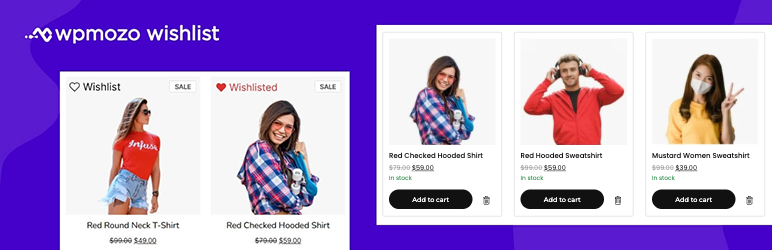
WPMozo Wishlist Lite for WooCommerce is a lightweight, user-friendly plugin that enhances your WooCommerce store by adding a wishlist feature. Customers can save their favorite products, revisit them later, and add them to their cart with ease, improving engagement and boosting potential sales.
Live Demo
Key Features
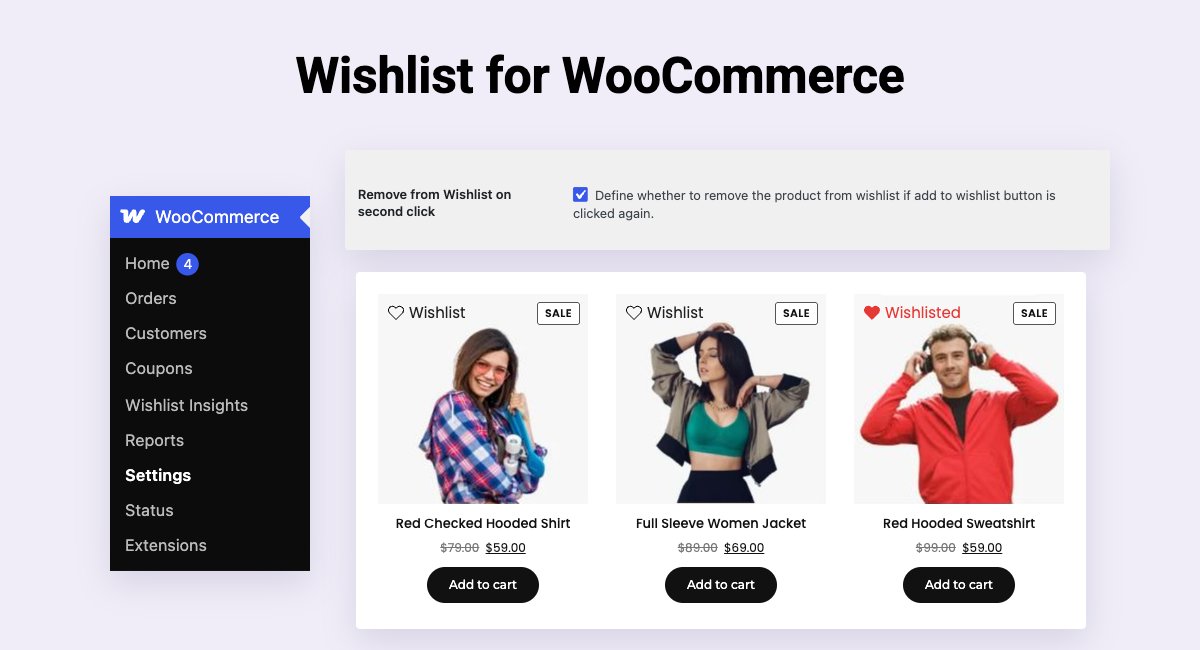
- Add to Wishlist Button: Display a customizable „Add to Wishlist“ button on product pages and in the product loops of shop and category pages. Choose from text, icon, or text + icon styles.
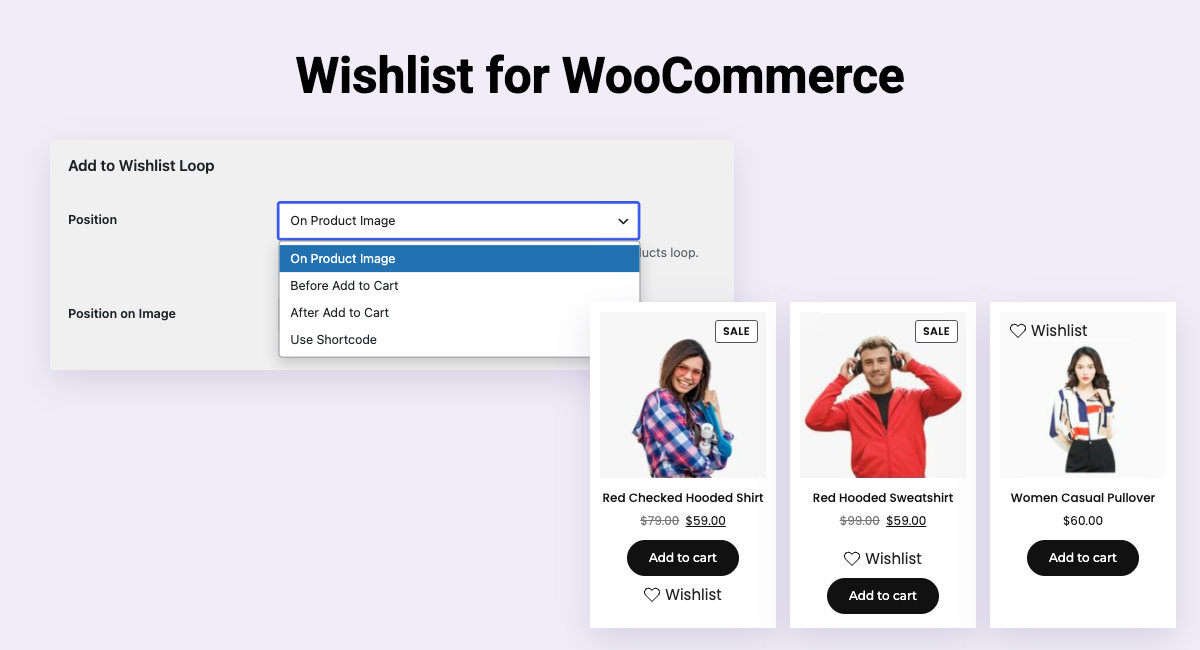
- Flexible Button Placement: Position the wishlist button before or after the „Add to Cart“ button, or on the product image in product loops.
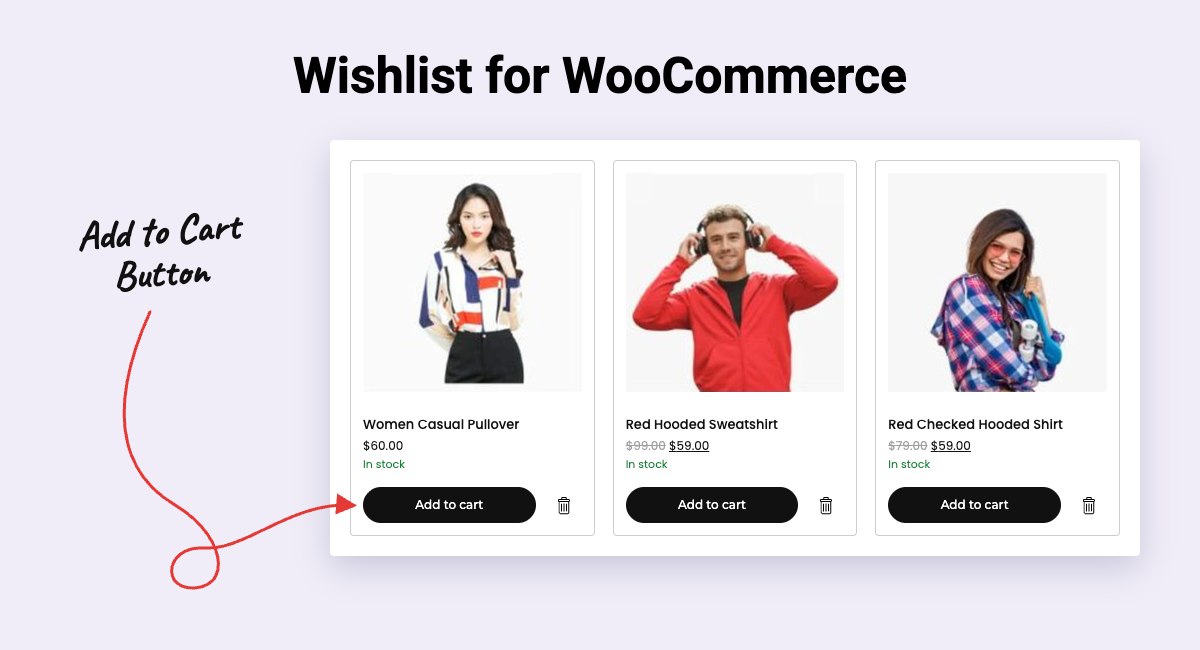
- Wishlist Page: Show saved products on any page with the Wishlists block, which has column and gap controls, or the [wpmozo_wishlists] shortcode.
- Move to Wishlist from the Cart: Let customers move a cart item to their wishlist, with the button beside the remove icon or under the product name, shown as text, an icon, or both. Works on the classic cart page.
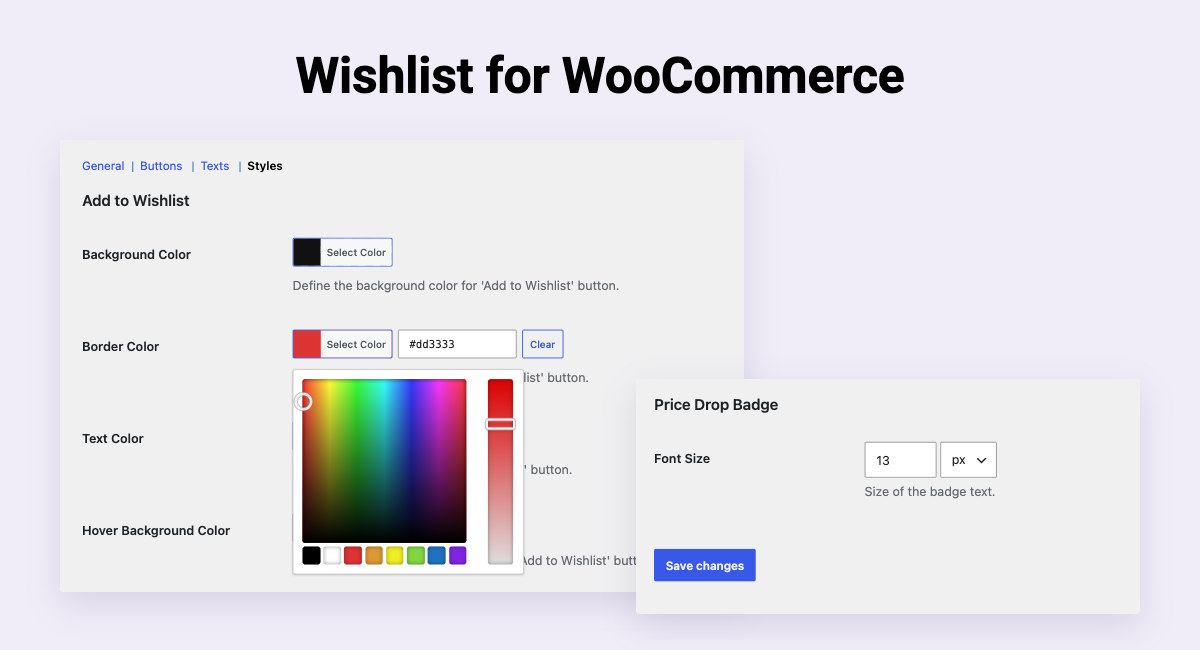
- Price Drop Badge: Highlight saved products whose price has dropped since they were added, with your own text, font size, and color.
- Undo on Remove: Customers can undo removing a product from their wishlist instead of answering a confirmation prompt.
- Guest and Logged-in Users: Allow both guest and logged-in users to create wishlists, with an option to restrict to logged-in users only. When a guest logs in, they can link the products they saved to their account.
- Empty Wishlist Link: Point the „Browse products“ link on an empty wishlist to the shop, any page, or a custom URL.
- AJAX Support: Add or remove products from the wishlist without reloading the page for a seamless user experience.
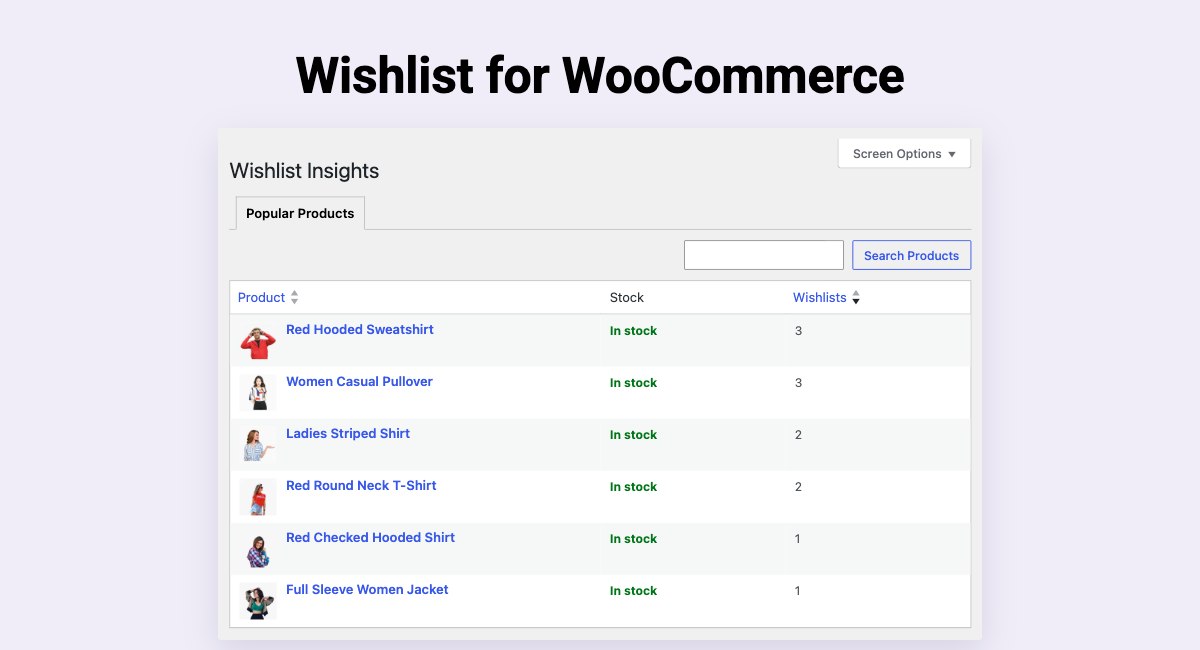
- Wishlist Insights: See your most wishlisted products under WooCommerce > Wishlist Insights, with search, sortable columns, and pagination.
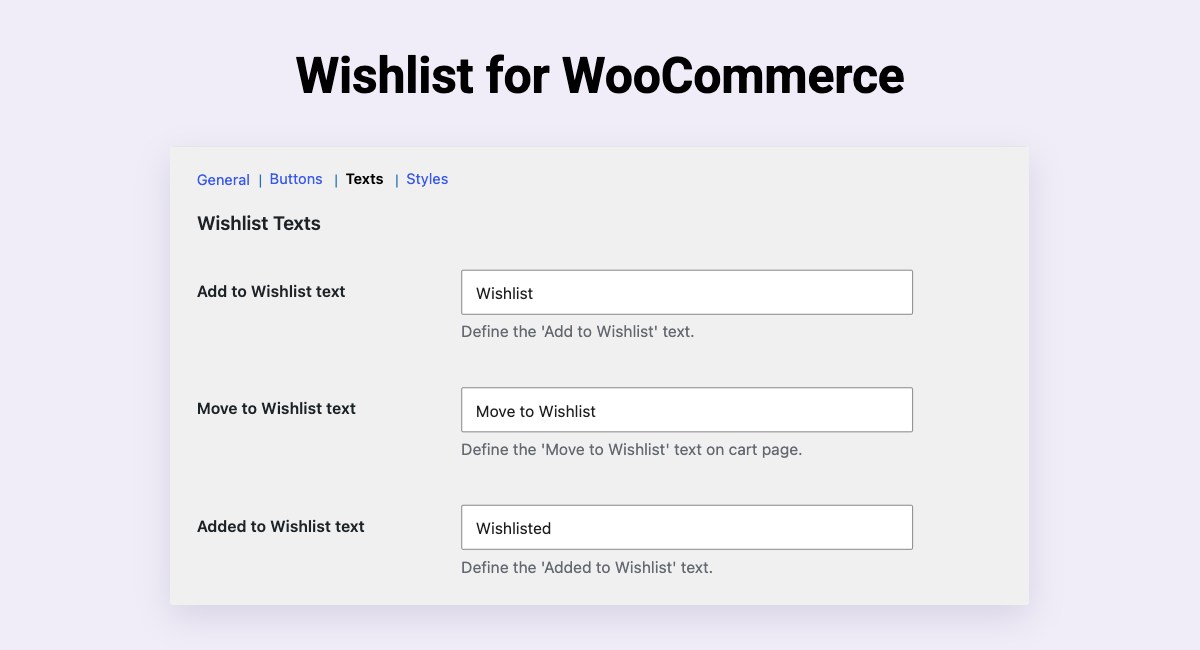
- Native WooCommerce Settings: Configure everything under WooCommerce > Settings > Wishlist, in General, Buttons, Texts, and Styles tabs built with WooCommerce’s own fields.
- Customizable Design: Set the colors of the wishlist buttons, notifications, and price drop badge to match your theme without requiring coding.
- Responsive Design: Fully responsive, ensuring a smooth experience on desktop, tablet, and mobile devices.
- Shortcode: Developers can add the Wishlist button anywhere they want in a product loop using custom function or query builders.
This plugin is ideal for WooCommerce store owners looking to increase customer loyalty, encourage return visits, and enhance the shopping experience without complex setup.
Pro Features
Upgrade to the WPMozo Wishlist for WooCommerce pro version for advanced features, including:
1. Multiple wishlists per customer, picked from a popup or a dropdown.
2. Saving a specific product variation, with its own image, price, stock status, and attributes.
3. Private or public wishlists, shared through WhatsApp, Facebook, X, email, or a link.
4. A quantity for each item, Move to Cart, and bulk actions on the wishlist page.
5. Tooltips and a choice of icons for the wishlist buttons.
6. Every customer’s wishlists in Wishlist Insights: search them by wishlist name or the customer’s name or email, open a wishlist’s products, see who added a product, and remove products or delete wishlists.
Documentation and Support
- Check out the plugin documentation for detailed usage instructions.
- Need help? Visit the plugin support forum.
- Have feature suggestions? Contact us via the support forum.
Like our Plugin?
Do you like our plugin?
– Connect with us on Facebook!
– Follow us on X!
– Join our YouTube channel.
– Rate us on WordPress.
Related Plugins
- WPMozo Product Carousel for WooCommerce – Display WooCommerce products in a slider.
- WPMozo Product Grid for WooCommerce – Showcase WooCommerce products in a grid.
- WPMozo Addons Lite for Elementor – Extra widgets for Elementor.
- WPMozo Blocks and Addons – Enhance Gutenberg with custom blocks.
Third Party Code Credits
WP Color Picker Alpha
- Version: 3.0.2
- File Location: /admin/assets/js/alphaColorPicker.min.js
- License: GPLv2 or later
- License URI: https://www.gnu.org/licenses/gpl-2.0.html
- Source: https://github.com/kallookoo/wp-color-picker-alpha
twbsPagination
- File Location: /public/assets/js/twbsPagination.min.js
- License: Apache
- License URI: http://www.apache.org/licenses/LICENSE-2.0
Copyright 2014 Eugene Simakin
Licensed under the Apache License, Version 2.0 (the „License“);
you may not use this file except in compliance with the License.
You may obtain a copy of the License at
http://www.apache.org/licenses/LICENSE-2.0
Unless required by applicable law or agreed to in writing, software
distributed under the License is distributed on an „AS IS“ BASIS,
WITHOUT WARRANTIES OR CONDITIONS OF ANY KIND, either express or implied.
See the License for the specific language governing permissions and
limitations under the License.
Snímky obrazovky


Bloky
Tento plugin poskytuje 2 bloky.
- Wishlists Shows the customer's wishlist and the products saved in it.
- Wishlist products The saved products inside a wishlist. Its own block so WordPress owns the grid.
Instalace
Minimum Requirements
- PHP 7.0 or higher (PHP 7.3+ recommended).
- MySQL 5.6 or higher, or MariaDB 10.1 or higher.
- WordPress 6.4 or higher.
- WooCommerce 7.7.0 or higher.
Automatic Installation
- Log in to your WordPress Dashboard.
- Go to Plugins > Add New.
- Search for „WPMozo Wishlist Lite for WooCommerce.“
- Click „Install Now“ and then activate the plugin.
Manual Installation
- Download the plugin zip file.
- Upload the extracted folder to the /wp-content/plugins/ directory.
- Activate the plugin through the Plugins menu in WordPress.
Updating
Always back up your website before applying updates. If you experience display issues after updating, try flushing permalinks: WordPress > Settings > Permalinks > Save Changes.
Nejčastější dotazy
-
How do I install WPMozo Wishlist Lite for WooCommerce?
-
- Log in to your WordPress Dashboard.
- Go to Plugins > Add New.
- Search for „WPMozo Wishlist Lite for WooCommerce.“
- Click „Install Now“ and then activate the plugin.
-
Yes, you can customize the button’s style (text, icon, or both), position, and appearance to match your theme’s design.
-
Is the plugin compatible with all WooCommerce themes?
-
The plugin is designed to work seamlessly with most WooCommerce themes, inheriting styles for smooth integration.
-
Where can I get support?
-
Visit the plugin support forum for assistance or to report issues.
-
How can I report security bugs?
-
Report security vulnerabilities through the Patchstack Vulnerability Disclosure Program.
Recenze
Pro tento plugin nejsou žádné recenze.
Autoři
WPMozo Wishlist Lite for WooCommerce je otevřený software. Následující lidé přispěli k vývoji tohoto pluginu.
Spolupracovníci
Přeložte “WPMozo Wishlist Lite for WooCommerce” do svého jazyka.
Zajímá vás vývoj?
Prohledejte kód, podívejte se do SVN repozitáře, nebo se přihlaste k odběru protokolu vývoje pomocí RSS.
Přehled změn
2026-10-27 – Version 2.0.1
* IMPROVEMENT: Organized the plugin settings into General, Buttons, Texts, and Styles sub-tabs under WooCommerce > Settings > Wishlist, in line with WooCommerce’s native settings.
* IMPROVEMENT: Settings are now saved using the native WooCommerce Save changes button, matching the rest of the WooCommerce settings screens.
* IMPROVEMENT: Removed the custom header and background from the settings screen to match the native WooCommerce design.
* IMPROVEMENT: The settings now use WooCommerce’s own fields, with checkboxes in place of toggle switches, a number and unit in place of the font size slider, and WordPress’s color picker, and drop the plugin’s custom styling.
* IMPROVEMENT: Rebuilt WooCommerce > Wishlist Insights with native WordPress list tables: search, sortable columns, pagination, and a rows-per-page Screen Option.
* FIXED: Resolved an issue where settings text containing an apostrophe was saved with a backslash.
* FIXED: Resolved an issue where the „Product removed from the wishlist“ notification ended with a full stop that the settings screen didn’t show.
* FIXED: An unchanged setting now always uses the default shown on the settings screen, read from one place instead of repeated through the code.
2026-08-31 – Version 2.0.0
* ADDED: Price Drop Badge on the wishlist page to highlight products that have dropped in price since being saved, with customizable text, font size, text color, and an enable/disable option.
* ADDED: Wishlists block for the WordPress block editor with column and gap controls.
* ADDED: Undo option when removing products from the wishlist, replacing the confirmation prompt.
* ADDED: Added controls to choose the move to wishlist button position on the cart page and display it as text, an icon, or both.
* ADDED: Added a configurable „Browse Products“ call-to-action for empty wishlists.
* FIXED: Resolved an issue where clearing a color setting using the Clear button was not saved.
* FIXED: Resolved an issue where removing a product from one wishlist instance did not update other wishlist instances on the same page until it was refreshed.
* FIXED: Resolved an issue where a guest’s wishlist cookie was not cleared after the wishlist was emptied.
* FIXED: Resolved an issue where color pickers in the plugin settings lost their transparency slider and Clear button when another theme or plugin registered its own alpha color picker.
* FIXED: Resolved an issue where an open color picker in the plugin settings required two clicks to close.
* IMPROVEMENT: Automatic cleanup of guest wishlists once the visitor’s cookie has expired, so abandoned rows no longer build up in the database.
* IMPROVEMENT: Redesigned wishlist cards by grouping the Add to Cart and Remove actions into a dedicated bottom action row.
* IMPROVEMENT: Moved plugin settings to WooCommerce > Settings > Wishlist instead of a separate top-level menu.
* IMPROVEMENT: Settings are now saved automatically as changes are made.
* IMPROVEMENT: Made the „In Stock“ and „Out of Stock“ labels on the wishlist page translatable.
* IMPROVEMENT: Rebuilt the plugin core for improved performance and maintainability.
2025-08-05 – Version 1.0.1
* IMPROVEMENT: Compatibility with Astra, Blocksy, Kadence, Hestia, OceanWP, Woostify themes.
2025-07-11 – Version 1.0.0
* Initial release of WPMozo Wishlist Lite for WooCommerce.