Title: WP Code Pre
Author: zeshanb
Published: 19. 9. 2017
Last modified: 8. 8. 2021
---
Prohledat pluginy
Plugin **nebyl testován na 3 nejnovějších verzích WordPressu.** Nemusí už být tedy
podporován a u novějších verzí WordPressu může mít problémy s kompatibilitou a může
být nestabilní.
# WP Code Pre
Autor: [zeshanb](https://profiles.wordpress.org/zeshanb/)
[Stáhnout](https://downloads.wordpress.org/plugin/wp-code-pre.1.0.1.zip)
* [Podrobnosti](https://cs.wordpress.org/plugins/wp-code-pre/#description)
* [Hodnocení](https://cs.wordpress.org/plugins/wp-code-pre/#reviews)
* [Instalace](https://cs.wordpress.org/plugins/wp-code-pre/#installation)
* [Vývojáři](https://cs.wordpress.org/plugins/wp-code-pre/#developers)
[Podpora](https://wordpress.org/support/plugin/wp-code-pre/)
## Popis
This simple plugin was created because of security concerns related to using PHP
preg_replace directly. With transition to PHP7, it’s advised to use preg_replace_callback
instead.
This plugin uses built-in supported feature of PHP-„highlight_string“. This plugin
filters post content inside custom html block for
and helps display html and other source code.
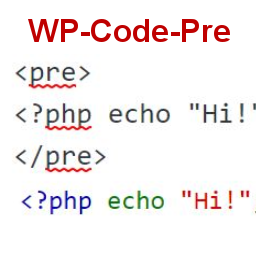
To display source code in your posts, surround source code with pre tags. Plugin
will filter for pre tags and add inline styles that may be modified using your wordpress
theme’s css stylesheet.
For WordPress versions 5.0 and above, HTML pre tags can be used within html block
or, classic block. Use the three dot menu to convert to html when there is a invalid
content error while post editing.
## Snímky obrazovky
[⌊Code preview on blog post or page⌉⌊Code preview on blog post or page⌉[
Code preview on blog post or page
[⌊Typing code in text tab of WordPress Admin area when writing Post.⌉⌊Typing code
in text tab of WordPress Admin area when writing Post.⌉[
Typing code in text tab of WordPress Admin area when writing Post.
[⌊Convert block to html while editing to make modifications to existing source code
display⌉⌊Convert block to html while editing to make modifications to existing source
code display⌉[
Convert block to html while editing to make modifications to existing source code
display
## Instalace
1. Download the plugin
2. Upload the wp-code-pre.zip folder to your site’s wp-content/plugins directory
3. Activate the plugin in the WordPress Admin Panel
4. Surround source code with `
` tags, when writing in blog posts using
Gutenberg with classic block and „Edit as HTML“ or, html block
## Nejčastější dotazy
Why there aren’t any options to modify in admin?
This plugin simply filters for
pre tags.
## Recenze
Pro tento plugin nejsou žádné recenze.
## Autoři
WP Code Pre je otevřený software. Následující lidé přispěli k vývoji tohoto pluginu.
Spolupracovníci
* [ zeshanb ](https://profiles.wordpress.org/zeshanb/)
[Přeložte “WP Code Pre” do svého jazyka.](https://translate.wordpress.org/projects/wp-plugins/wp-code-pre)
### Zajímá vás vývoj?
[Prohledejte kód](https://plugins.trac.wordpress.org/browser/wp-code-pre/), podívejte
se do [SVN repozitáře](https://plugins.svn.wordpress.org/wp-code-pre/), nebo se
přihlaste k[ odběru protokolu vývoje](https://plugins.trac.wordpress.org/log/wp-code-pre/)
pomocí [RSS](https://plugins.trac.wordpress.org/log/wp-code-pre/?limit=100&mode=stop_on_copy&format=rss).
## Přehled změn
#### 1.0
* First version of the plugin.
#### 1.0.1
* Updated readme to reflect updates to version 5.0
## Meta
* Verze **1.0**
* Poslední aktualizace **před 5 roky**
* Aktivních instalací **10+**
* Verze WordPressu ** 4.0 nebo novější **
* Testováno až do WordPressu **5.8.13**
* Verze PHP ** 7.0 nebo novější **
* Jazyk
* [English (US)](https://wordpress.org/plugins/wp-code-pre/)
* Štítky
* [Code Highlight](https://cs.wordpress.org/plugins/tags/code-highlight/)[filter content](https://cs.wordpress.org/plugins/tags/filter-content/)
* [Podrobnosti](https://cs.wordpress.org/plugins/wp-code-pre/advanced/)
## Hodnocení
Zatím nebyly zadány žádné recenze.
[Your review](https://wordpress.org/support/plugin/wp-code-pre/reviews/#new-post)
[Zobrazit všechny recenze](https://wordpress.org/support/plugin/wp-code-pre/reviews/)
## Spolupracovníci
* [ zeshanb ](https://profiles.wordpress.org/zeshanb/)
## Podpora
Potřebujete pomoc?
[Fórum podpory](https://wordpress.org/support/plugin/wp-code-pre/)