
Popis
Better Messages – is realtime private messaging system for WordPress, BuddyPress, BuddyBoss Platform, Ultimate Member, PeepSo and any other WordPress powered websites.
This private messages plugin packed with tons of features and settings to take engagement of your website users to the next level with realtime chat features, private video and audio call, group video calls and many other features.
Live chat functionality allow creating chat rooms or just private conversations between website users.
„Better Messages“ plugin is formerly called „BP Better Messages„.
More Info & Demo & Knowledge Base
Translate Better Messages to your language
Improved features comparing to standard system:
- AJAX or WebSocket powered realtime conversations
- Reworked email notifications
- Fully new concept and design
- Files Uploading
- Embedded links with thumbnail, title, etc…
- Emoji selector (using jsDelivr CDN to serve Emojis)
- Pinned messages
- Messages deleting
- Messages editing
- oEmbed YouTube, Vimeo, VideoPress, Flickr, DailyMotion, Kickstarter, Meetup.com, Mixcloud, SoundCloud and more
- Message sound notification
- Whole site messages notifications (User will be notified anywhere with small notification window)
- Mass messaging feature
- Mentions feature
- Bad words filter
- Block user feature
- Reactions to messages
- Messages for BuddyPress Groups, PeepSo Groups, Ultimate Member Groups
- Chat Rooms
- Voice Messages (available as addon)
- Pinned conversations feature
- AI Chat Bots powered by Open AI ChatGPT API
And many more features not listed here and constantly expanding
Supported features from standard messages system:
- Private Conversations
- Multiple Users Conversations
- Subjects
- Searching
- Mark messages as favorite
Compatible plugins:
- BuddyPress
- Ultimate Member
- PeepSo
- WP Job Manager
- ProfileGrid
- UsersWP
- OneSignal
- Crocoblock JetEngine Profile Builder
- WP User Manager
- wpForo
- HivePress
- MultiVendorX
- Dokan Marketplace
- WC Vendors
- WCFM
- WooCommerce
- Verified Member for BuddyPress – verified badges for users
- AutomatorWP
- Uncanny Automator
- GamiPress – charge for messages & calls
- MyCRED – charge for messages & calls
- Block, Suspend, Report for BuddyPress – allow users block each other
- Youzer (Youzify)
- Paid Memberships Pro
Tested themes:
Tested plugins:
- LocoTranslate
- WPML
Feel free to report any incompatibility or request more plugin/theme integrations!
WebSocket version:
WebSocket version is a paid option, you can get license key on our website.
We are using our server to implement websockets communications between your site and users.
Our websockets servers are completely private and do not store or track any private data.
- Significantly reduces the load on your server
- Instant conversations and notifications
- NEW Video calls feature
- NEW Audio calls feature
- NEW Group Video Chats
- NEW Group Audio Chats
- NEW Screen Share feature
- NEW Web Push feature
- Messages Delivery Status (sent, delivered, seen)
- Typing indicator (indicates if another participant writing message at the moment)
- Online indicator
- Works with shared hosting
- More features coming!
Why WebSockets are a game-changer?
Get WebSocket version license key | Terms of Use
Languages:
- English
- Spanish
- Portuguese (Brazil)
- Russian
- Dutch
- Italiano
- Turkish
- Japanese
- Danish
- Korean @modelaid
RTL Layout built in to plugin.
You can translate plugin to your language with LocoTranslate or participate in plugin translation.
Snímky obrazovky
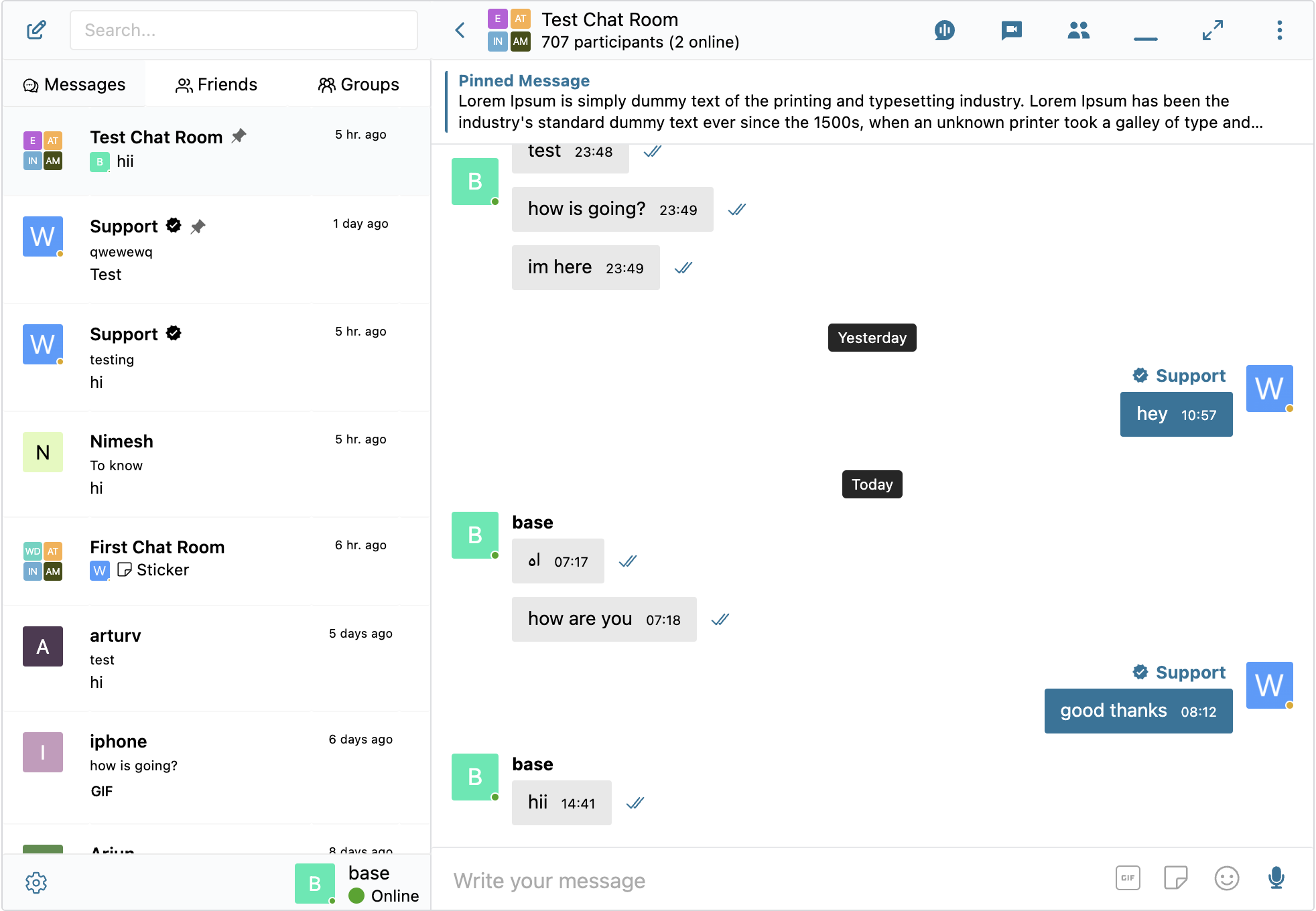
Thread screen 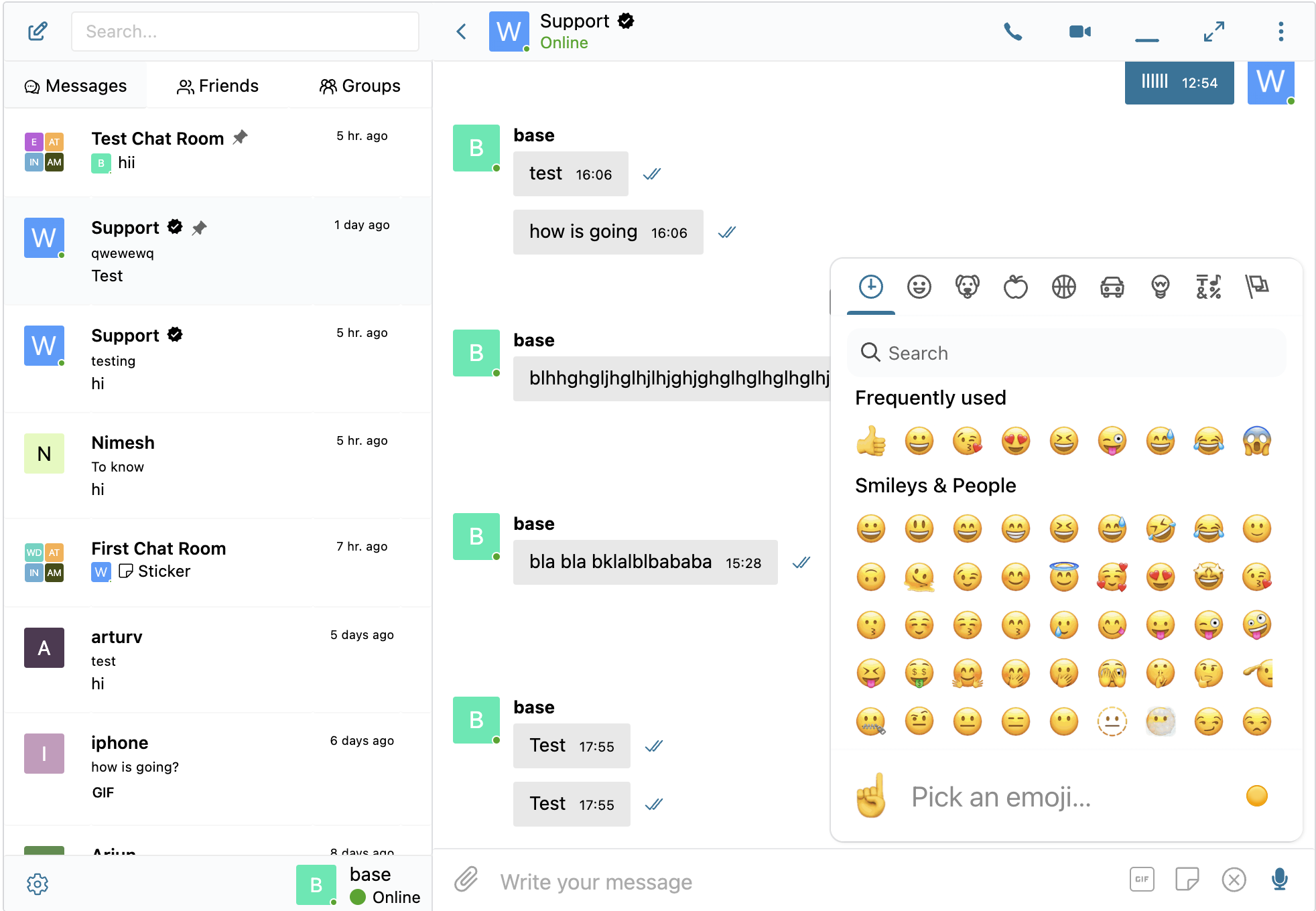
Embedded links 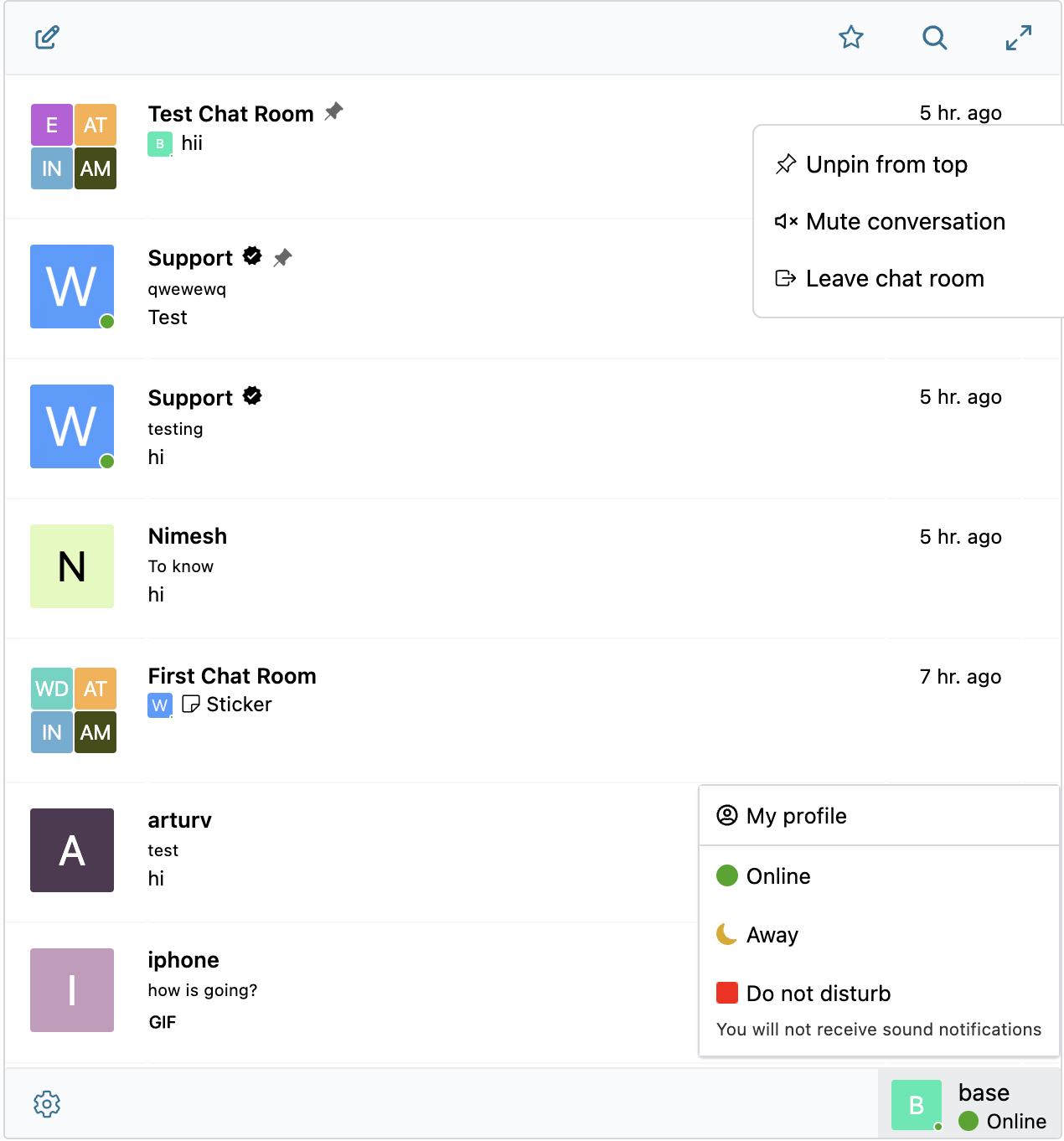
Thread list screen 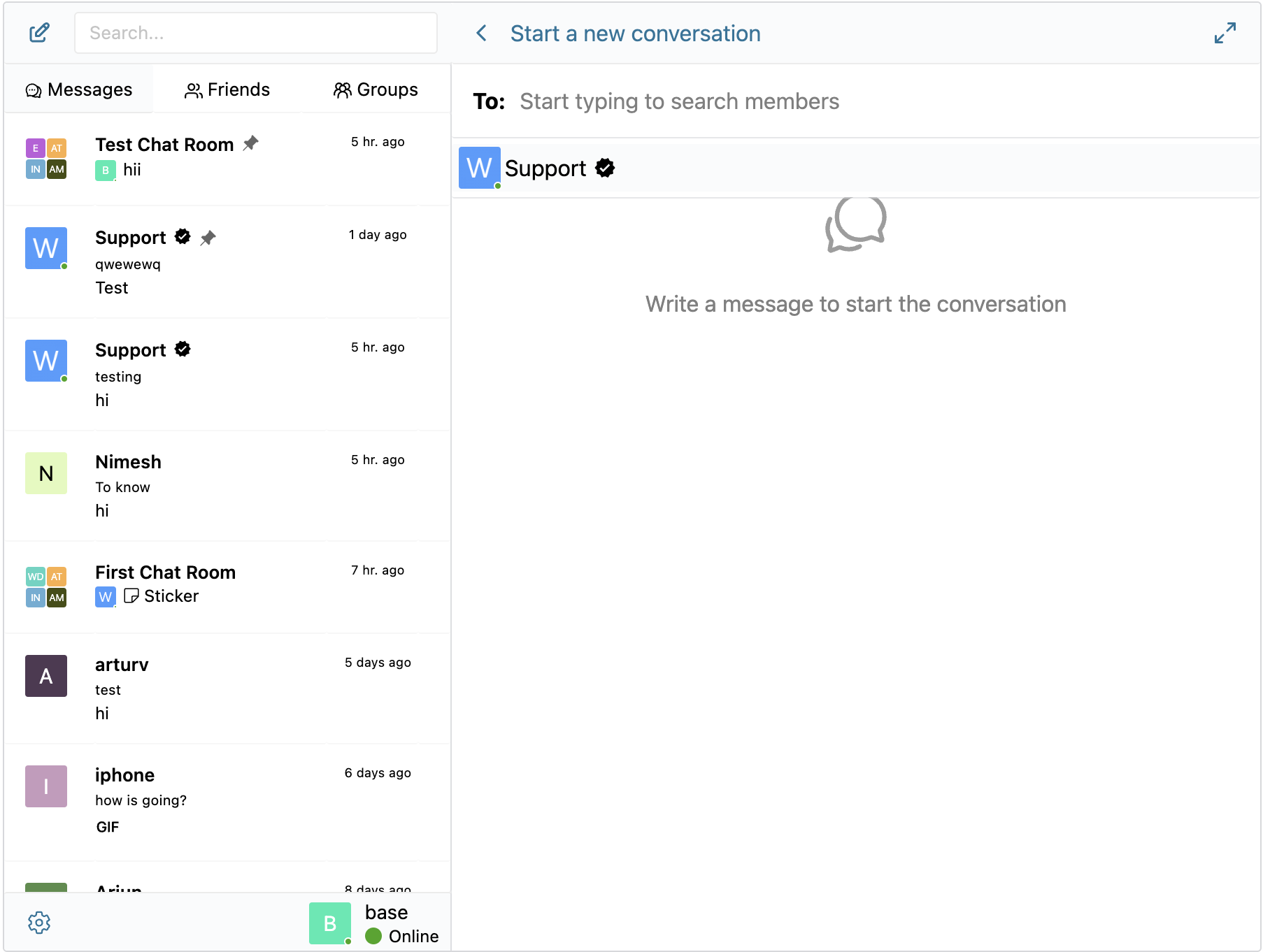
New Thread screen 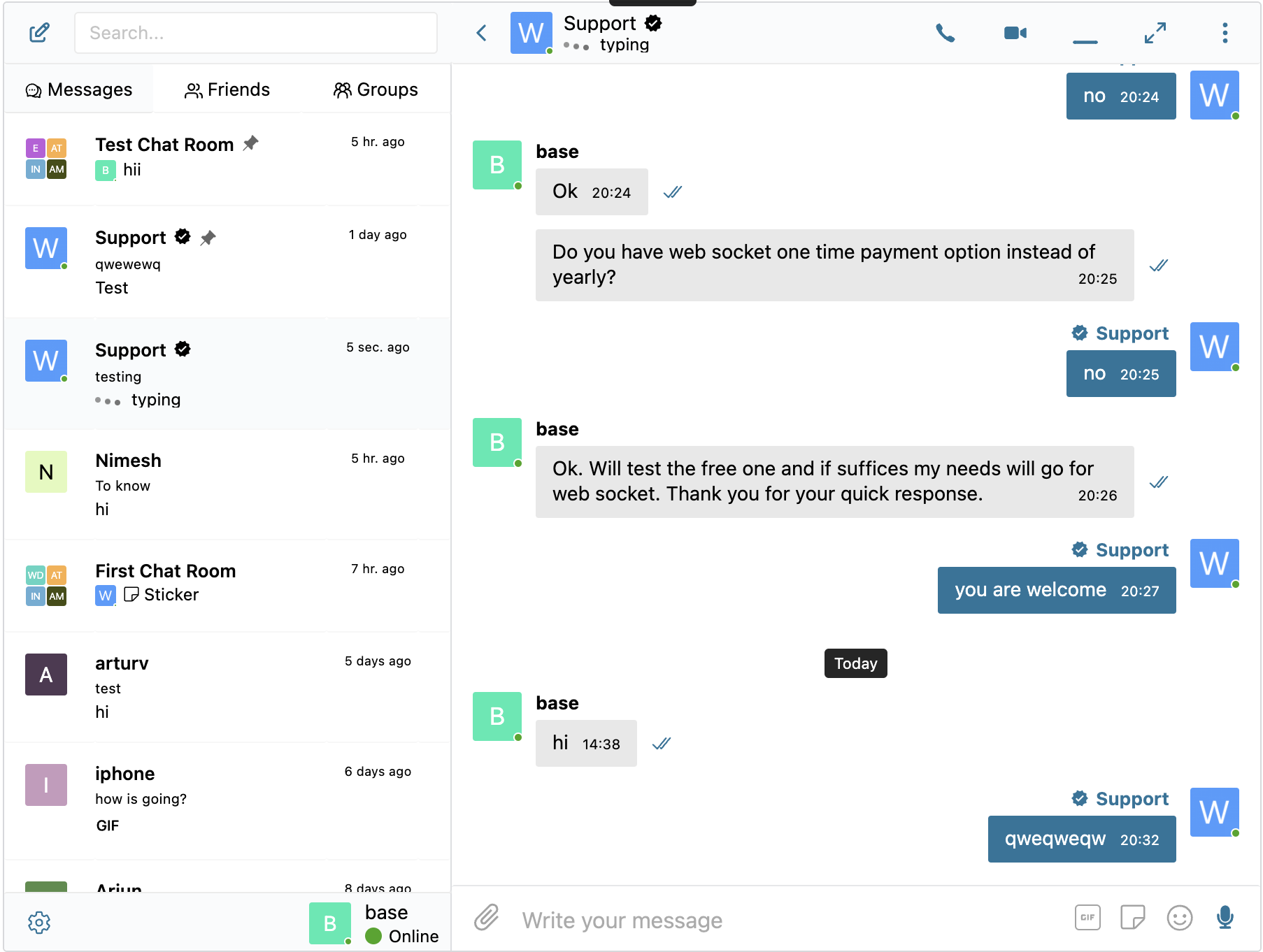
Writing notification 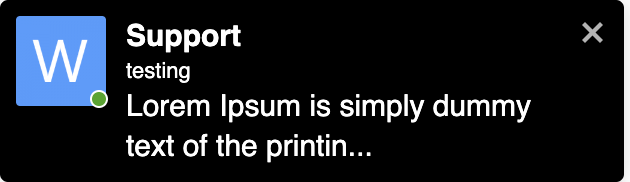
Onsite notifications
Instalace
- Upload the plugin files to the
/wp-content/plugins/bp-better-messagesdirectory, or install the plugin through the WordPress plugins screen directly. - Activate the plugin through the ‚Plugins‘ screen in WordPress
- Use the Settings -> Better Messages to configure the plugin
Nejčastější dotazy
-
Please visit KnowledgeBase
Recenze


Autoři
Better Messages – Live Chat for WordPress, BuddyPress, PeepSo, Ultimate Member, BuddyBoss je otevřený software. Následující lidé přispěli k vývoji tohoto pluginu.
Spolupracovníci
Plugin „Better Messages – Live Chat for WordPress, BuddyPress, PeepSo, Ultimate Member, BuddyBoss“ byl přeložen do 10 jazyků. Děkujeme všem překladatelům za jejich pomoc.
Zajímá vás vývoj?
Prohledejte kód, podívejte se do SVN repozitáře, nebo se přihlaste k odběru protokolu vývoje pomocí RSS.
Přehled změn
2.5.4
- Guests and AI Chat Bots are not more affected by friendships restrictions
- Fixed emojis selector was not working on first page load in some cases
- Other minor bugfixes and improvements
2.5.3
- Added WP Cron powered system to ensure completion of reply for AI Chat Bots
- Other minor bugfixes and improvements
2.5.2
- Added AI Chat Bots feature powered by Open AI ChatGPT API
- New better_messages_user_conversation shortcode
- Added support for Markdown syntax in messages
- Fixed error on user status change
- Fixed migration of message dates from BuddyPress to Better Messages
- Other minor bugfixes and improvements
2.5.1
- Last update was fixing issue with BuddyBoss theme messages dropdown menu header after BuddyBoss theme 2.5.70 update, but it was not fixed for users who using child theme, this update should fix it for all users
2.5.0
- Major optimization of database structure by merging some required meta fields to messages table, please resave plugin settings in case you notice any issues after updated
- Private and Group Video Calls compatibility with Chrome 124 (will be released at April 16th 2024)
- Participants list button was removed from the chats header and replace with Conversation information subpage
- Now it’s possible to change subjects in all private conversation & private conversations with multiple participants
- Now it’s possible to assign moderators to private conversations with multiple participants
- Now it’s possible to leave private conversations with multiple participants when other moderators are assigned
- Minor changes to translation strings, please update your translations if your website using translations
- Fixed potential issue in email notifications mysql
- Fixed messages BuddyBoss theme dropdown menu header after BuddyBoss theme 2.5.70 update
- Updated Freemius SDK to 2.7.0
2.4.36
- Optimized SQL queries for chat room auto syncing process for better performance when there is thousands of participants
- Redesigned role based access settings in chat rooms settings page
- Added new chat room option to automatically remove users who do not have a role that allows them to join the chat room
- [HivePress Integration] Added option to display messages item in HivePress user menu
- Added option to automatically redirect unlogged in users to login page when they open Messages Location page
2.4.35
- Improved private video calls connection logic to improve connection stability
- File uploader webcam capture and image editor strings translation now works correctly
- Improved file uploader extensions check to properly check for allowed extensions when the file extension is uppercase
- Minor CSS improvements for file uploader
- Other minor improvements
2.4.22 – 2.4.33
- Performance optimizations at the backend
- Reworked mention indicator to be displayed correctly in all cases
- Reworked automatic scroll to first unread message feature which was removed in past
- Fixed the issue with updated file uploader did not upload some type of files
- miniChatOpen function will open mobile full screen mode if triggered on mobile device
- Improved handling of changing logged-in user in different tabs of the same browser
- Improved guests authorization logic
- Other minor bugfixes and improvements
2.4.31
- Reworked attachments upload process to exclude cases when messages is sent, but attachments are not uploaded after that
- Added ability to attach files at new conversation screen
- Reduced size of file uploader frontend scripts
- Other minor bugfixes and improvements
2.4.29
- Minor UI and UX improvements
- Minor CSS tunes
- Minor performance improvements
- Mobile chat screen does not modify browser history anymore when opened not from messages page
- Other minor bugfixes and improvements
2.4.27
- Minor UI and UX improvements
2.4.24 – 2.4.26
- Improved audio quality for private video and audio calls
- Improved database engine for better fail resistance
- Other minor bugfixes and improvements
2.4.23
- New browser database engine for better performance and stability
- Improved audio quality for group video and audio calls
- Added new javascript filter for developers better_messages_api_request_config
- Added new php filter for developers better_messages_email_notification_time
- Added new php filter for developers better_messages_get_emoji_dataset
- Other minor bugfixes and improvements
2.4.20
- Fixed shortcode generation in chat room settings page
- Added new javascript filter for developers better_messages_video_preload_attribute
- Added group-online-count class to group online count indicator to allow customizations
2.4.19
- Added new filter for developers: better_messages_logged_in_user_id
- Reworked settings saving process again, to make it work when php_max_input_vars value is too low
- Reworked & improved chat rooms settings page
- Tested up to WordPress 6.5 Beta 1
- Other minor bugfixes and improvements
2.4.17
- Added ability to send email notifications even if user is online
- Added basic integration with WP Job Manager
- Other minor bugfixes and improvements
2.4.16
- Enabled nonce token renewal mechanism for guest users
- Added indexes to users index table for minor performance improvement
- Added new javascript filter for developers better_messages_before_message_sent
- Tested up to 6.4.3
- Other minor bugfixes and improvements
2.4.13
- Screen sharing in group calls now will also deliver audio from shared screen
- Improved voice messages recording handling at mobile devices
- Other minor bugfixes and improvements
2.4.14
- Added/documented new javascript function for developers openFullScreen
- Fixed mentions suggestions loading from rest api
- better_messages_pm_button now correctly opens in new tab, when target=“_blank“ is set
2.4.15
- Improved compatibility with old iOS devices
2.4.9 – 2.4.12
- Added Contact Seller & Contact Buyer button to HivePress Integration Orders page
- Fixed incorrect localizations in HivePress integration
- Other minor bugfixes and improvements
- 2.4.10 fixed emojis at some conditions did not work properly, when twemoji library is used at the website
- 2.4.11
- minor fix for mentions feature, when local browser encryption is enabled
- fixed mini widgets width & mini widget height customization settings
- 2.4.12 improved settings saving process, to make it work when php_max_input_vars value is too low
2.4.7 – 2.4.8
- Updated Freemius SDK to 2.6.2
- Other minor bugfixes and improvements
2.4.3 – 2.4.6
- Improved Role to Role block – now possible to only allow specific roles to send messages each other
- Added filters which will allow to modify notifications sql query by user requests
- Improvement: Added/documented new possibilities for developers
- Added „Synchronize Now“ button for user index in plugin settings
- Other minor bugfixes and improvements
- 2.4.4 is fixing WordPress Deprecation notice caused by BuddyPress 12.0
- 2.4.5 BuddyPress Advanced Mini Chats option is also compatible with Youzify now
- 2.4.6 fixed infinite redirect loop in some BuddyPress 12.0 websites
2.4.2
- Improvement: Added/documented new possibilities for developers
- Show most 500 errors only to website administrator
- Updated Freemius SDK to 2.6.1
- Other minor bugfixes and improvements
2.4.0 – 2.4.1
- Added option to „Force creating new conversation even if its already exists with member“
- Improvement: Improved database structure to improve the performance of some aspects of the plugin and will allow to implement more new features
- Improvement: Added role index table to optimize the performance of searching users with specific roles in database
- Improvement: Added/documented new possibilities for developers
- Many minor changed, bugfixes and improvements
- 2.4.1 fixes minor issue (search participants in group conversations was not working at some websites after 2.4.0 update)
2.3.12
- Added MultiVendorX with ability for guests and logged-in users to chat with vendors
- Improvement: Added private message button to participant list in group chats and chat rooms
- Improvement: All private message button shortcodes now also possible to show for guest users
- Improvement: Added/documented new possibilities for developers
- Other minor bugfixes and improvements
2.3.11
- Basic integration with JetEngine ProfileBuilder
- Improvement: Added/documented new possibilities for developers
2.3.10
- Allow to join to group video & audio chats from mini chats
- Minor bugfixes and improvements to improve stability and performance of the plugin
2.3.9
- Minor improvements and polishments for the plugin UX
- Fix for Chrome browser in iOS 17.2 Beta 2
- Updated Freemius SDK to 2.6.0
- Other minor bugfixes and improvements
2.3.6
- Compatibility with Voice Messages 1.2.0, which should improve recording quality
- Clicking on replied message, now should scroll to it
- Other minor improvements
2.3.5
- Other minor bugfixes and improvements to improve stability and performance of the plugin
2.3.4
- Minor improvements for better compatibility with older iOS
2.3.2
- Minor bugfixes with BuddyBoss integration
- Other minor bugfixes and improvements
2.3.0
- Added option to pin messages to top of the conversation in group chats
- Performance optimizations of browser database usage
- Removed usage of cookies to store any settings
- Improvement: Added/documented new possibilities for developers
- BuddyBoss group setting „Who can manage group messages in this group?“ is now supported
- Many other improvements and bugfixes
2.2.19
- Support with WordPress 6.4
- Many minor improvements in plugin core
2.2.18
- Minor improvements to local browser encryption
- Other minor improvements
2.2.17
- Improvement: Added/documented new possibilities for developers
- Added the option to encrypt local browser database to enhance security (WebSocket version only)
- Other minor bugfixes and improvements
2.2.16
- Fixed Bad Words list logic, so it does not trigger for only part of word match
- Other minor bugfixes and improvements
2.2.15
- Improvements to shortcodes logic. Video and Audio call shortcodes now start call at the same page without redirecting
- Improved avatars fetching for web push notifications
- Fixed issue with YouTube video with emojies in title was not displayed correctly
- Other minor improvements
2.2.14
- Fixed minor CSS conflict with WooCommerce
- Other minor improvements
2.2.13
- Fixed BuddyBoss OneSignal integration after recent BuddyBoss Updates
- Other minor improvements
2.2.12
- Added integration with GamiPress which allows to charge points for messages and calls
- Updated Freemius SDK to 2.5.12
- Other minor improvements
2.2.10
- MyCred Integration: Added ability to charge users for private calls
- Added option to change Time Format from 24-hour to 12-hour in WP Customizer
- Improvement: Added/documented new possibilities for developers
- better_messages_max_toasts_limit to configure max displayed toasts (on-site notifications) limit
- Tuned z-index for tooltips when Messages is in full screen mode
- Updated Freemius SDK to 2.5.11
- Added traffic information to private calls
- Saving debug information about private calls to database
- Browser database now automatically refreshing local database when user roles did change
- Minor improvements to PeepSo integration
- Other bugfixes and improvements
2.2.9
- Fixed email notifications when receiving message from guest
- Minor improvements for banning/muting in chat rooms
- Other minor improvements
2.2.8
- Selected user status now also displayed in conversation header
- Added users search to participants lists
- Guests now automatically deleted from chat rooms on deletion from WP Admin
- Other minor improvements
2.2.7
- Added avatars support in HivePress integration
- Improvement: Added/documented new possibilities for developers
- better_messages_single_message_context_menu to modify message context menu
- Minor improvements for ProfileGrid integration
- Other minor improvements
2.2.5
- Improved guest handling if the guest account not existing in database or secret key is not matching
- Added Guests tab to WP Admin -> Better Messages -> Administration page
- Other bugfixes and improvements
2.2.4
- Added the ability to set thumbnails for chat rooms
- Improved private calls connection logic to improve connection stability
2.2.3
- Fixed conflict between unique key conversation and option to „Prevent creating multiple conversations with same member“
- Removed cronjob task if mail notifications are disabled in plugin settings
- Fixed PHP deprecation messages when using with PHP 8.2+
- Other bugfixes and improvements
2.2.2
- Added HivePress integration with ability for guests and logged-in users to chat with vendors
- Other bugfixes and improvements
2.2.1
- Admins now can search users even if user search is disabled
- Dokan Integration: WooCommerce Products at the top of chats now using native get_price_html WooCommerce function to display pricing
- Fixed „Continue as guest“ and „Continue with account“ strings was not translatable
- Other bugfixes and improvements
2.2.0
- Added fully featured guest access
- Added Dokan Marketplace integration with ability for guests and logged-in users to chat with vendors
- Other bugfixes and improvements
2.1.25
- Improved private calls connection logic to improve connection stability
- Removed /loading page which was used in some cases for waiting while thread is loaded
- Preparing plugin for more advanced features for guests
- Other bugfixes and improvements
2.1.24
- Minor animation improvement on page load when there is no enough space to show side column
- Added option to replace messages content with „This message was deleted“ label instead of complete message deletion
- Added option to delete user messages when user account is deleted from website
- Other bugfixes and improvements
2.1.22
- Tuned edited messages indication icon to show correctly when date is shown at the start of messages stack
- Guest Chat Rooms compatibility with block themes
2.1.21
- Updated code for BBPress reply pm link
- Fixed new administration panel did not worked in some languages
2.1.20
- Added indication icon if message was edited
- Support with WordPress 6.3
- Other bugfixes and improvements
2.1.19
- Tuned max width for embedded iframes
- PeepSo Groups: Improved group members syncing
- Improved administration panel in WP Admin
- Other bugfixes and improvements
2.1.18
- better_messages_rest_user_item filter now also affects email notifications
- Plugin now ensure wait for connection to Websocket Servers to be established, which fixes issues in some rare cases
- Minor improvements for calls logic
- Freemius SDK update to 2.5.10
- Other bugfixes and improvements
2.1.17
- Reviewed and updated private video & audio calls logic
- Minor bugfixes and improvements
2.1.16
- Improved user search SQL query to search also by user meta by first name, last name and nickname, which should result to better search results
- Fixed issue which could break syncing process at iOS devices primarily
- Other minor improvements
2.1.14
- Backend performance optimization
- Minor bugfixes and improvements
2.1.12
- Restricted with role to role block users will not appear in search results anymore
- Improvement for PWA Apps to add additional padding on bottom
- Added option to select video calls quality in plugin settings
- Minor bugfixes and improvements
2.1.11
- Emoji encoding for databases which not supports UTF8MB4
- Fixed files uploading for guests users
- Minor bugfixes and improvements
2.1.10
- Other: Added automatic conversion of database to utf8mb4 encoding to fix emojis at some installations
2.1.9
- Other: Improved sync with BuddyPress/BuddyBoss Groups
- Other: Minor bugfixes and improvements
2.1.8
- Compatibility: Improved user-agent recognition to fix issue with WPMobile.app and iPad devices
- Other: Minor bugfixes and improvements
2.1.7
- Prevent already joined guest users to reply in chat rooms if the option is disabled in chat room settings
- Reviewed database creation logic to prevent issues in some hosting configurations
- Added debug info about database to Settings page
- Other: Minor bugfixes and improvements
2.1.6
- Improvement: PeepSo Verified will members, will now also be displayed as verified in Better Messages
- Other: Minor bugfixes and improvements
2.1.4
- Bugfix: Replaced regex expression which is unsupported in iOS 15 and older versions and caused issues with them
2.1.3
- Added: Added option to enable/disable push notifications for group chats
- Improvement: Added/documented new possibilities for customization
- Other: Tuned words list for generation names for guests users
- Other: Many minor bugfixes and improvements
2.1.2
- Added: Integration with OneSignal Push Notifications plugin (only WebSocket version)
- Other: Tuned logic of generation names for guests users
- Other: Optimized logic for push notifications to allow easy 3rd party integration (only WebSocket version)
2.1.1
- Other: Not load scripts for un-logged in users when its not needed
2.1.0
- New feature: Guest access for chat rooms
- Other: Many changes in plugin code logic to support guest users
- Other: Minor bugfixes and improvements